Laptop Types Explained: Thin and Light, 2-in-1, OLED, Chromebook and More


There are more types of laptops on sale in India than ever: featherweight thin and light machines under 1 kg, 2-in-1 convertibles with a pen, OLED laptops with cinema-grade colour, cheap Chromebooks for school, Copilot+ AI PCs, heavy gaming rigs, rugged business notebooks and MacBooks. Each type is built around a different trade-off between weight, battery, screen, power and price, so the right type matters more than the spec sheet.
This page is part of our laptop guides. It explains the main types of laptops in plain language, who each one suits, what to check before you buy, and one current pick per type whose specifications we checked against the maker's own spec sheet on 4 November 2026.
On this page
- Types of laptops at a glance
- How to choose between the types of laptops
- Best laptop for each of the types of laptops
- Thin and light laptops and ultrabooks
- 2-in-1 convertible and detachable laptops
- OLED laptops
- Chromebooks
- AI PCs and Copilot+ PCs
- Gaming laptops
- Business laptops
- MacBooks
- Other types of laptops: workstations, rugged and budget
- FAQs
- Final word
- More buying guides
Types of laptops at a glance

Use this table to compare the types of laptops side by side, then jump to the section for the type that fits your day.
| Type | Typical weight | Main strength | Main trade-off | Our pick |
|---|---|---|---|---|
| Thin and light | 1.0–1.4 kg | Portability, battery | Soldered RAM, few ports | ThinkBook 14X |
| 2-in-1 convertible | 1.3–1.5 kg | Touch, pen, tablet mode | Price, weight as a tablet | Yoga 7 2-in-1 |
| OLED laptop | 1.2–1.7 kg | Colour, contrast | Glossy screen, cost | Zenbook 14 OLED |
| Chromebook | 1.2–1.6 kg | Low price, simplicity | No Windows apps | Chromebook CM1405 |
| AI PC (Copilot+) | 1.2–1.5 kg | Battery, on-device AI | Arm app compatibility | OmniBook 3 |
| Gaming laptop | 2.0–2.7 kg | Dedicated RTX graphics | Weight, battery | TUF Gaming F16 |
| Business laptop | 1.3–1.5 kg | Durability, service | Plain design | ThinkPad E14 |
| MacBook | 1.2–1.5 kg | Battery, build, macOS | No upgrades, price | MacBook Air 13 M5 |
Many laptops belong to two types at once. An OLED 2-in-1 or a thin and light AI PC is common in 2026, so treat these types of laptops as features you can combine rather than strict boxes.
How to choose between the types of laptops

Answer these questions in order and the right one of the types of laptops usually picks itself.
How often will you carry it?
If the laptop leaves home every day, a thin and light, AI PC or MacBook under 1.4 kg saves your shoulder. If it stays on a desk, weight barely matters and a 15.6-inch or 16-inch laptop gives a bigger screen for less money.
Do you need a full day of battery?
Efficient chips like Intel Core Ultra 200V, Qualcomm Snapdragon X and Apple M5 last the longest. Gaming laptops and H-series chips drain fastest.
What matters most on the screen?
OLED gives the best colour and contrast for movies and photo work. A matte IPS panel is better under bright office lights. Our laptop display guide explains panel types.
Will you write or draw on it?
Only a 2-in-1 with pen support makes handwritten notes and sketching practical. A plain touchscreen helps with scrolling but not with drawing.
Which software must it run?
Windows runs almost everything, macOS suits creative apps and iPhone users, and ChromeOS runs web and Android apps only. Arm Windows laptops run most popular apps but not every older program or game.
Do you need a graphics card?
Only gaming, 3D, CAD and heavy video editing need a dedicated NVIDIA RTX GPU. Everyone else is better off with integrated graphics. See our laptop graphics card list.
Best laptop for each of the types of laptops
One verified pick for each type, with the specs that define it. Prices change daily, so check the live price before you buy.
Lenovo ThinkBook 14X (Core Ultra 5 226V, 16GB/512GB)
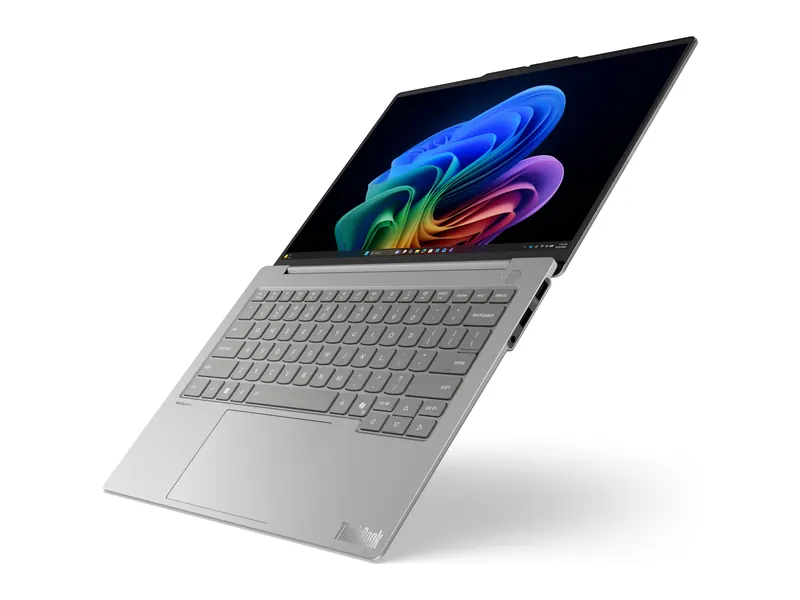
At 0.99 kg it is one of the lightest Windows laptops in India, yet it keeps HDMI 2.1, two USB-A ports and Wi-Fi 6E.
- Processor
- Intel Core Ultra 5 226V (8 cores, up to 4.5GHz)
- Graphics
- Intel Arc graphics (integrated)
- Memory
- 16GB LPDDR5x-8533 (soldered)
- Storage
- 512GB SSD
- Display
- 14-inch WUXGA IPS, 400 nits, anti-glare
- Weight
- 0.99 kg
- Battery
- 54.7 Wh
Lenovo Yoga 7 2-in-1 Aura Edition (Core Ultra 7 355, 16GB/512GB)
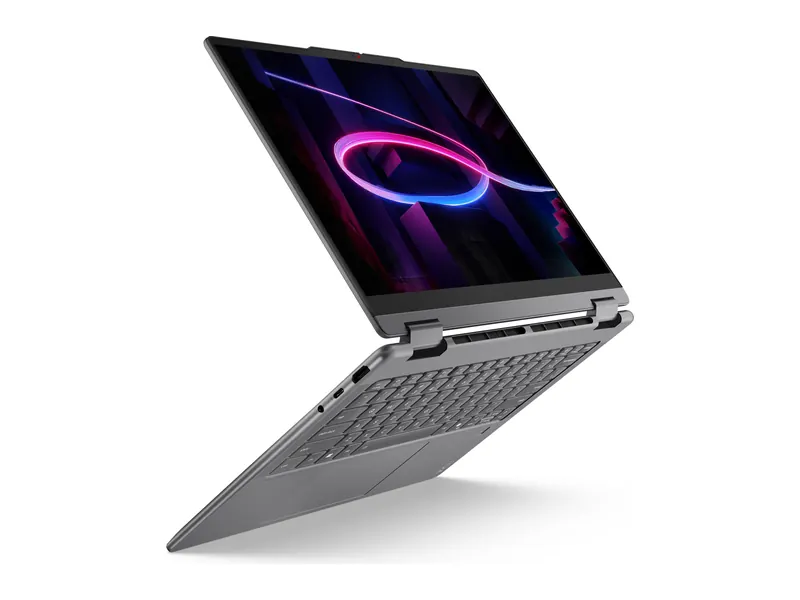
A 360-degree hinge, an OLED touchscreen and the Yoga Pen Gen 2 in the box make it a laptop, tablet and sketchpad in one.
- Processor
- Intel Core Ultra 7 355 (8 cores, 49 TOPS NPU)
- Memory
- 16GB LPDDR5x-7467
- Storage
- 512GB PCIe 4.0 SSD
- Display
- 14-inch WUXGA OLED touch, 100% DCI-P3
- Weight
- 1.4 kg
- Battery
- 70 Wh
ASUS Zenbook 14 OLED (2026, Core Ultra 5 225H, 16GB/1TB)
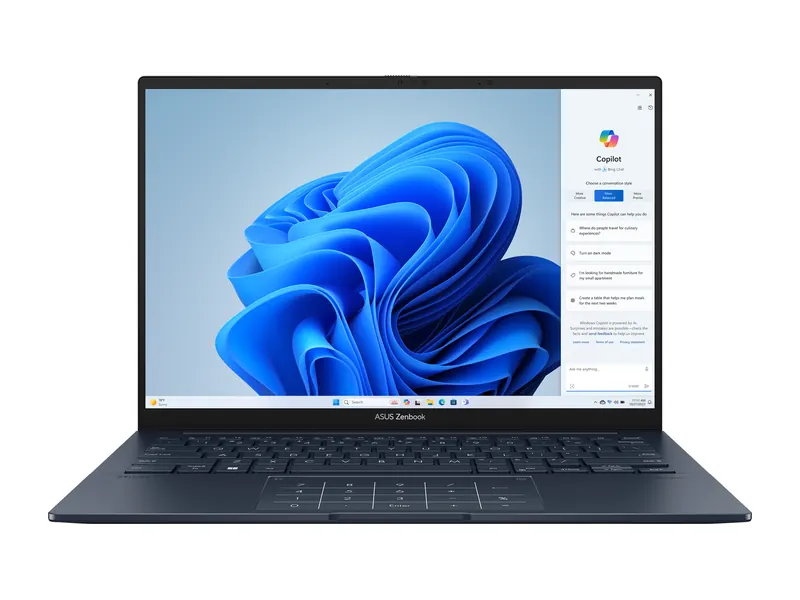
Deep blacks and rich colour, a large 75Wh battery and a 1TB SSD in a 1.28 kg body.
- Processor
- Intel Core Ultra 5 225H (14 cores, with NPU)
- Graphics
- Intel Arc graphics (integrated)
- Memory
- 16GB LPDDR5X
- Storage
- 1TB SSD
- Display
- 14-inch FHD+ OLED touchscreen
- Weight
- 1.28 kg
- Battery
- 75 Wh
ASUS Chromebook CM1405 (Kompanio 540, 4GB/64GB)
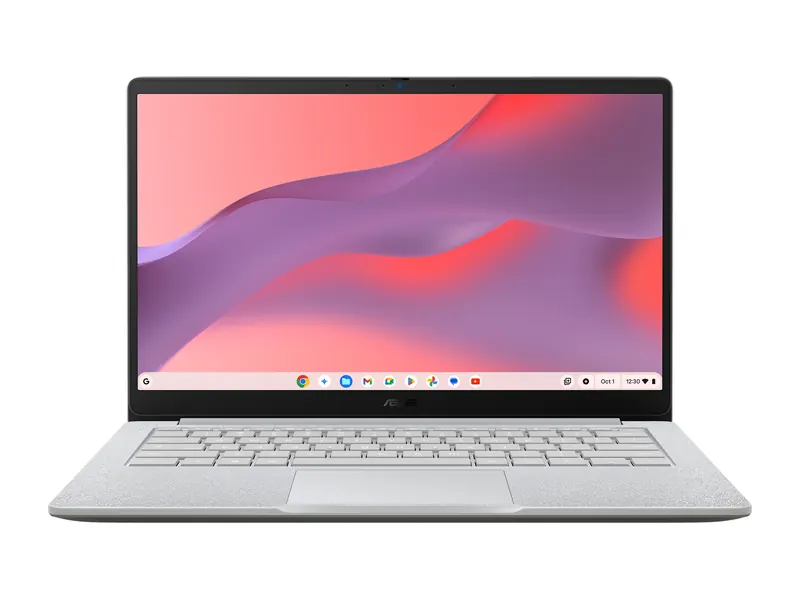
A simple, secure laptop for Google Classroom, web apps and Android apps at a fraction of the price of a Windows laptop.
- Processor
- MediaTek Kompanio 540 octa-core
- Memory
- 4GB LPDDR5X
- Storage
- 64GB eMMC
- Display
- 14-inch FHD, 300 nits, anti-glare
- Weight
- 1.37 kg
- Battery
- 42 Wh
- OS
- ChromeOS
HP OmniBook 3 14 (Snapdragon X, 16GB/512GB)
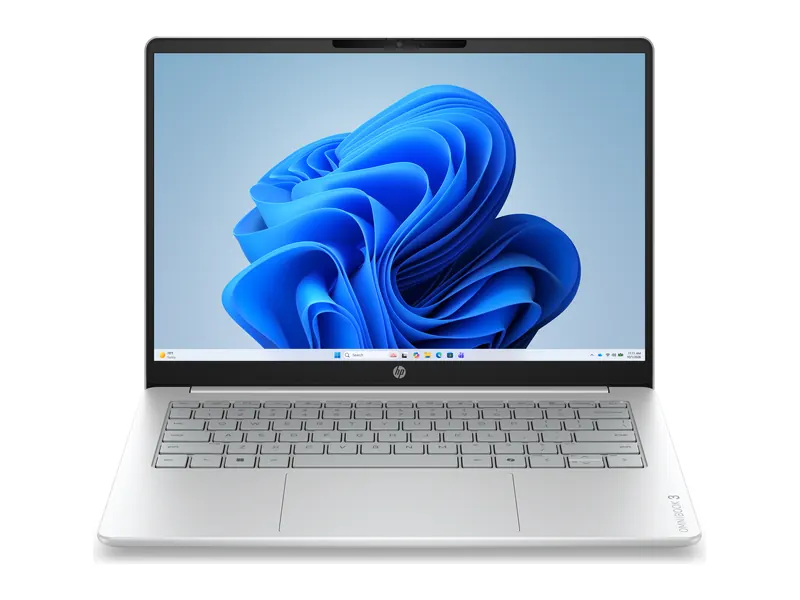
One of the cheapest Copilot+ PCs in India, with a 45 TOPS NPU for Windows AI features and long battery life.
- Processor
- Qualcomm Snapdragon X X1-26-100 (8 cores, 45 TOPS NPU)
- Memory
- 16GB LPDDR5x-8448
- Storage
- 512GB PCIe Gen4 SSD
- Display
- 14-inch WUXGA IPS, 300 nits, anti-glare
- Weight
- 1.42 kg
- Battery
- 60 Wh
ASUS TUF Gaming F16 (Core 5 210H, RTX 4050, 16GB/512GB)
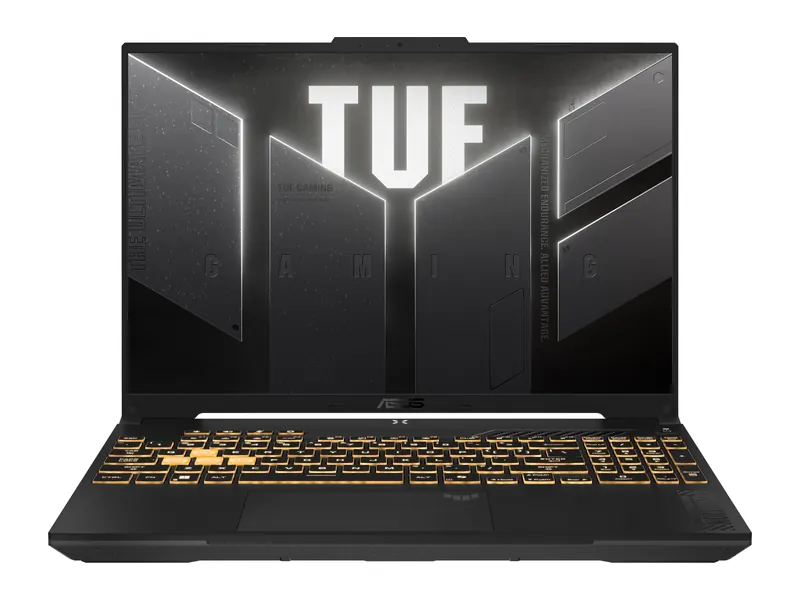
A high-wattage RTX 4050 and a 144Hz 16-inch screen for 1080p gaming, video editing and 3D coursework.
- Processor
- Intel Core 5 210H (8 cores, up to 4.8GHz)
- Graphics
- NVIDIA GeForce RTX 4050 6GB (up to 140W)
- Memory
- 16GB DDR5
- Storage
- 512GB PCIe 4.0 SSD
- Display
- 16-inch FHD+ 144Hz, 300 nits
- Weight
- 2.2 kg
Lenovo ThinkPad E14 Gen 6 (Core Ultra 7 155H, 16GB/512GB)
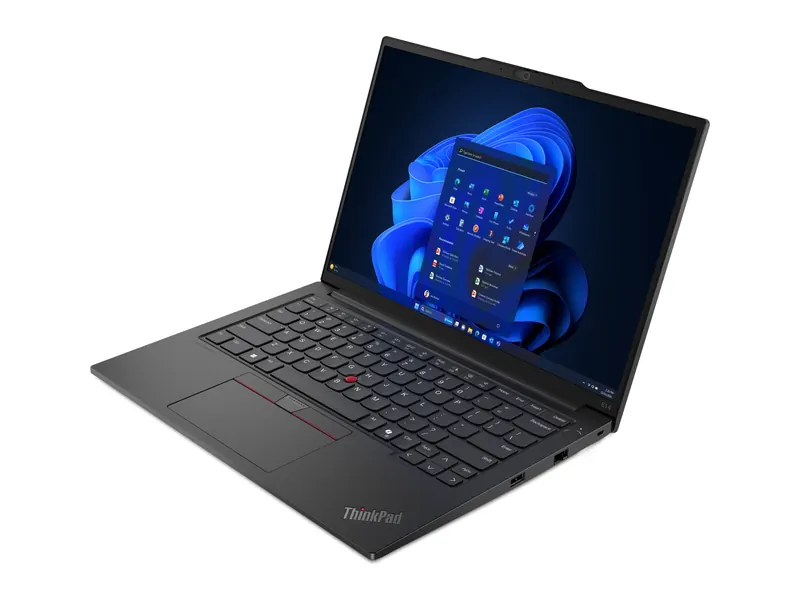
A ThinkPad keyboard, upgradeable memory to 64GB, a fingerprint reader and onsite warranty for office fleets and freelancers.
- Processor
- Intel Core Ultra 7 155H (16 cores, up to 4.8GHz)
- Memory
- 16GB DDR5 (up to 64GB)
- Storage
- 512GB SSD
- Display
- 14-inch WUXGA IPS, 300 nits
- Weight
- 1.42 kg
- Battery
- 47 Wh
Apple MacBook Air 13 (M5, 16GB/1TB)
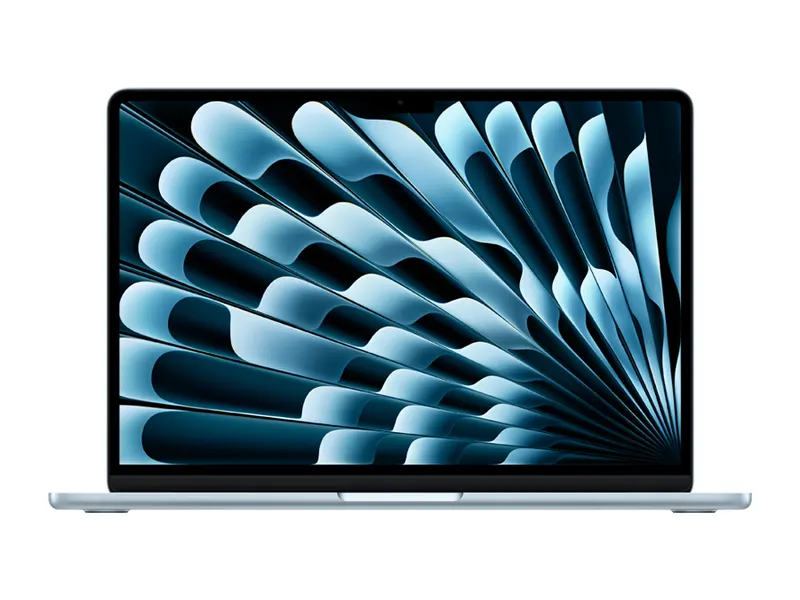
Fanless, silent and rated for up to 18 hours, with macOS and tight iPhone integration.
- Processor
- Apple M5 (10-core CPU)
- Memory
- 16GB unified memory
- Storage
- 1TB SSD
- Display
- 13.6-inch Liquid Retina, P3 wide colour
- Weight
- 1.24 kg
- Battery
- Up to 18 hours rated
Thin and light laptops and ultrabooks
Thin and light laptops are the most popular of all the types of laptops for students and professionals who travel. They usually weigh between 1 and 1.4 kg, are under 18 mm thick and use efficient processors such as Intel Core Ultra 200V, AMD Ryzen AI and Snapdragon X. The term ultrabook started as an Intel programme and is now used loosely for any premium thin and light laptop.
The trade-offs are upgradeability and ports. Most thin and light laptops have soldered memory, so buy 16GB from day one, and many keep only USB-C ports. Check for at least one USB-A port and HDMI if you use projectors or older accessories. The ThinkBook 14X is a good example: under 1 kg, but with full-size ports.
Battery life is the big win. A 55Wh to 75Wh battery with an efficient chip comfortably covers a full working day of browsing, documents and video calls, which no gaming laptop can match.
2-in-1 convertible and detachable laptops
A 2-in-1 is a laptop that also works as a tablet. Convertibles have a 360-degree hinge that folds the keyboard behind the screen, while detachables let you pull the screen off the keyboard. Of all the types of laptops, these are best for note-taking, drawing and presenting.
Look for active pen support, ideally with the pen in the box, and a 16:10 screen, which feels more natural in portrait mode. Convertibles are sturdier and have better keyboards; detachables are lighter as tablets but often have cheaper chips. The Yoga 7 2-in-1 includes a pen and an OLED touchscreen.
The downside is price and weight in the hand. A 1.4 kg convertible is heavy compared with a 500 g tablet, so if you mostly read and watch, a tablet with a keyboard case may be cheaper.
OLED laptops
OLED laptops use self-lit pixels, so each pixel turns fully off for true black. That gives far higher contrast, wider colour and better HDR than the IPS panels in most types of laptops. OLED is now available from about ₹70,000 in India, often with 100% DCI-P3 colour.
OLED is ideal for photo editing, movies and anyone who wants the best-looking screen. The trade-offs are glossy glass that reflects bright lights, slightly higher power draw on white backgrounds and a small risk of burn-in with static elements over years of use. Modern laptops reduce burn-in with pixel shifting and dark-mode friendly taskbars. DisplayMate publishes detailed display tests if you want to go deeper.
The Zenbook 14 OLED pairs an OLED touchscreen with a 75Wh battery to offset the extra draw.
Chromebooks
Chromebooks run Google's ChromeOS instead of Windows. They boot in seconds, update themselves, resist malware and run web apps plus Android apps from the Play Store. They are the cheapest of the types of laptops, with good models from about ₹20,000.
The catch is software. Chromebooks cannot run Windows programs such as full Microsoft Office desktop apps, Tally, AutoCAD or most PC games, although Office and Google Docs work in the browser. Check that your school or office tools are web-based first. Google's Chromebook site lists the automatic update period for each model.
The ASUS Chromebook CM1405 is a good school machine with an anti-glare Full HD screen. If you need Windows at the same price, see our best laptops under ₹25,000.
AI PCs and Copilot+ PCs
An AI PC has a neural processing unit, or NPU, built into the processor to run AI features locally. Microsoft's Copilot+ PC label requires an NPU of at least 40 TOPS, which today means Snapdragon X, Intel Core Ultra 200V and 300 series, or AMD Ryzen AI 300 chips. Copilot+ features include Recall, Live Captions with translation, Cocreator and Windows Studio Effects. Microsoft's Copilot+ PC page lists them.
In practice, most buyers notice the efficiency of these chips more than the AI features. Snapdragon laptops in particular run long and cool. Among the types of laptops, Arm-based AI PCs need one extra check: confirm your apps run on Windows on Arm.
The HP OmniBook 3 is one of the most affordable Copilot+ PCs. Our laptop processor list compares NPU performance.
Gaming laptops
Gaming laptops are the most powerful of the common types of laptops. They pair an H or HX series processor with a dedicated NVIDIA GeForce RTX or AMD Radeon GPU, a high refresh rate screen of 144Hz or more and large cooling systems. The same hardware makes them good for video editing, 3D modelling and engineering software.
They are heavy, usually 2 to 2.7 kg plus a large charger, and battery life is short when gaming. Check the GPU's power limit (TGP), because two laptops with the same RTX chip can differ widely in speed. Our gaming laptop guides cover every budget, and the integrated vs dedicated graphics explainer helps you decide if you need one.
Business laptops
Business laptops such as Lenovo ThinkPad, HP ProBook and EliteBook, and Dell Latitude put reliability, security and service first. Expect a better keyboard, a fingerprint or IR camera login, a TPM security chip, upgradeable memory, onsite warranty options and durability testing.
They look plain and cost a little more than consumer laptops with the same chip, but they tend to last longer and are easier to repair. Among the types of laptops, they suit freelancers, small businesses and anyone who types all day. The ThinkPad E14 Gen 6 supports up to 64GB of memory. Our laptop brands guide compares service networks.
MacBooks
MacBooks run macOS on Apple's own M-series chips. They are among the most efficient types of laptops, with long battery life, silent fanless designs in the MacBook Air, excellent speakers and strong resale value. They suit iPhone users, designers, video editors and developers working on Apple platforms.
The trade-offs are price, no memory or storage upgrades after purchase, and fewer games. Buy the memory and storage you will need for five years. Apple's MacBook Air page has the full specifications.
Other types of laptops: workstations, rugged and budget
A few more types of laptops serve narrower needs. Mobile workstations, such as the ThinkPad P series, use certified professional GPUs and large amounts of memory for CAD and data science. Rugged laptops survive drops, dust and water for field work. Budget laptops under ₹35,000 trade screen quality and build for price but handle study and office work. Our laptops by use page matches these to specific jobs, and the laptop buying guide covers specs in depth.
Frequently asked questions
How many types of laptops are there?
Most guides list eight common types of laptops: thin and light, 2-in-1, OLED, Chromebook, AI PC, gaming, business and MacBook. The types of laptops overlap, so one model can belong to two or three.
What are the main types of laptops?
Thin and light laptops, 2-in-1 convertibles, OLED laptops, Chromebooks, AI PCs, gaming laptops, business laptops and MacBooks. Workstations and rugged laptops serve niche needs.
Which type of laptop is best for students?
A thin and light Windows laptop or a MacBook for college, and a Chromebook for school-age children whose work is web-based.
Is a 2-in-1 laptop worth it?
Yes if you will write or draw with a pen. If you only want a touchscreen for scrolling, a normal laptop is cheaper and lighter.
What is the difference between an ultrabook and a normal laptop?
An ultrabook is a premium thin and light laptop, usually under 1.4 kg with an efficient processor and long battery life.
Can a Chromebook run Microsoft Office?
It runs the web versions of Word, Excel and PowerPoint and the Android apps, but not the full Windows desktop apps.
The final word
The right one of the types of laptops depends on how you work: thin and light or a MacBook if you carry it daily, a 2-in-1 for pen work, OLED for the best screen, a Chromebook for simple, cheap school work, a gaming laptop for RTX graphics, and a business laptop for long-term reliability.
Once you know the type, compare prices in our laptop guides and the laptop buying guide.
Last updated on . Specifications, stock and prices change frequently. Always check the live listing before you buy.
More buying guides

Best laptops for students
Need the best laptop for students in India? 8 verified picks for CSE, engineering, commerce, design and school, matched to your course and your budget.
Read guide →
Best laptops under ₹1 lakh
Best laptop under 1 lakh in India: 8 Core Ultra, Ryzen AI, OLED and MacBook Neo picks compared on verified specs, with honest pros, cons and buying tips.
Read guide →
Best laptops under ₹1.5 lakh
Best laptop under 1.5 lakh in India: 8 OLED, Core Ultra and Ryzen AI picks compared on verified specs, with honest pros, cons and practical buying tips.
Read guide →
Best gaming laptops under ₹1 lakh
Best gaming laptop under 1 lakh in India: 7 RTX picks from Lenovo LOQ, Acer, ASUS TUF, MSI and Dell, with verified GPU wattage, specs and honest advice.
Read guide →