6 Best Laptops by Use in India (November 2026): Students, Coding, Office, Editing


Searching for the best laptop for your work starts with one question: what will you do on it most days? A student writing assignments, a developer running Docker, an editor exporting 4K video and a gamer chasing 144 frames per second need very different machines, even at the same price. Buying by use case stops you paying for a graphics card you never use, or skimping on the memory your software needs.
This page is part of our laptop guides. Below is the minimum spec sheet for each common use in India, one pick per use taken from our full guides, and links to every use-case guide as it goes live. Each pick was checked against the maker's specifications in our guides, last updated on 1 November 2026.
On this page
- Best laptop for each use: the quick grid
- How to choose the best laptop for your work
- Best laptop for students, coding, office, editing and gaming
- Best laptop for students: what college really needs
- Best laptop for coding and programming
- Best laptop for engineering students and CAD
- Best laptop for office work and home use
- Best laptop for video editing and photo work
- Best laptop for gaming in India
- All use-case laptop guides
- FAQs
- Final word
- More buying guides
Best laptop for each use: the quick grid

Use this grid to find the best laptop for your main task, then open the matching guide for more picks and budgets.
| Use | Processor | RAM | Graphics | Our pick | Full guide |
|---|---|---|---|---|---|
| Students | Core 5 / Ryzen 5 U | 16GB | Integrated | ASUS Vivobook 14 | Students guide |
| Coding | 6-core Ryzen 5 / Core i5 | 16GB | Integrated | ThinkPad E14 Gen 5 | Coding on a budget |
| Engineering | H-series Core i5 / Ryzen 5 | 16GB | Integrated or RTX | IdeaPad Slim 3 | Students guide |
| Office work | Ryzen 3 / Core i3 or better | 8GB minimum | Integrated | HP 15 | Office work guide |
| Video editing | Ryzen AI 5 / Core Ultra 5 | 16GB+ | Integrated or RTX | Vivobook S14 OLED | Editing guide |
| Gaming | Ryzen 5 HS / Core i5 H | 16GB | RTX 3050 6GB+ | Lenovo LOQ Essential | Gaming guides |
The best laptop for most people is the cheapest one that clears the row for their heaviest task. If two uses apply, buy for the harder one.
How to choose the best laptop for your work

- Main task first: pick the use that needs the most power, not the one you do most often.
- RAM: 16GB is the 2026 default; 8GB only for browsing and Office. See our laptop RAM guide.
- Processor: U-series chips save battery, H and HS chips are faster for compiling, CAD and games. Compare them in our laptop processor list.
- Graphics: only gaming, 3D and heavy editing need a dedicated GPU. Our laptop graphics card list explains each tier.
- Screen and weight: students and travellers should favour 14-inch, 1.4 kg laptops with anti-glare screens.
- Budget: set it last, once you know the spec floor. Our laptop buying guide covers the rest.
Best laptop for students, coding, office, editing and gaming
One pick per use, chosen from our full guides. Prices change daily, so check the live price before you buy the best laptop for your needs.
ASUS Vivobook 14 (Core 5 120U, 16GB/512GB)
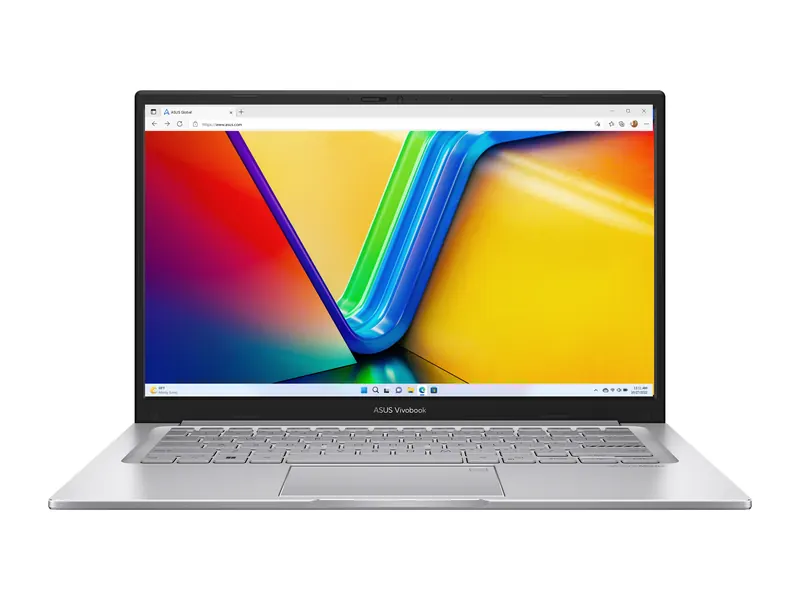
Light enough for a full day of lectures, with 16GB of memory so it stays quick through four years of college.
- Processor
- Intel Core 5 120U (10 cores/12 threads, up to 5.0GHz)
- Graphics
- Intel graphics (integrated)
- Memory
- 16GB
- Storage
- 512GB SSD
- Display
- 14-inch FHD, 250 nits, anti-glare
- Weight
- 1.4 kg
Lenovo ThinkPad E14 Gen 5 (Ryzen 5 7530U, 16GB/512GB)
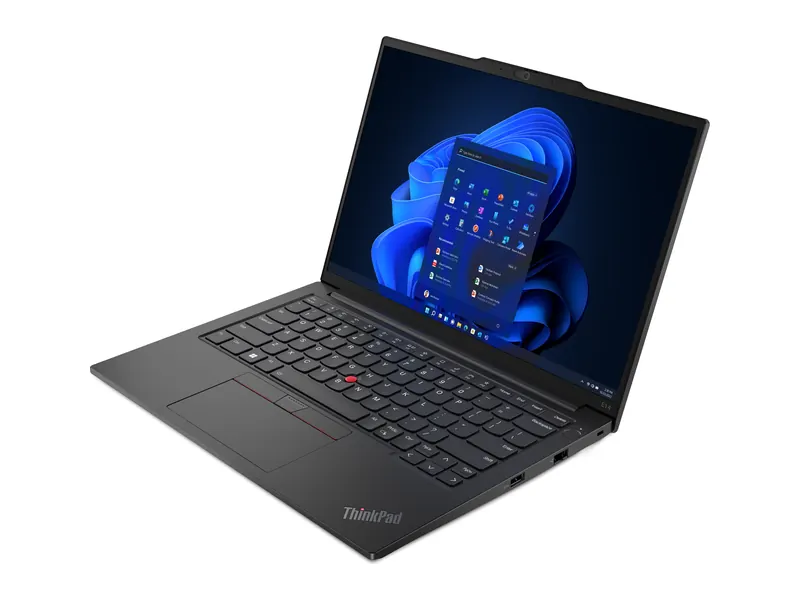
Six cores, upgradeable memory and a ThinkPad keyboard make it a comfortable machine for long coding sessions, IDEs and containers.
- Processor
- AMD Ryzen 5 7530U (6 cores/12 threads)
- Graphics
- AMD Radeon graphics (integrated)
- Memory
- 16GB DDR4-3200 (upgradeable to 40GB)
- Storage
- 512GB M.2 SSD
- Display
- 14-inch WUXGA IPS, 300 nits
- Weight
- 1.41 kg
Lenovo IdeaPad Slim 3 (Core i5-12450H, 16GB/512GB)
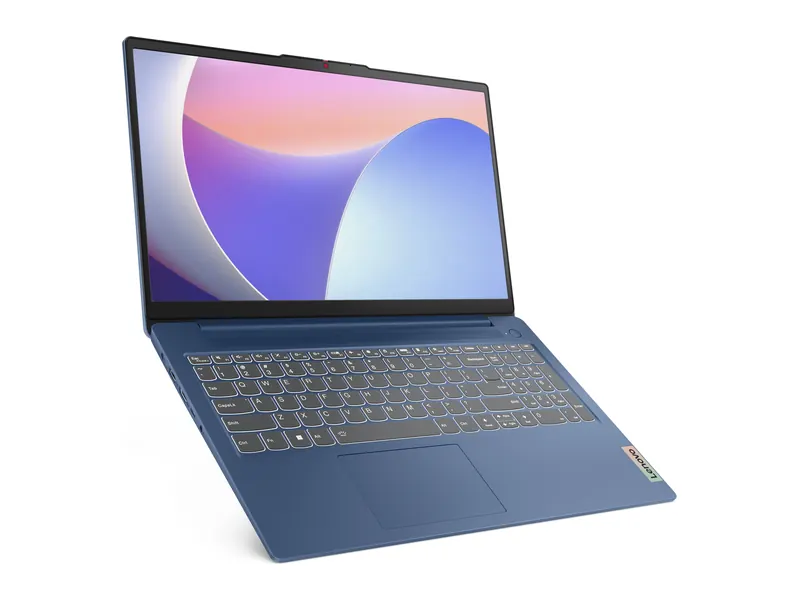
An H-series chip gives more sustained power for MATLAB and CAD than U-series rivals. The TN screen is basic, so it suits a desk.
- Processor
- Intel Core i5-12450H (8 cores/12 threads)
- Graphics
- Intel UHD graphics (integrated)
- Memory
- 16GB LPDDR5
- Storage
- 512GB SSD
- Display
- 15.6-inch FHD TN, 250 nits
- Weight
- 1.62 kg
HP 15 (Ryzen 3 7320U, 8GB/512GB)
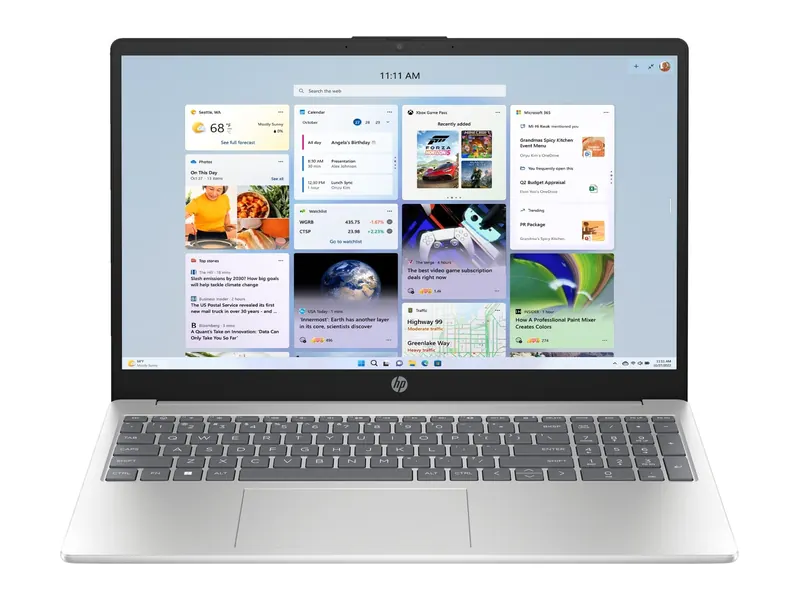
Enough for email, spreadsheets and video calls, backed by one of the widest service networks in India. Memory is soldered, so 8GB is final.
- Processor
- AMD Ryzen 3 7320U (4 cores/8 threads)
- Graphics
- AMD Radeon graphics (integrated)
- Memory
- 8GB DDR4 (onboard)
- Storage
- 512GB NVMe SSD
- Display
- 15.6-inch FHD, anti-glare
- Weight
- 1.59 kg
ASUS Vivobook S14 OLED (Ryzen AI 5 330, 16GB/512GB)
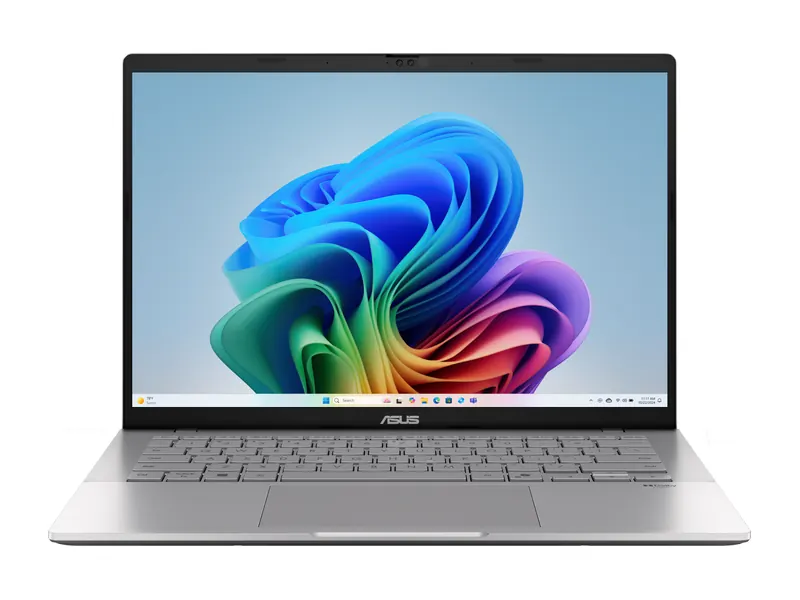
The OLED panel covers 95% of DCI-P3, which matters more for colour work than raw power. Fine for 1080p edits; 4K timelines need an RTX laptop.
- Processor
- AMD Ryzen AI 5 330 (50 TOPS NPU)
- Graphics
- AMD Radeon graphics (integrated)
- Memory
- 16GB DDR5
- Storage
- 512GB PCIe 4.0 SSD
- Display
- 14-inch FHD+ OLED, 95% DCI-P3
- Weight
- 1.4 kg
Lenovo LOQ Essential (Ryzen 5 7535HS, RTX 3050 6GB)
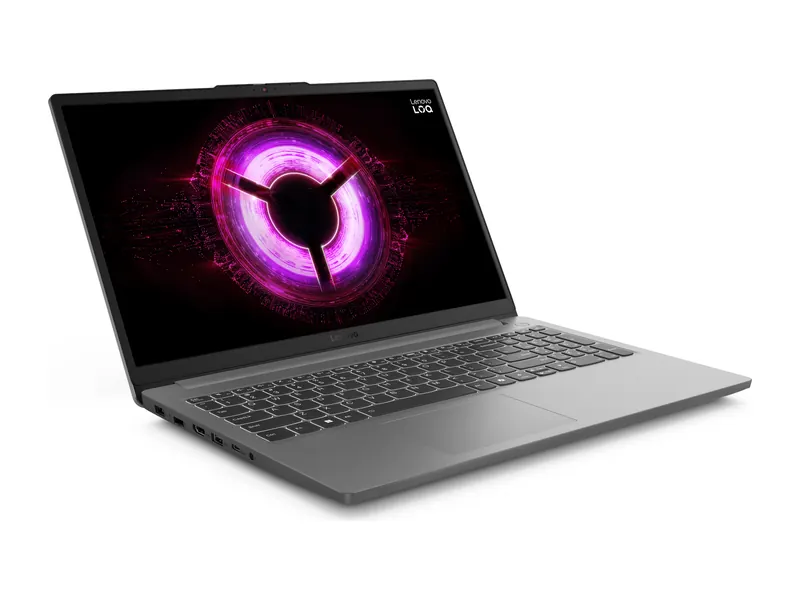
A 6GB RTX 3050 at 65W with a 144Hz screen runs esports titles fast and most new games at 1080p medium.
- Processor
- AMD Ryzen 5 7535HS (6 cores/12 threads)
- Graphics
- NVIDIA GeForce RTX 3050 6GB, 65W TGP
- Memory
- 16GB DDR5-4800
- Storage
- 512GB PCIe 4.0 SSD (second M.2 slot)
- Display
- 15.6-inch FHD IPS, 144Hz
- Weight
- 1.8 kg
Best laptop for students: what college really needs
Students need the best laptop for long days away from a charger, not the fastest chip on the market. Most coursework in India now runs in a browser: Google Classroom, Microsoft Teams, college portals, PDFs and online tests. That workload is light, so the money is better spent on 16GB of memory, a 512GB SSD, an anti-glare screen and a body under 1.5 kg that survives a bag, a bus and a hostel desk.
Battery matters more than benchmarks here. A U-series Intel Core 5 or AMD Ryzen 5 chip sips power and gives a full day of notes and lectures, while H-series chips drain the battery faster for speed most students never use. Look for a 14-inch screen if you carry the laptop daily, and a 15.6-inch one if it mostly sits on a desk at home.
Course matters too. Commerce and arts students can choose almost any of the picks above. Computer science students should favour six cores and upgradeable memory. Engineering students who run AutoCAD, SolidWorks or MATLAB should prefer an H-series processor, and architecture students using 3D rendering should consider an RTX graphics card. Our full best laptops for students in India guide matches a laptop to each course and budget.
Finally, check the warranty and the service network near your college. A brand with a service centre in your city is worth more than a small spec bump, because a dead keyboard during exams is a real problem. Many brands also run student discounts through their own stores, so compare those prices before buying.
Best laptop for coding and programming
The best laptop for coding has enough cores to compile quickly, enough memory to run an IDE, a browser and a local server at once, and a keyboard you can type on for eight hours. For web development, Python, Java and app development, a six-core processor with 16GB of RAM is the comfortable floor in 2026. If you plan to run Docker containers, Android emulators or local databases, plan for 16GB now with room to go to 32GB later.
Screen size and resolution help productivity more than most buyers expect. A 14-inch 1920×1200 screen shows more lines of code than a 1920×1080 panel, and an anti-glare finish reduces eye strain. A good keyboard with full-size arrow keys matters too, which is why ThinkPads remain popular with programmers.
You rarely need a graphics card for coding. The exceptions are machine learning with CUDA, game development and GPU-accelerated data work, where an NVIDIA RTX chip is useful. For everyone else, integrated graphics keep the laptop lighter, quieter and cheaper. On a tight budget, see our best laptops under ₹40,000 for coding.
Operating system is a personal choice. Windows suits most Indian colleges and .NET work, Linux runs well on ThinkPads and many Ryzen laptops, and macOS is popular with iOS developers. VS Code's published requirements are modest, so the extra headroom is really for the browser, containers and tools you run alongside it.
Best laptop for engineering students and CAD
Engineering software is heavier than typical coursework. MATLAB, AutoCAD, SolidWorks, ANSYS and Fusion 360 lean on single-core speed and sustained processor power, so the best laptop for engineering usually has an H or HS series Intel or AMD chip rather than a U-series one. Sixteen gigabytes of memory is the minimum we recommend, because simulations and large assemblies fill memory quickly.
Whether you need a dedicated GPU depends on your branch. Mechanical, civil and architecture students working with 3D models and rendering benefit from an RTX 3050 or better, while electrical, electronics and computer science students can usually manage with integrated graphics. Check your department's software list before you decide, because some tools only certify NVIDIA hardware. The AutoCAD overview on Wikipedia shows how wide the range of CAD work is, so ask your department for its exact list.
Weight is the trade-off. H-series laptops and RTX laptops weigh more and run warmer, so pick a 15.6-inch body if the laptop mostly stays on a desk. Upgradeable memory and a spare M.2 slot extend its life through four years of college, which keeps the total cost down.
Best laptop for office work and home use
The best laptop for office work is reliable, quiet and easy to service, not powerful. Email, Word, Excel, PowerPoint, Zoom and Google Meet run comfortably on a quad-core Ryzen 3 or Core i3 with 8GB of memory and a 512GB SSD. If you keep dozens of browser tabs open or work with large spreadsheets, choose 16GB for smoother multitasking.
Pay attention to the screen and the webcam. An anti-glare full HD panel is easier on the eyes over a working day, and a 1080p webcam looks noticeably better on calls than a 720p one. A backlit keyboard helps in dim rooms, and a fingerprint reader saves time when you unlock dozens of times a day.
Service matters most for office buyers, because downtime costs money. HP, Lenovo and Dell have the widest service networks in India, and many offer on-site warranty upgrades. Our laptop brands guide compares service and reliability, and the office work guide lists budget picks.
Best laptop for video editing and photo work
For photo and video editing, the screen and memory matter as much as the processor. The best laptop for editing at a modest budget has an OLED or high-gamut IPS panel covering close to 100% of sRGB or DCI-P3, 16GB of memory and a fast PCIe 4.0 SSD. That combination handles Lightroom, Canva, CapCut and 1080p timelines in Premiere Pro or DaVinci Resolve.
4K video changes the picture. Long 4K timelines, colour grading and effects lean heavily on the graphics chip, so an NVIDIA RTX laptop with NVENC encoding exports far faster than integrated graphics. Adobe's Premiere Pro system requirements recommend 16GB of memory for HD and 32GB for 4K, and they list a supported GPU for hardware acceleration.
Storage fills fast with footage, so choose 1TB if you can, or a laptop with a spare M.2 slot, and keep an external SSD for projects. Our budget video editing guide and laptop display guide explain how to spot a good editing screen.
Best laptop for gaming in India
Gaming is the one common use where the graphics card decides everything. An NVIDIA RTX 3050 with 6GB of VRAM is the sensible floor in 2026 for new games at 1080p, while an RTX 4060 or RTX 5060 with 8GB is the sweet spot for high settings. A 144Hz screen lets you see the extra frames, and 16GB of dual-channel memory keeps frame times smooth.
Power limits matter as much as the GPU name. Two laptops with the same RTX chip can differ by 20 to 30 per cent in games because of TGP and cooling, which is why our laptop graphics card list shows power ranges for every tier. A MUX switch adds a few more frames by sending them straight to the screen.
Budget gaming laptops start at around ₹80,000 in India, and our gaming laptop guides cover every price band from ₹40,000 to ₹5 lakh. NVIDIA's GeForce laptop page lists the features each RTX generation supports.
All use-case laptop guides
Every guide below finds the best laptop for one job. New guides join this list as they go live.
- Best laptops for students in India
- Best gaming laptops under ₹40,000 for students
- Best gaming laptops under ₹40,000 for coding
- Best gaming laptops under ₹40,000 for office work
- Best gaming laptops under ₹40,000 for video editing
- Gaming laptops by budget
- Best laptop for programming (coming soon)
- Best laptop for video editing (coming soon)
- Best laptop for office work (coming soon)
Frequently asked questions
What is the best laptop for students in India?
For most students, a 14-inch laptop with a Core 5 or Ryzen 5 chip, 16GB of RAM and a 512GB SSD, such as the ASUS Vivobook 14 on this page.
Which is the best laptop for coding?
Any laptop with a six-core processor, 16GB of RAM and a comfortable keyboard. The ThinkPad E14 Gen 5 is our pick because its memory can grow to 40GB.
Do I need a graphics card for video editing?
Not for 1080p edits. For 4K timelines and fast exports, an RTX laptop with NVENC helps a lot.
Is 8GB RAM enough for office work?
Yes for email, documents and video calls. Choose 16GB if you keep many browser tabs or large spreadsheets open.
What is the best laptop for gaming on a budget?
An RTX 3050 6GB laptop with a 144Hz screen, such as the Lenovo LOQ Essential, is the sensible floor in 2026.
The final word
The best laptop for you is the one built for your hardest task: integrated graphics and 16GB for study, coding and office, an OLED or RTX laptop for editing, and an RTX 3050 6GB or better for gaming.
Open the guide for your use above, or compare by price in our gaming laptop guides and the laptop buying guide.
Last updated on . Specifications, stock and prices change frequently. Always check the live listing before you buy.
More buying guides

Best laptops for students
Need the best laptop for students in India? 8 verified picks for CSE, engineering, commerce, design and school, matched to your course and your budget.
Read guide →
Best gaming laptops under ₹40,000 for coding
Best gaming laptop under 40000 for coding? 3 in-stock Ryzen picks for Python, web and Java work, with RAM upgrade advice and why no RTX laptop fits.
Read guide →
Best gaming laptops under ₹40,000 for video editing
Best gaming laptop under 40000 for video editing? 4 in-stock picks for 1080p YouTube, Reels and CapCut edits, with honest limits, RAM upgrade and SSD tips.
Read guide →
Best gaming laptops under ₹1 lakh
Best gaming laptop under 1 lakh in India: 7 RTX picks from Lenovo LOQ, Acer, ASUS TUF, MSI and Dell, with verified GPU wattage, specs and honest advice.
Read guide →