Laptop Display Guide: IPS vs OLED, Nits, Refresh Rate and Resolution


This laptop display guide explains, in plain words, the screen terms you meet on every Indian laptop listing: IPS, OLED and TN panels, nits, refresh rate, resolution, colour gamut and anti-glare coatings. You look at the display for every minute you use a laptop, yet it is the spec most buyers skim past. A dull 250-nit, 45% NTSC panel can make an otherwise good laptop feel cheap from day one.
The display is one part of the bigger picture in our laptop buying guide India, which walks through processor, memory and storage too. Here we go deep on the screen alone. Each use case below (gaming, eye comfort, study and office work, photo and video editing) comes with laptops we checked in stock with Indian online sellers on 31 October 2026, so you can see what each display spec looks like on a real product.
On this page
- Laptop display guide: the quick answer by use
- IPS vs OLED vs TN: which laptop display type is best?
- Resolution and screen size: FHD, 2.5K, 3K and 4K explained
- Laptop brightness: how many nits do you need?
- Refresh rate: is a 144Hz laptop good or bad?
- Colour gamut: sRGB, NTSC and DCI-P3 in plain words
- Matte vs glossy, touch screens and aspect ratio
- Best laptop display for gaming: 144Hz and above
- Best laptop display for eyes and long work hours
- Best OLED laptops for students and work
- Best laptop display for photo and video editing
- OLED and 144Hz laptops by budget: what is really available
- Laptop display guide checklist: 7 checks before you buy
- FAQs
- Final word
- More buying guides
Laptop display guide: the quick answer by use

If you only read one part of this laptop display guide, read this. These are the minimum screen specs we recommend in 2026:
- Students and office work: an IPS panel, Full HD (1920×1080) or FHD+ (1920×1200), at least 300 nits, with an anti-glare (matte) finish.
- Gaming: IPS at 144Hz or higher, ideally 100% sRGB. A 120Hz panel is fine for casual play; 165Hz and 240Hz suit competitive shooters.
- Photo and video editing: OLED or a high-gamut IPS covering 100% sRGB at minimum, preferably 100% DCI-P3, with 2.5K or 3K resolution.
- Long hours and eye comfort: a matte IPS panel at 300 to 400 nits, flicker-free certification and a 16:10 shape so you scroll less.
Laptop display guide warning: avoid HD (1366×768) screens and TN panels unless the budget leaves no choice. The rest of this laptop display guide explains why each of these numbers matters.
IPS vs OLED vs TN: which laptop display type is best?

Most laptop displays in India are one of three panel types. This laptop display guide ranks them by what you see in daily use, not by marketing names.
IPS (and WVA, IPS-level)
An IPS panel is a type of LCD with wide viewing angles and stable colours. It is the safe default for most buyers. Dell calls its version WVA and MSI writes "IPS-level"; both behave like IPS. Quality still varies a lot: a 45% NTSC IPS panel looks washed out, while a 100% sRGB one looks rich and accurate.
OLED
OLED pixels make their own light, so black is truly black and contrast is near infinite. Colours are vivid, HDR video looks excellent and the panels are thin. The trade-offs are a glossy finish that reflects windows, slightly higher power use on bright, white pages, and a small risk of burn-in if the same static image stays on screen for thousands of hours.
TN
TN panels are cheap and quick to respond, but colours shift and fade when you look from an angle. They still appear on some budget laptops under ₹40,000. If a listing does not say IPS, WVA or OLED, assume TN and check reviews.
IPS vs OLED: which is better?
Choose OLED for films, photo work and a premium look indoors. Choose IPS if you work near a bright window, want a matte surface, keep static apps such as spreadsheets open all day, or play long gaming sessions. For eyes, both are fine when brightness is set correctly; IPS with DC dimming avoids the low-brightness flicker that some OLED panels use, while OLED emits less blue light at the same brightness. Battery life is close: OLED saves power on dark screens and uses more on white ones.
Laptop display guide rule: a good IPS panel beats a poor OLED one, and any IPS beats TN.
Resolution and screen size: FHD, 2.5K, 3K and 4K explained
Resolution is the number of pixels across and down the screen. More pixels on the same size of screen means sharper text and photos. This laptop display guide lists the common laptop resolutions in India:
- HD (1366×768): blurry text on anything over 11 inches. Avoid it.
- Full HD, FHD (1920×1080): the minimum for 14 to 16-inch laptops in 2026.
- FHD+ or WUXGA (1920×1200): the same width with a taller 16:10 shape, which shows about 11% more of a document or web page.
- 2.5K, 2K or QHD (2560×1440 or 2560×1600): noticeably sharper, popular on mid-range gaming and creator laptops.
- 2.8K, 3K and 3.2K (2880×1800 and up): very sharp OLED panels on premium thin laptops.
- 4K (3840×2160 or 3840×2400): mainly for professional editing; it costs battery life for little gain on a 14-inch screen.
Laptop display guide to size in inches and cm
Screen size is measured diagonally. A 14-inch display is about 35.5 cm, 15.6-inch about 39.6 cm, and 16-inch about 40.6 cm, which is why product listings often show both. 13 to 14 inches suits daily carrying; 15.6 to 16 inches gives more working space and often a number pad. At 14 inches, FHD+ looks sharp; at 16 inches, 2.5K is a worthwhile step up.
Laptop brightness: how many nits do you need?

Brightness is measured in nits (candela per square metre). It decides whether you can read the screen in a sunlit classroom, a bright office or a train by the window. Our laptop display guide brightness bands:
- 250 nits: fine in a dim or normally lit room; struggles near windows. Common on budget laptops.
- 300 nits: comfortable for most Indian homes, hostels and offices.
- 400 nits: good near windows and in bright offices; the level we prefer for a work laptop.
- 500 nits and above: usable outdoors in shade and on a balcony; useful for frequent travellers.
- 1,000 nits or more: usually a peak figure for HDR highlights on premium OLED and mini-LED screens, not the everyday brightness.
Laptop display guide tip: watch for listings that quote only a "peak" or "HDR" figure. A panel described as "500 nits HDR peak" may run at around 300 to 400 nits for normal work. Anti-glare coatings also matter as much as raw nits outdoors, because a glossy screen reflects the sun back at you.
Refresh rate: is a 144Hz laptop good or bad?

Refresh rate, measured in hertz (Hz), is how many times per second the display draws a new image. A 60Hz screen updates 60 times a second; a 144Hz screen updates 144 times, so motion looks smoother and the mouse pointer feels quicker.
What does 144Hz mean for you? In games, it shows more frames when your graphics card can produce them, which helps you track moving targets. In daily use, scrolling web pages and documents looks smoother. A 144Hz laptop is good, not bad: the only costs are slightly more battery drain at full refresh and a higher price. Most laptops let Windows switch to 60Hz on battery.
- 60Hz: fine for study, office work and films.
- 90 to 120Hz: a pleasant upgrade for everyday smoothness, now found on some budget laptops.
- 144 to 165Hz: the sweet spot for gaming laptops.
- 240Hz and above: for competitive esports players with powerful graphics cards.
Laptop display guide: how to check or change your refresh rate
In Windows 11, open Settings, then System, Display, Advanced display, and pick a value under "Choose a refresh rate". If it seems stuck at 60Hz, plug in the charger (many laptops drop to 60Hz on battery), update the graphics driver, and check the laptop maker's control app for a power-saving display mode. Response time (in ms) is a separate spec: 3ms or less keeps fast motion clear on a high-refresh panel.
Colour gamut: sRGB, NTSC and DCI-P3 in plain words
Colour gamut tells you how much of a standard range of colours a screen can show. It is the spec that most separates a dull budget panel from a rich one, and the one this laptop display guide most wants you to check before you buy.
- 45% NTSC (roughly 60% sRGB): common on budget and entry gaming laptops. Colours look pale and photos look flat.
- 62.5% sRGB: a little better, still not suitable for photo work.
- 100% sRGB: accurate colours for the web, office documents and most content. The minimum for anyone who edits photos.
- 95 to 100% DCI-P3: a wider cinema colour range, standard on OLED laptops and premium creator machines. Best for video grading and HDR.
Laptop display guide tip: many listings in India leave the gamut out. If you cannot find it on the brand's spec sheet, assume it is the lower 45% NTSC level.
Matte vs glossy, touch screens and aspect ratio
A matte (anti-glare) finish scatters reflections, which is easier on the eyes in bright rooms and outdoors, at the cost of slightly softer contrast. A glossy finish makes colours pop, which is why most OLED laptops use it, but it acts like a mirror near windows. Some premium OLED models add an anti-reflection coating that helps.
Touch screens are useful on 2-in-1 laptops and for note-taking with a stylus, but add weight, cost and a glossy layer. Skip touch on a clamshell you will only use with a keyboard.
Aspect ratio: 16:10 screens are taller than 16:9 and show more lines of text, which suits students, coders and writers. Gaming laptops are moving to 16:10 too. This laptop display guide recommends 16:10 for work if the price gap is small.
Best laptop display for gaming: 144Hz and above
For gaming, this laptop display guide puts refresh rate first, then colour gamut and brightness. A fast panel only helps if the graphics card can push the frames, so match a 144Hz or 165Hz screen with at least an RTX 3050. These three gaming laptops have screens we would happily game on. For graphics card advice, see our laptop graphics card list and the gaming laptops hub.
Lenovo LOQ Essential (Ryzen 5 7535HS, RTX 3050 6GB)
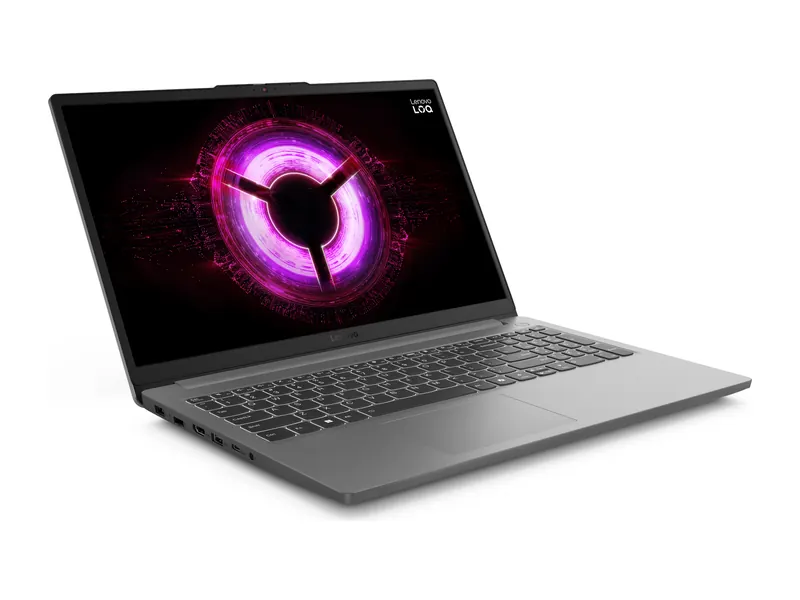
Many gaming laptops near this price use dull 45% NTSC panels. This LOQ pairs a 144Hz IPS screen with 100% sRGB colour and 300 nits, so games and films look accurate rather than washed out. The RTX 3050 6GB can drive high frame rates in esports titles at Full HD. Laptop display guide verdict: The best-balanced 144Hz panel we found under ₹1 lakh.
- Display
- 15.6" FHD IPS, 144Hz, 300 nits, 100% sRGB
- Processor
- AMD Ryzen 5 7535HS (6 cores, 12 threads, up to 4.55 GHz)
- Graphics
- NVIDIA GeForce RTX 3050 6GB GDDR6, 65W TGP
- Memory
- 16GB DDR5-4800 (1x16GB)
- Storage
- 512GB PCIe 4.0 NVMe SSD (second M.2 slot)
- Weight
- 1.8 kg
ASUS TUF Gaming F16 (Core 5 210H, RTX 4050, 16GB/512GB)
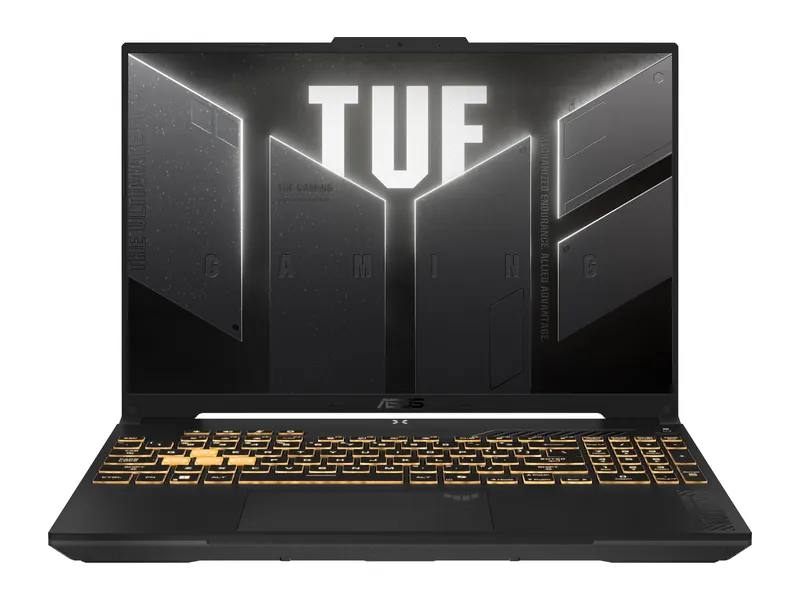
A taller 16-inch FHD+ panel at 144Hz gives more view in strategy games and more working space for study. The anti-glare coating helps in bright rooms, and the RTX 4050 at up to 140W has the power to use the high refresh rate in modern games. Laptop display guide verdict: Smooth and roomy, though 300 nits is average for brightness.
- Display
- 16-inch FHD+ (1920×1200) 16:10, 144Hz, 300 nits, anti-glare
- Processor
- Intel Core 5 210H (8 cores/12 threads, up to 4.8GHz)
- Graphics
- NVIDIA GeForce RTX 4050 6GB GDDR6 (up to 140W with Dynamic Boost)
- Memory
- 16GB DDR5
- Storage
- 512GB PCIe 4.0 NVMe SSD
- Weight
- 2.2 kg
HP Omen 16 (Core i7-14650HX, RTX 5050, 24GB/1TB)
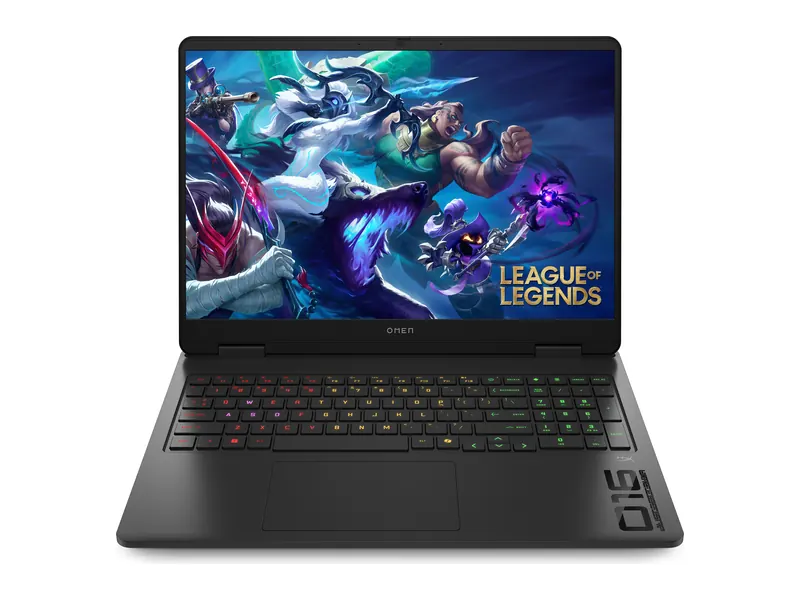
A 16-inch 1920×1200 IPS panel at 165Hz with 3ms response, 400 nits and 100% sRGB is a properly good gaming screen. The Core i7-14650HX and RTX 5050 can feed it fast frames, and 24GB of memory helps if you stream or edit clips too. Laptop display guide verdict: Bright, fast and colour-accurate; stock was low when we checked.
- Display
- 16-inch 2K (1920×1200) IPS, 165Hz, 3ms, 400 nits, 100% sRGB
- Processor
- Intel Core i7-14650HX (16 cores/24 threads, up to 5.2GHz)
- Graphics
- NVIDIA GeForce RTX 5050 8GB
- Memory
- 24GB DDR5-5600 (1x 24GB)
- Storage
- 1TB PCIe Gen4 NVMe SSD
- Weight
- 2.43 kg
Best laptop display for eyes and long work hours
If you spend eight or more hours a day at a screen, this laptop display guide suggests a matte IPS panel, 300 to 400 nits so you never strain in a bright room, and flicker-free backlighting. Higher refresh rates also make scrolling easier to follow. Take breaks with the 20-20-20 rule: every 20 minutes, look 20 feet away for 20 seconds.
Lenovo ThinkBook 14X (Core Ultra 5 226V, 16GB/512GB)
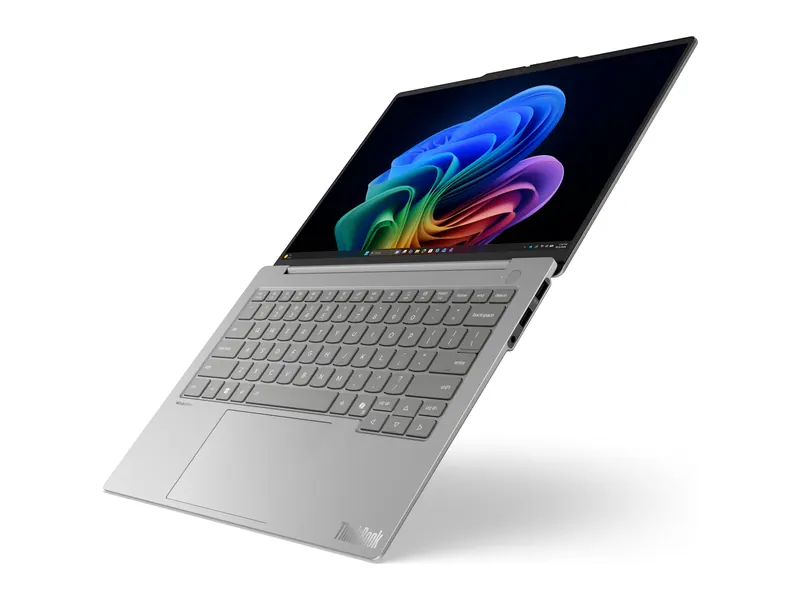
A 400-nit anti-glare WUXGA IPS panel in a 0.99kg body is an easy screen to work on near a window. The 16:10 shape shows more of a spreadsheet or document, and Lenovo's business build suits daily commuting. Laptop display guide verdict: Bright, matte and easy on the eyes for a full working day.
- Display
- 14-inch WUXGA (1920×1200) IPS, 400 nits, anti-glare
- Processor
- Intel Core Ultra 5 226V (8 cores, up to 4.5GHz)
- Graphics
- Intel Arc graphics (integrated)
- Memory
- 16GB LPDDR5x-8533 (soldered)
- Storage
- 512GB SSD
- Weight
- 0.99 kg
ASUS Vivobook S16 (Core 5 210H, 16GB/512GB)
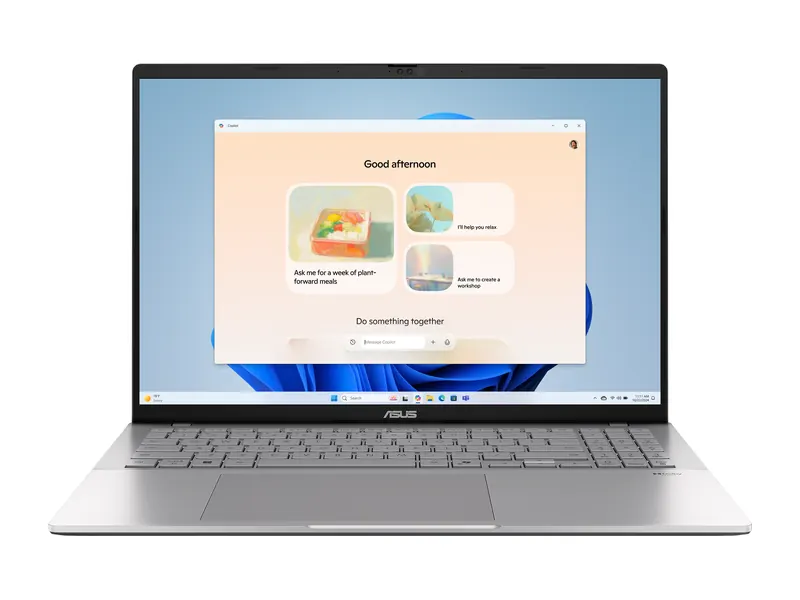
A 16-inch FHD+ IPS screen with an anti-glare finish and 144Hz refresh makes long reading and scrolling sessions comfortable. The big 70Wh battery lasts through a working day, and the Core 5 210H handles office multitasking easily. Laptop display guide verdict: A rare 144Hz matte panel on a non-gaming laptop under ₹1 lakh.
- Display
- 16-inch FHD+ (1920×1200) IPS, 144Hz, 300 nits, anti-glare
- Processor
- Intel Core 5 210H (8 cores/12 threads, up to 4.8GHz)
- Graphics
- Intel UHD graphics (integrated)
- Memory
- 16GB DDR5
- Storage
- 512GB PCIe 4.0 NVMe SSD
- Weight
- 1.7 kg
Dell 15 (Core 3 100U, 16GB/512GB)
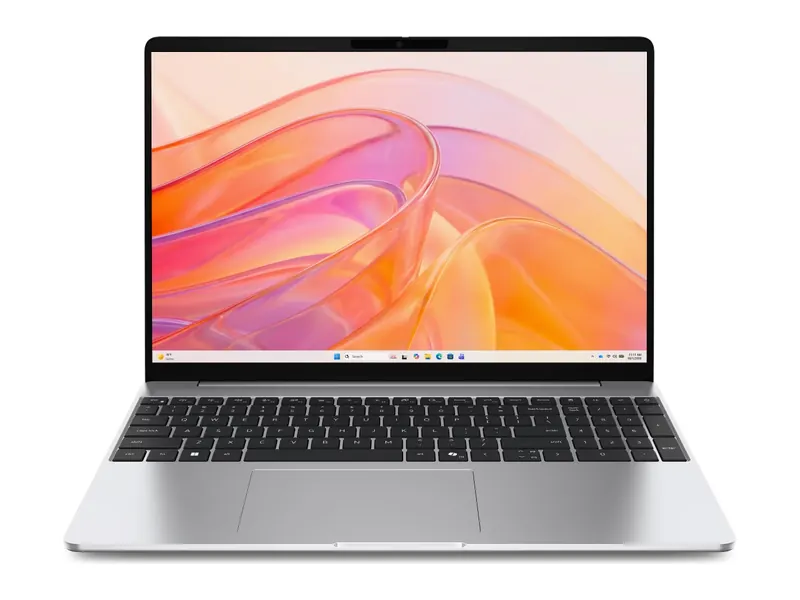
Dell fits a 120Hz anti-glare WVA panel at this price, which is unusual. At 250 nits it suits indoor use rather than bright rooms, but the smoother refresh and matte finish make everyday work feel calmer than on typical budget screens. Laptop display guide verdict: Good for indoor study and office use on a tight budget.
- Display
- 15.6" FHD, 120Hz, WVA IPS, 250 nits, anti-glare
- Processor
- Intel Core 3 100U (6 cores, up to 4.7 GHz)
- Graphics
- Intel UHD Graphics
- Memory
- 16GB DDR4-2666 (1x16GB)
- Storage
- 512GB SSD
- Weight
- 1.63 kg
Best OLED laptops for students and work
OLED used to be a premium-only feature. Now several thin laptops between ₹85,000 and ₹1.2 lakh offer one, and it makes lectures, films and presentations look far better than a typical IPS screen. Keep brightness sensible, use dark mode and let the screen saver run to reduce burn-in risk. Students can compare more options in our best laptop for students in India guide.
HP OmniBook 5 16 OLED (Snapdragon X, 16GB/1TB)
A 16-inch WUXGA OLED with 95% DCI-P3 colour at the lowest price of any OLED laptop we found in stock. The Snapdragon X chip runs cool and quiet with long battery life, though a few Windows apps and games built for Intel and AMD may not run. Laptop display guide verdict: Big, vivid OLED for study and streaming at the lowest OLED price.
- Display
- 16-inch WUXGA (1920×1200) OLED, 300 nits, 95% DCI-P3
- Processor
- Qualcomm Snapdragon X X1-26-100 (8 cores, up to 2.97GHz, 45 TOPS NPU)
- Graphics
- Qualcomm Adreno (integrated)
- Memory
- 16GB LPDDR5x
- Storage
- 1TB PCIe NVMe SSD
- Weight
- 1.59 kg
ASUS Vivobook S14 OLED (Ryzen AI 5 330, 16GB/512GB)
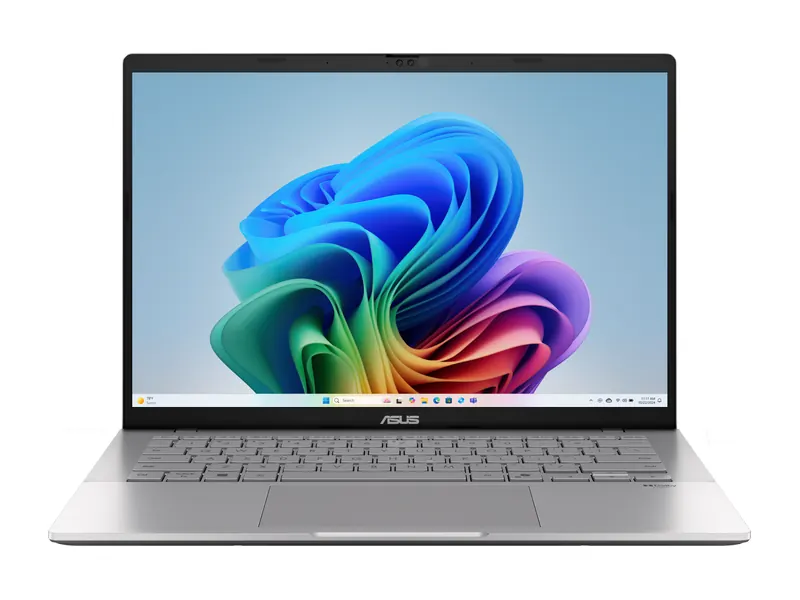
A 14-inch FHD+ OLED with 95% DCI-P3 in a 1.4kg body, with a 70Wh battery for long college days. Memory is upgradable, and the Ryzen AI 5 330 handles coursework and Office easily. The 60Hz refresh is the main compromise. Laptop display guide verdict: A vivid OLED in a carry-everywhere size under ₹1 lakh.
- Display
- 14-inch FHD+ (1920×1200) OLED, 60Hz, 300 nits, 95% DCI-P3
- Processor
- AMD Ryzen AI 5 330 (4 cores/8 threads, up to 4.5GHz, 50 TOPS NPU)
- Graphics
- AMD Radeon graphics (integrated)
- Memory
- 16GB DDR5
- Storage
- 512GB PCIe 4.0 NVMe SSD (upgradeable)
- Weight
- 1.4 kg
ASUS Vivobook S16 OLED (Ryzen AI 7 445, 16GB/1TB)
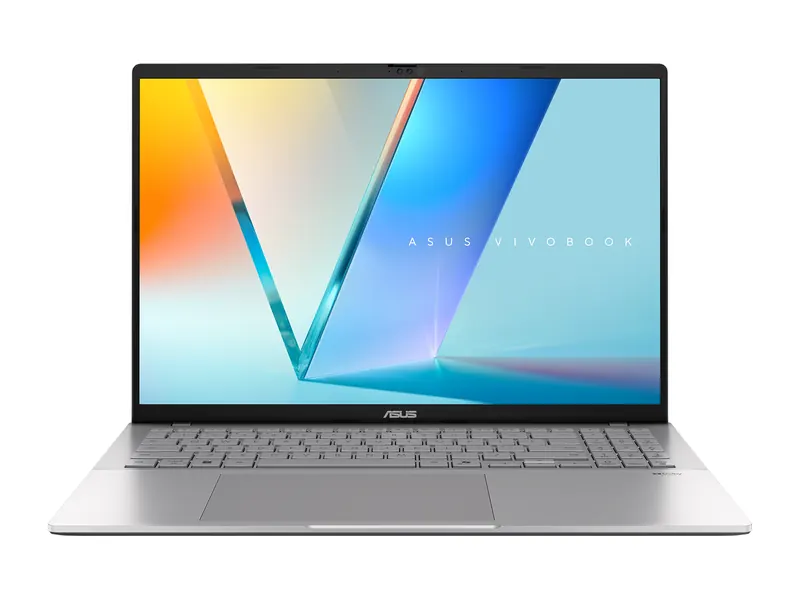
A 16-inch OLED with up to 500 nits for HDR, a 1TB SSD and the six-core Ryzen AI 7 445. The large screen suits side-by-side work and video calls. The glossy finish reflects bright windows, so place your desk with care. Laptop display guide verdict: Roomy and rich, best used indoors away from direct glare.
- Display
- 16-inch WUXGA (1920×1200) OLED, 60Hz, 500 nits HDR peak, glossy
- Processor
- AMD Ryzen AI 7 445 (6 cores/12 threads, up to 4.6GHz, 50 TOPS NPU)
- Graphics
- AMD Radeon graphics (integrated)
- Memory
- 16GB DDR5
- Storage
- 1TB PCIe 4.0 NVMe SSD
- Weight
- 1.7 kg
Best laptop display for photo and video editing
Editors need colour accuracy above everything. This laptop display guide sets the bar at 100% DCI-P3, high resolution and real brightness for HDR work. Calibrate the screen with a colorimeter if you deliver work to clients, and edit with the display at a fixed brightness.
ASUS Zenbook S14 OLED (Core Ultra 7 355, 16GB/512GB)
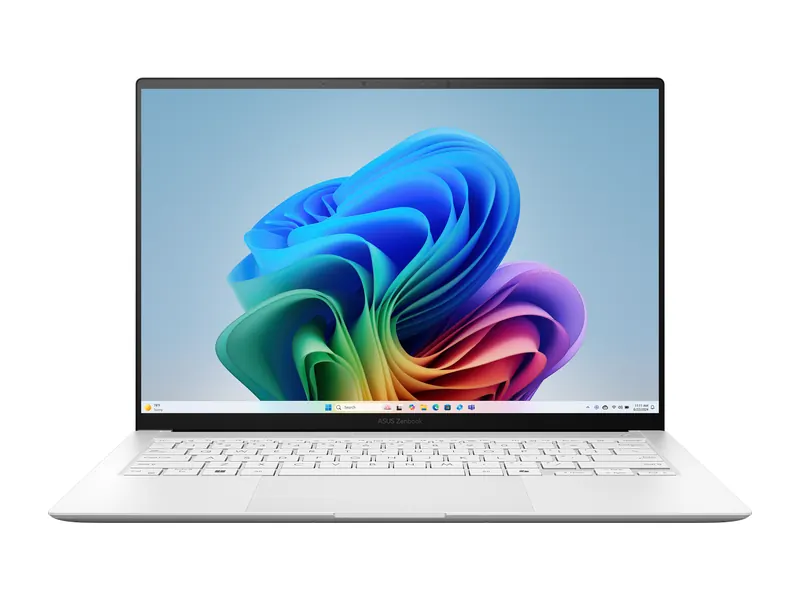
A 14-inch 3K OLED at 120Hz with 100% DCI-P3 and up to 1,100 nits HDR peak, plus touch and stylus support for retouching. At 1.2kg it is a light machine to edit on in a café or a client's office. Laptop display guide verdict: Sharp, fast and colour-rich: our top Windows editing screen here.
- Display
- 14-inch 3K (2880×1800) OLED touch, 120Hz, 1,100 nits HDR peak, 100% DCI-P3, stylus support
- Processor
- Intel Core Ultra 7 355 (8 cores, up to 4.7GHz, 49 TOPS NPU)
- Graphics
- Intel graphics (integrated)
- Memory
- 16GB LPDDR5X (soldered)
- Storage
- 512GB PCIe 4.0 NVMe SSD
- Weight
- 1.2 kg
Lenovo Yoga Slim 7 Aura Edition (Core Ultra 5 226V, 16GB/1TB)
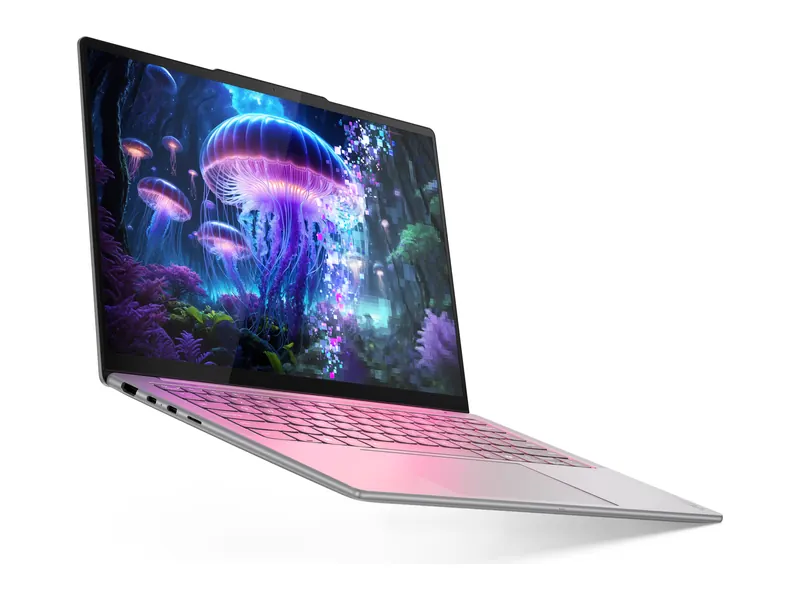
A WUXGA OLED with 100% DCI-P3 and DisplayHDR True Black 500 certification, rated at 400 nits typical and 600 nits peak. It is a strong screen for colour grading and HDR video in a 1.19kg body. Stock was low when we checked. Laptop display guide verdict: Certified HDR quality at a lower price than most creator laptops.
- Display
- 14-inch WUXGA (1920×1200) OLED, 400 nits typical / 600 nits peak, 100% DCI-P3, DisplayHDR True Black 500
- Processor
- Intel Core Ultra 5 226V (8 cores, up to 4.5GHz, 40 TOPS NPU)
- Graphics
- Intel Arc graphics (integrated)
- Memory
- 16GB LPDDR5x-8533 (soldered)
- Storage
- 1TB PCIe 4.0 NVMe SSD
- Weight
- 1.19 kg
Apple MacBook Air 15 (M5, 24GB/1TB)
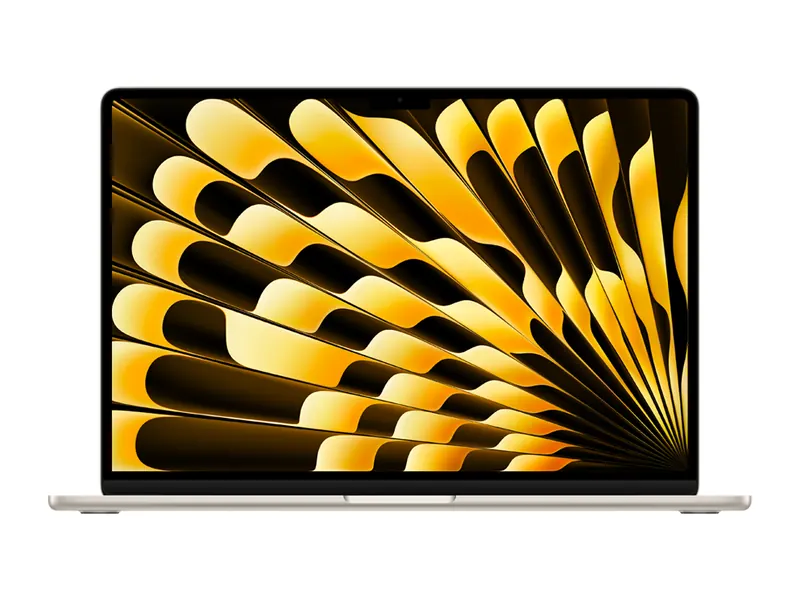
A 15.3-inch Liquid Retina display at 2880×1864 with 500 nits and P3 wide colour, in a fanless 1.51kg body. macOS colour management is consistent, which helps photo editors. It is an IPS panel at 60Hz, so it is not for gaming. Laptop display guide verdict: Accurate, bright and big, ideal for photo and video editing.
- Display
- 15.3-inch Liquid Retina (2880×1864) IPS, 500 nits, P3 wide colour
- Processor
- Apple M5 (10-core CPU)
- Graphics
- Apple 10-core GPU (integrated)
- Memory
- 24GB unified memory
- Storage
- 1TB SSD
- Weight
- 1.51 kg
OLED and 144Hz laptops by budget: what is really available
People often search for an OLED laptop under ₹50,000, ₹60,000 or ₹70,000, or a 144Hz laptop under ₹40,000, ₹50,000 or ₹60,000. We checked live Indian listings on 31 October 2026, and this laptop display guide will not pretend: those combinations were not available in stock from a known brand at those prices.
OLED laptop under ₹50,000, ₹60,000, ₹70,000 and ₹80,000
We did not find a new OLED laptop in stock below ₹70,000. In our 1 November 2026 check, the cheapest was the ASUS Vivobook 16 OLED (Core i5-13420H) at about ₹79,990, just inside ₹80,000 and listed in our best laptops under ₹80,000 guide. The HP OmniBook 5 16 OLED was about ₹84,990. Under ₹60,000, choose a good IPS screen instead; our best laptops under ₹60,000 guide lists the best panels at that price.
OLED laptop under ₹1 lakh
Yes, here OLED becomes realistic. Both the HP OmniBook 5 16 OLED and the ASUS Vivobook S14 OLED fit under ₹1 lakh, as do other models in our best laptops under ₹1 lakh guide.
144Hz laptop under ₹40,000, ₹50,000 and ₹60,000
We found no 144Hz laptop in stock under ₹60,000. The closest high-refresh options were 120Hz Dell 15 models: the Ryzen 5 7520U version at about ₹49,900 and the Core 3 100U version with 16GB at about ₹57,390. The cheapest 144Hz gaming laptop we found was the Acer ALG with an RTX 3050 at about ₹82,990. For gaming on a smaller budget, read our best gaming laptops under ₹60,000 guide, which explains what 60Hz and 120Hz machines can realistically play.
Laptops with 400 nits or more
In this laptop display guide check, bright 400-nit panels mostly start around ₹1 lakh, on business laptops such as the ThinkBook 14X and on premium gaming and OLED models. Under that, 300 nits is the realistic target.
Laptop display guide checklist: 7 checks before you buy

Use this laptop display guide checklist on any listing or in a shop:
- Panel type: IPS, WVA or OLED. Avoid TN unless the budget is very tight.
- Resolution: at least Full HD (1920×1080); FHD+ (1920×1200) is better.
- Brightness: 300 nits minimum, 400 nits for bright rooms. Ignore "peak" figures for daily use.
- Colour gamut: 100% sRGB for photo work; treat 45% NTSC as a weakness.
- Refresh rate: 60Hz for work, 120Hz for smoothness, 144Hz or more for gaming.
- Finish: matte for bright rooms and long hours; glossy OLED for films and colour indoors.
- Look in person: if possible, check viewing angles and the screen at low brightness for visible flicker.
Our laptops hub lists every buying guide by budget, and each guide states the panel specs of every pick.
Frequently asked questions
Which display is best for a laptop?
Our laptop display guide answer for most people: a Full HD or FHD+ IPS panel with at least 300 nits, an anti-glare finish and 100% sRGB colour. Choose OLED for films and editing indoors, and a 144Hz IPS panel for gaming.
Is IPS or OLED better for a laptop?
In this laptop display guide, OLED wins on deeper blacks and richer colour; IPS is matte, brighter in daily use on many models and has no burn-in risk. A good IPS panel is better than a cheap OLED, and both are far better than TN.
Is IPS or OLED better for the eyes?
Both are comfortable when brightness suits the room. Matte IPS reduces reflections; OLED emits less blue light but some models flicker at low brightness. People sensitive to flicker should prefer IPS with DC dimming.
Is a 144Hz laptop good or bad?
Good, says this laptop display guide. A 144Hz screen makes games and scrolling smoother. It uses a little more battery at full refresh, but most laptops drop to 60Hz on battery, and it is only worth paying for if you game or want extra smoothness.
How many nits is good for a laptop?
Our laptop display guide rule: 300 nits is comfortable indoors, 400 nits suits bright rooms and windows, and 500 nits or more helps outdoors in shade. Figures above 1,000 nits are usually HDR peaks, not everyday brightness.
Is Full HD enough for a laptop?
Yes on 14 to 15.6-inch screens, and that is the baseline in this laptop display guide. FHD+ (1920×1200) adds useful height. On 16-inch screens or for photo editing, 2.5K or 3K looks noticeably sharper.
Does OLED burn in on laptops?
It can, after thousands of hours of the same static image at high brightness. Modern laptops shift pixels and dim static elements. Use dark mode, auto-hide the taskbar and a screen timeout to reduce the risk.
Why is my laptop refresh rate stuck at 60Hz?
Many laptops switch to 60Hz on battery. Plug in the charger, open Settings, System, Display, Advanced display, choose the higher rate, and update your graphics driver if it is missing.
The final word
The short version of this laptop display guide: choose IPS or OLED, never TN; insist on Full HD or FHD+; aim for 300 nits or more; pick 144Hz only if you game; and check the colour gamut, because 100% sRGB versus 45% NTSC changes how every photo and film looks.
Use this laptop display guide alongside our laptop buying guide India to balance the screen against processor, memory and storage for your budget. If two laptops are close in price and performance, buy the one with the better display. You will notice it every day.
Last updated on . Specifications, stock and prices change frequently. Always check the live listing before you buy.
More buying guides

Best laptops for students
Need the best laptop for students in India? 8 verified picks for CSE, engineering, commerce, design and school, matched to your course and your budget.
Read guide →
Best laptops under ₹1 lakh
Best laptop under 1 lakh in India: 8 Core Ultra, Ryzen AI, OLED and MacBook Neo picks compared on verified specs, with honest pros, cons and buying tips.
Read guide →
Best gaming laptops under ₹1 lakh
Best gaming laptop under 1 lakh in India: 7 RTX picks from Lenovo LOQ, Acer, ASUS TUF, MSI and Dell, with verified GPU wattage, specs and honest advice.
Read guide →
Best laptops under ₹1.5 lakh
Best laptop under 1.5 lakh in India: 8 OLED, Core Ultra and Ryzen AI picks compared on verified specs, with honest pros, cons and practical buying tips.
Read guide →