Laptops by Graphics Card: RTX 3050 to RTX 5070 Tier List and 16 Picks for India (October 2026)


This laptop graphics card list answers the question most gaming and creator buyers in India end up asking: which GPU should my next laptop have, and how much more does each step up cost? The graphics chip decides how many frames a game runs at, how fast a video exports and how large an AI model you can run locally, and unlike RAM or storage it can never be swapped later. Getting it right on day one matters more than any other spec.
Below you will find a tier list of every laptop GPU you can realistically buy in India today, from integrated Radeon and Intel Arc graphics through RTX 3050, RTX 4050, RTX 4060, RTX 5050, RTX 5060 and RTX 5070 up to the RTX 5070 Ti, 5080 and 5090. For each tier we explain VRAM, power limits (TGP) and the typical price band, then list 16 laptops we verified in stock on 31 October 2026. If you already know your budget, our gaming laptop buying guides go straight to full reviews for each price band.
On this page
- Laptop graphics card list: the tier list for India
- How to read a laptop GPU: TGP, VRAM and the MUX switch
- Integrated graphics and RTX 3050 laptops: the entry tier
- RTX 4050 and RTX 4060 laptops: the 1080p sweet spot
- RTX 5050 and RTX 5060 laptops: the new mainstream
- RTX 5070, 5070 Ti, 5080 and 5090 laptops: the high end
- Best laptop graphics card for gaming
- Best laptop graphics card for video editing
- Best laptop graphics card for AI, machine learning and local LLMs
- Best laptop graphics card for CAD, 3D modelling and engineering
- Do you need a graphics card for coding?
- Laptops with a 4GB graphics card
- Laptops with an 8GB graphics card and 16GB or 32GB RAM
- Laptops with a 12GB or 16GB graphics card
- Laptops with a graphics card and an Intel Core i7
- Laptops with a graphics card under ₹50,000, ₹60,000 and ₹80,000
- Can you upgrade or buy a laptop graphics card separately?
- Laptop GPU vs desktop GPU: why the same name is slower
- NVIDIA vs AMD vs Intel laptop graphics in India
- FAQs
- Final word
- More buying guides
Laptop graphics card list: the tier list for India

The tiers below group laptop GPUs by real-world performance rather than by model number. A newer name is not always faster: an RTX 4060 with a healthy power limit can match a low-power RTX 5060, and a 75W RTX 3050 beats a 45W one. Use this laptop graphics card list to shortlist a tier, then compare power limits inside it.
| Tier | Laptop GPU | VRAM | NVIDIA power range | Typical laptop price in India | Where to start |
|---|---|---|---|---|---|
| S | RTX 5090 | 24GB GDDR7 | 95–150W | ₹4.5 lakh and up | Under ₹5 lakh |
| S | RTX 5080 | 16GB GDDR7 | 80–150W | ₹3.6 to 4.9 lakh | Under ₹5 lakh |
| A | RTX 5070 Ti | 12GB GDDR7 | 60–115W | ₹2.8 to 3.9 lakh | Under ₹4 lakh |
| B | RTX 5070 | 8GB GDDR7 (12GB on a few) | 50–100W | ₹2.5 to 3.2 lakh | Under ₹4 lakh |
| B | RTX 4070 (older stock) | 8GB GDDR6 | 35–115W | Rarely in stock now | Under ₹2 lakh |
| C | RTX 5060 | 8GB GDDR7 | 45–100W | ₹1.6 to 2 lakh | Under ₹2 lakh |
| C | RTX 4060 | 8GB GDDR6 | 35–115W | ₹1.2 to 1.5 lakh | Under ₹1.5 lakh |
| C | RTX 5050 | 8GB GDDR7 | 35–100W | ₹1.5 to 1.9 lakh | Under ₹2 lakh |
| D | RTX 4050 | 6GB GDDR6 | 35–115W | ₹1.1 to 1.4 lakh | Under ₹1.5 lakh |
| E | RTX 3050 (4GB or 6GB) | 4GB or 6GB GDDR6 | 35–80W | ₹83,000 to ₹1 lakh | Under ₹1 lakh |
| F | Radeon 780M, Intel Arc (integrated) | Shared system RAM | Shares the CPU budget | ₹45,000 to ₹75,000 | Under ₹70,000 |
The power ranges come from NVIDIA's laptop GPU comparison; many laptops add 15 to 25W of Dynamic Boost on top. Price bands reflect the in-stock laptops we tracked for this laptop graphics card list, so they move as stock changes. The RTX 2050 still appears in some older listings, but we found none worth buying in stock, so it sits below the RTX 3050 and outside our picks.
Dedicated pages for individual graphics cards, starting with RTX 3050, RTX 4050 and RTX 5060 laptops, will join this hub over the coming weeks.
How to read a laptop GPU: TGP, VRAM and the MUX switch

Two laptops with the same graphics card can perform very differently, which is why every entry on our laptop graphics card list comes with its power figure where the maker publishes one. Check these before you compare prices:
- TGP (total graphics power): the watts the laptop lets the GPU draw. An RTX 4050 at 140W (with boost) in a thick chassis can be 20 to 30 per cent faster than the same chip at 60W in a slim one. Look for the figure in the listing title or the maker's spec sheet.
- VRAM: the graphics card's own memory. 6GB is now the floor for new games at 1080p, 8GB is comfortable, and 12GB or more matters for 1440p textures, video editing and AI models. Read our laptop RAM guide for how system memory differs.
- MUX switch or Advanced Optimus: lets the GPU drive the screen directly instead of routing frames through the processor's graphics, typically adding 5 to 15 per cent in games.
- Cooling and processor: a weak CPU holds a strong GPU back. Our laptop processor list shows which H and HX chips pair well with each tier.
- Display: a 144Hz or 165Hz panel is what lets you see the extra frames a better GPU produces.
For a background on how graphics processors work, the Wikipedia article on GPUs is a good primer. Use these checks alongside the laptop graphics card list above, because the tier only tells you what a chip can do at full power.
Integrated graphics and RTX 3050 laptops: the entry tier
The bottom of this laptop graphics card list is where most first-time gamers start. Integrated Radeon 780M graphics handle esports titles at low settings, while an RTX 3050 runs most games at 1080p on medium. Here are the four entry picks we verified, cheapest first. Tiers E and F of the laptop graphics card list are where your rupee goes furthest for casual play.
ASUS Vivobook 16 X1652XA (Ryzen 7 7840HS, Radeon 780M)
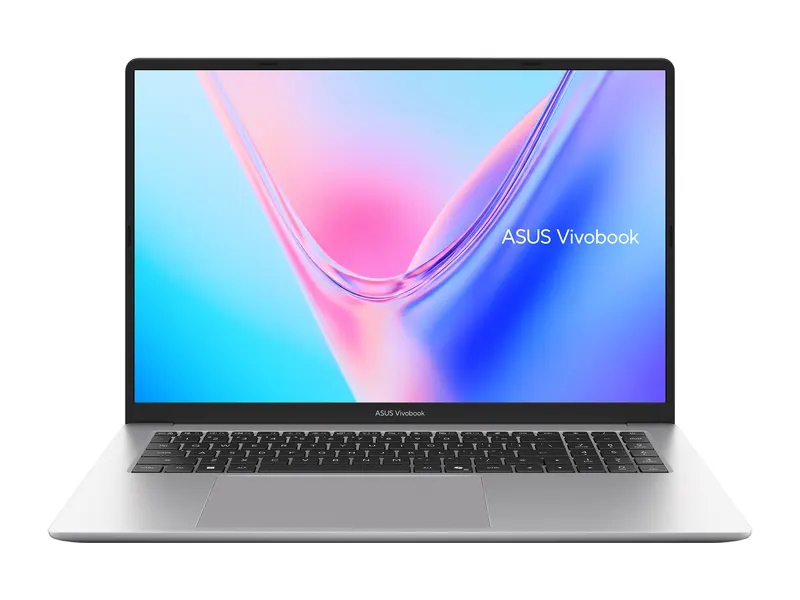
The Radeon 780M is the strongest integrated graphics you can buy at this price and plays Valorant, CS2 and older AAA games at 720p to 1080p on low. It is the honest answer if your budget is below the cheapest RTX laptop. The 8GB of soldered memory is shared with the graphics, so it suits light gaming rather than heavy multitasking. On our laptop graphics card list, its GPU sits in tier F.
- Graphics
- AMD Radeon 780M (integrated)
- Processor
- AMD Ryzen 7 7840HS (8 cores)
- Memory
- 8GB LPDDR5X (soldered)
- Storage
- 512GB SSD
- Display
- 16-inch WUXGA, 60Hz
- Weight
- 1.85 kg
Acer ALG (Core 5 210H, RTX 3050 4GB, 16GB/512GB)
It sits in the ₹80k class, the entry point for laptops with a dedicated RTX graphics card when we checked. The 4GB RTX 3050 runs esports titles at high frame rates and most AAA games at 1080p low to medium with DLSS on. The 144Hz panel is a welcome extra at this price; colours are dull, so it is not a pick for photo work. On our laptop graphics card list, its GPU sits in tier E.
- Graphics
- NVIDIA GeForce RTX 3050 4GB GDDR6
- Processor
- Intel Core 5 210H (8 cores)
- Memory
- 16GB DDR4 (upgradable to 64GB)
- Storage
- 512GB PCIe Gen4 SSD
- Display
- 15.6-inch FHD, 144Hz
- Weight
- 1.99 kg
ASUS TUF Gaming A15 (Ryzen 7 7445HS, RTX 3050 4GB 75W)
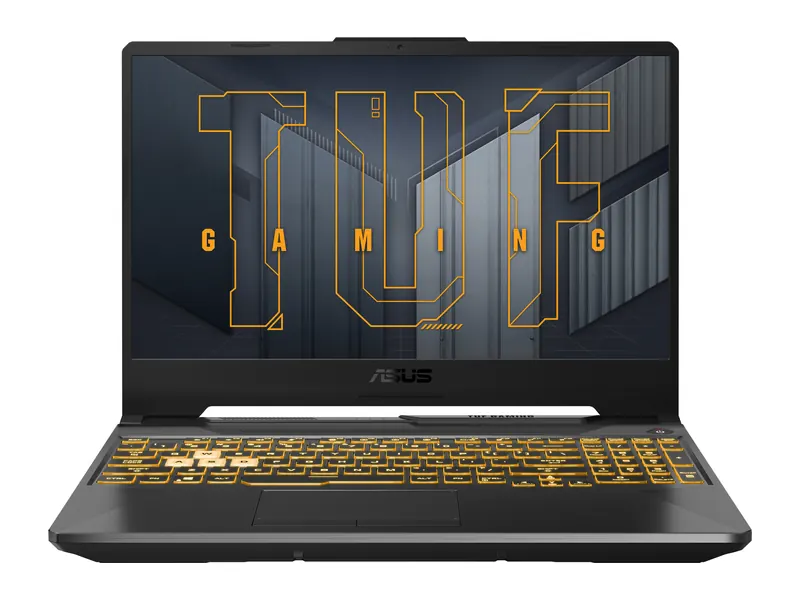
ASUS lists a 75W TGP, which is near the top of the RTX 3050 range and the reason this TUF holds frame rates better than slimmer RTX 3050 laptops. Two memory slots and DDR5 make it easy to grow to 32GB later. It is heavy and the screen is only 250 nits, but for raw graphics performance per rupee in this tier it is hard to beat. On our laptop graphics card list, its GPU sits in tier E.
- Graphics
- NVIDIA GeForce RTX 3050 4GB GDDR6, 75W TGP
- Processor
- AMD Ryzen 7 7445HS (6 cores)
- Memory
- 16GB DDR5 (upgradable to 64GB)
- Storage
- 512GB PCIe 4.0 SSD
- Display
- 15.6-inch FHD, 144Hz
- Weight
- 2.3 kg
Lenovo LOQ Essential (Ryzen 5 7535HS, RTX 3050 6GB)
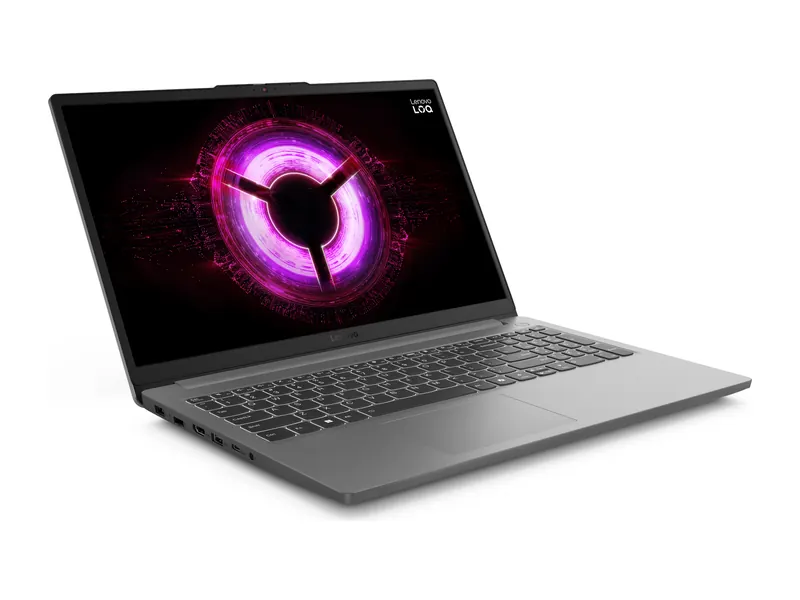
The 6GB version of the RTX 3050 has 50 per cent more video memory than the 4GB chip, which helps newer games that fill VRAM quickly. Add a 100% sRGB panel, a spare M.2 slot and a light 1.8 kg body and this is the most balanced entry-tier pick on our laptop graphics card list. On our laptop graphics card list, its GPU sits in tier E.
- Graphics
- NVIDIA GeForce RTX 3050 6GB GDDR6, 65W TGP
- Processor
- AMD Ryzen 5 7535HS (6 cores)
- Memory
- 16GB DDR5-4800
- Storage
- 512GB PCIe 4.0 SSD (second M.2 slot)
- Display
- 15.6-inch FHD IPS, 144Hz, 100% sRGB
- Weight
- 1.8 kg
RTX 4050 and RTX 4060 laptops: the 1080p sweet spot
One step up this laptop graphics card list, the RTX 4050 (6GB) and RTX 4060 (8GB) bring DLSS 3 frame generation and enough power for high settings at 1080p. The RTX 4060 is the better buy whenever the price gap is under ₹15,000, because its 8GB of VRAM will age better. These two chips are the busiest part of any laptop graphics card list in India.
HP Victus 15 (Core i5-13450HX, RTX 4050, 16GB/512GB)
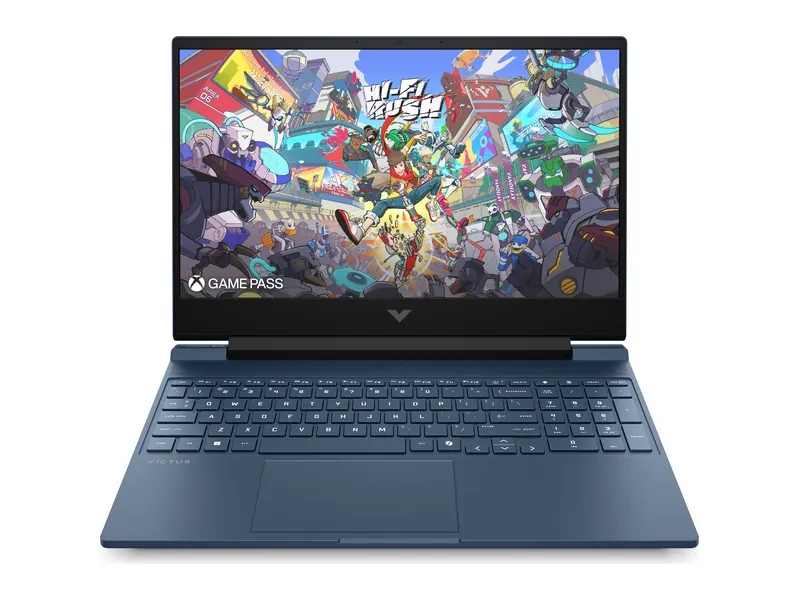
An HX-class processor at this price means the CPU will not hold the RTX 4050 back in busy games. Dual-channel memory out of the box is another quiet advantage. The panel covers only about 62% of sRGB, so treat it as a gaming screen rather than a colour-accurate one. On our laptop graphics card list, its GPU sits in tier D.
- Graphics
- NVIDIA GeForce RTX 4050 6GB GDDR6
- Processor
- Intel Core i5-13450HX (10 cores)
- Memory
- 16GB DDR5-5600 (2x 8GB)
- Storage
- 512GB PCIe Gen4 SSD
- Display
- 15.6-inch FHD IPS, 144Hz, 300 nits
- Weight
- 2.29 kg
ASUS TUF Gaming F16 (Core 5 210H, RTX 4050 140W, 16GB/512GB)
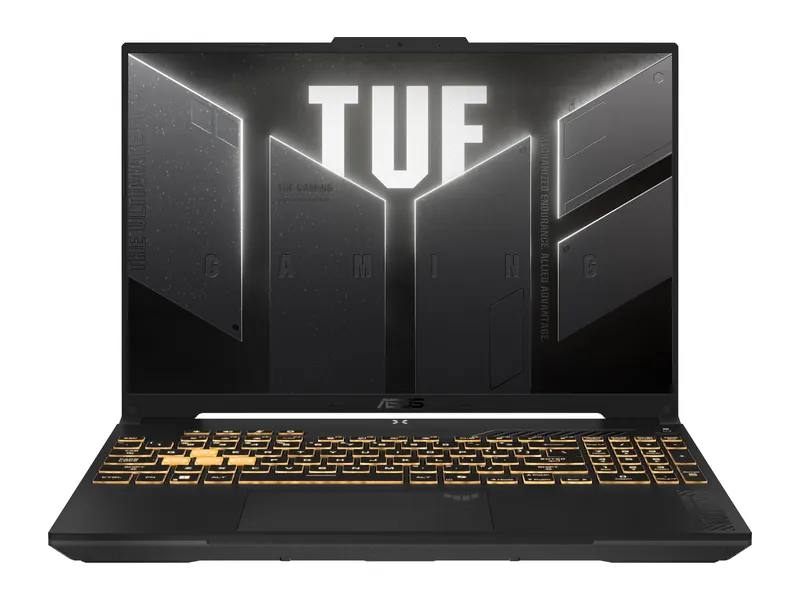
A 140W ceiling is as much power as any RTX 4050 laptop gets, which pushes this TUF close to entry RTX 4060 machines in many games. The taller 16:10 screen also helps with coding and documents. If you see the RTX 4060 LOQ below at a similar price, take that instead. On our laptop graphics card list, its GPU sits in tier D.
- Graphics
- NVIDIA GeForce RTX 4050 6GB GDDR6 (up to 140W with Dynamic Boost)
- Processor
- Intel Core 5 210H (8 cores)
- Memory
- 16GB DDR5
- Storage
- 512GB PCIe 4.0 SSD
- Display
- 16-inch FHD+ 16:10, 144Hz, 300 nits
- Weight
- 2.2 kg
Lenovo LOQ 15 (Core i5-12450H, RTX 4060, 16GB/512GB)
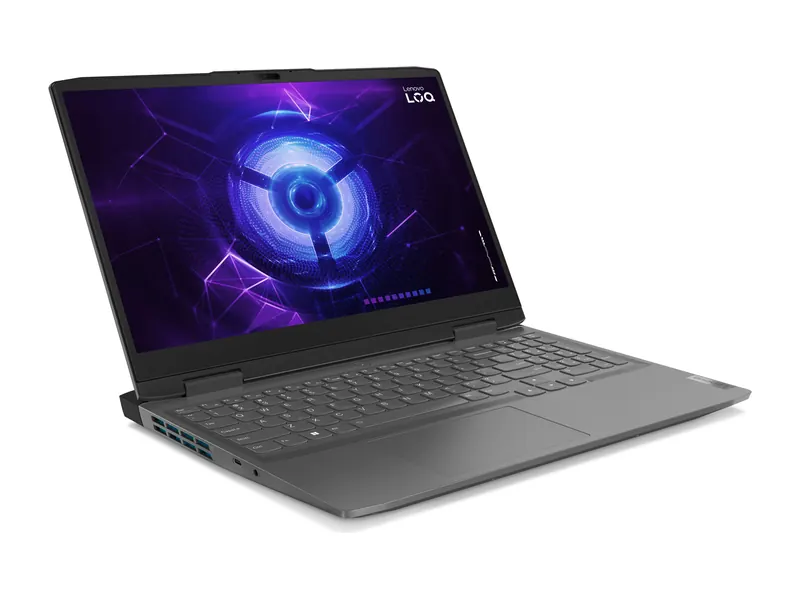
A full 115W RTX 4060 with 8GB of VRAM for roughly the price of many RTX 4050 laptops makes this the value centre of our laptop graphics card list. The Core i5-12450H is an older chip but rarely limits 1080p gaming. G-Sync and a brighter 350-nit panel are bonuses. On our laptop graphics card list, its GPU sits in tier C.
- Graphics
- NVIDIA GeForce RTX 4060 8GB GDDR6 (115W TGP)
- Processor
- Intel Core i5-12450H (8 cores)
- Memory
- 16GB DDR5-4800 (up to 32GB)
- Storage
- 512GB SSD
- Display
- 15.6-inch FHD IPS, 144Hz, 350 nits, G-Sync
- Weight
- 2.4 kg
RTX 5050 and RTX 5060 laptops: the new mainstream
NVIDIA's Blackwell generation brings faster GDDR7 memory and multi-frame generation to the middle of the laptop graphics card list. The RTX 5050 and RTX 5060 both carry 8GB of VRAM; the RTX 5060 has about 30 per cent more CUDA cores and is the one to prefer.
HP Omen 16 (Core i7-14650HX, RTX 5050, 24GB/1TB)
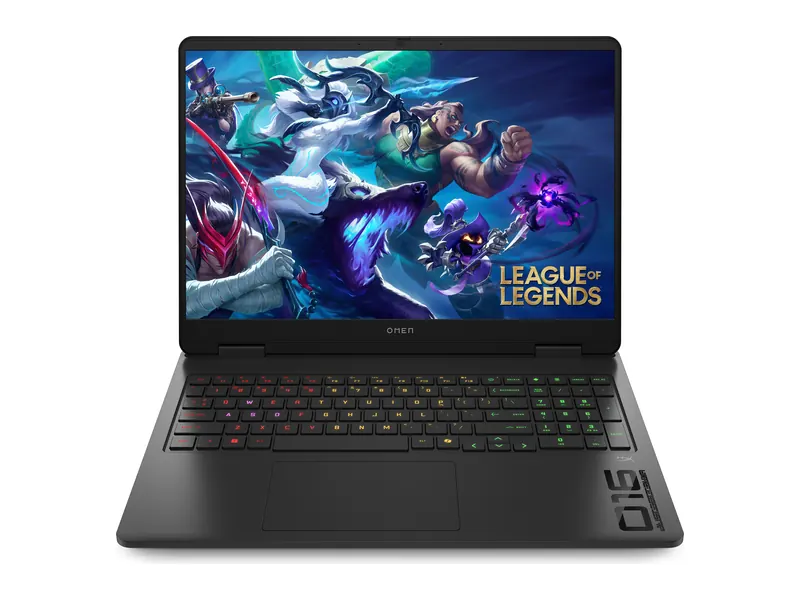
The RTX 5050 is the entry point to the 50-series, and HP pairs it with a 16-core HX processor, 24GB of memory and a 1TB SSD, so the rest of the laptop is far from basic. The bright 100% sRGB screen also suits photo and video work. At its current price, compare it against RTX 5060 models before buying. On our laptop graphics card list, its GPU sits in tier C.
- Graphics
- NVIDIA GeForce RTX 5050 8GB
- Processor
- Intel Core i7-14650HX (16 cores)
- Memory
- 24GB DDR5-5600
- Storage
- 1TB PCIe Gen4 SSD
- Display
- 16-inch 1920×1200 IPS, 165Hz, 400 nits, 100% sRGB
- Weight
- 2.43 kg
Lenovo LOQ 15 (Ryzen 7 250, RTX 5060, 24GB/1TB)
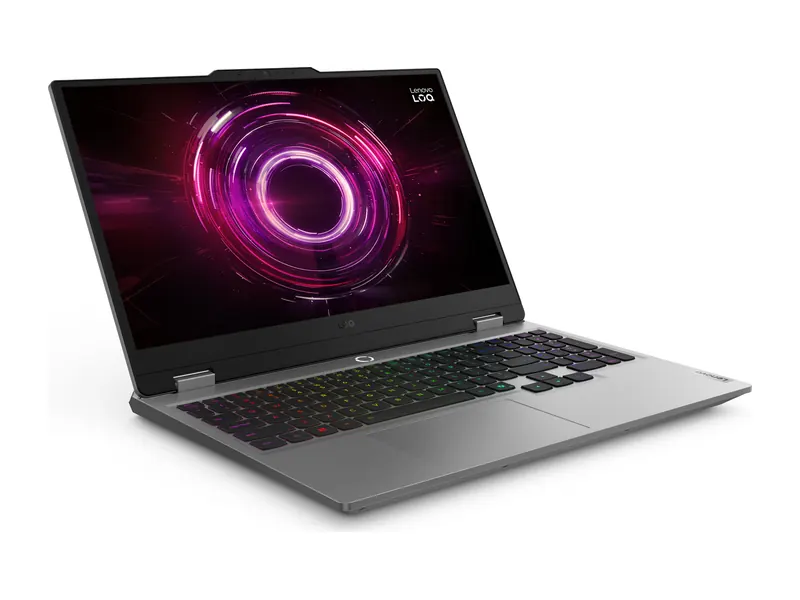
A full 100W RTX 5060, 24GB of memory, a 1TB SSD with room for a second drive and a colour-accurate G-Sync panel: this LOQ covers almost every box for a long-lasting 1080p gaming laptop. It is plain in design and heavy to carry daily, which is the main trade-off. On our laptop graphics card list, its GPU sits in tier C.
- Graphics
- NVIDIA GeForce RTX 5060 8GB GDDR7, 100W TGP
- Processor
- AMD Ryzen 7 250 (8 cores)
- Memory
- 24GB DDR5-5600 (two slots)
- Storage
- 1TB PCIe 4.0 SSD (second M.2 slot)
- Display
- 15.6-inch FHD IPS, 144Hz, 100% sRGB, G-Sync
- Weight
- 2.4 kg
ASUS TUF Gaming A14 2026 (Ryzen AI 9 465, RTX 5060, 16GB/512GB)
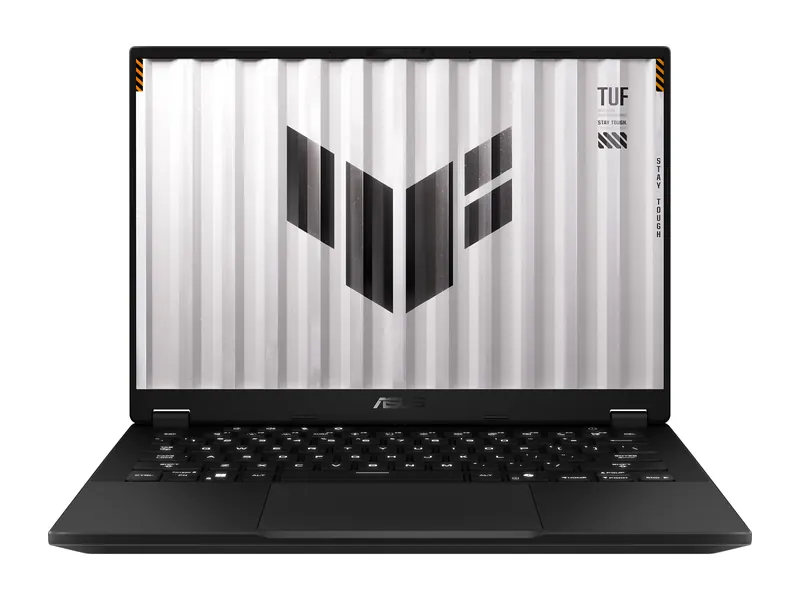
At 1.4 kg this is the only laptop on the list that carries an RTX 5060 and still feels like a regular college or office laptop. ASUS lists up to 105W for the GPU, impressive for a 14-inch body. The 16GB of memory is soldered, so it cannot be upgraded later. On our laptop graphics card list, its GPU sits in tier C.
- Graphics
- NVIDIA GeForce RTX 5060 8GB GDDR7, up to 105W
- Processor
- AMD Ryzen AI 9 465 (10 cores, 50 TOPS NPU)
- Memory
- 16GB LPDDR5X (soldered)
- Storage
- 512GB PCIe 4.0 SSD
- Display
- 14-inch 2.5K 16:10, 165Hz, 100% sRGB
- Weight
- 1.4 kg
RTX 5070, 5070 Ti, 5080 and 5090 laptops: the high end
At the top of this laptop graphics card list, VRAM becomes the deciding factor. The RTX 5070 still has 8GB on most models, while the RTX 5070 Ti steps to 12GB, the RTX 5080 to 16GB and the RTX 5090 to 24GB. That matters for 1440p and 4K gaming, heavy video timelines and local AI.
HP Omen 16 (Ryzen 9 8940HX, RTX 5070, 24GB/1TB)
A 240Hz panel and a 16-core Ryzen 9 make this Omen the right machine for competitive shooters, where the RTX 5070 can push very high frame rates at 1200p. The 8GB of VRAM is the limit to keep in mind for the heaviest new games at maximum textures. On our laptop graphics card list, its GPU sits in tier B.
- Graphics
- NVIDIA GeForce RTX 5070 8GB GDDR7
- Processor
- AMD Ryzen 9 8940HX (16 cores)
- Memory
- 24GB DDR5-5600
- Storage
- 1TB PCIe Gen4 SSD
- Display
- 16-inch 1920×1200 IPS, 240Hz, 400 nits, 100% sRGB
- Weight
- 2.44 kg
ASUS ROG Strix G16 (Ryzen 9 8940HX, RTX 5070 Ti 140W, 16GB/1TB)
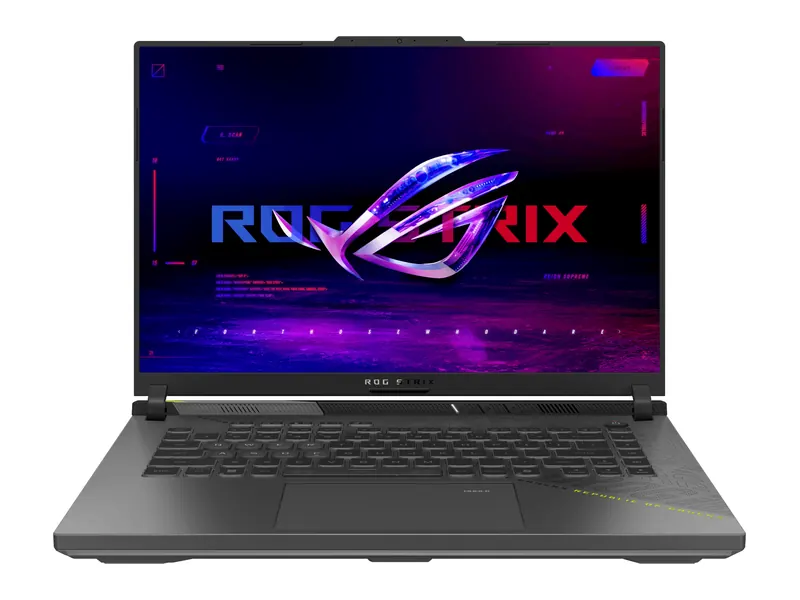
The RTX 5070 Ti is the first laptop GPU with 12GB of VRAM, and this Strix runs it at the full 140W. That combination makes it the most sensible high-end buy for gamers who want headroom for future titles. Upgrade the memory to 32GB if you also plan to edit video. On our laptop graphics card list, its GPU sits in tier A.
- Graphics
- NVIDIA GeForce RTX 5070 Ti 12GB GDDR7, up to 140W
- Processor
- AMD Ryzen 9 8940HX (16 cores)
- Memory
- 16GB DDR5 (up to 64GB)
- Storage
- 1TB PCIe 4.0 SSD
- Display
- 16-inch FHD+, 165Hz, 300 nits
- Weight
- 2.5 kg
ASUS ROG Strix G16 2026 (Ryzen 9 8940HX, RTX 5080 175W, 16GB/1TB)
This is the value pick among the RTX 5080 laptops we found in stock, and it runs the chip at the maximum 175W. The 16GB of VRAM opens up 1440p ultra gaming and larger AI models. The 1200p screen is the compromise: connect a 1440p monitor to get full value from the GPU. On our laptop graphics card list, its GPU sits in tier S.
- Graphics
- NVIDIA GeForce RTX 5080 16GB GDDR7 (175W with Dynamic Boost)
- Processor
- AMD Ryzen 9 8940HX (16 cores)
- Memory
- 16GB DDR5 (upgradable)
- Storage
- 1TB PCIe 4.0 SSD
- Display
- 16-inch FHD+, 165Hz, 100% sRGB
- Weight
- 2.5 kg
ASUS ProArt P16 OLED (Ryzen AI 9 HX 370, RTX 5090, 64GB/2TB)
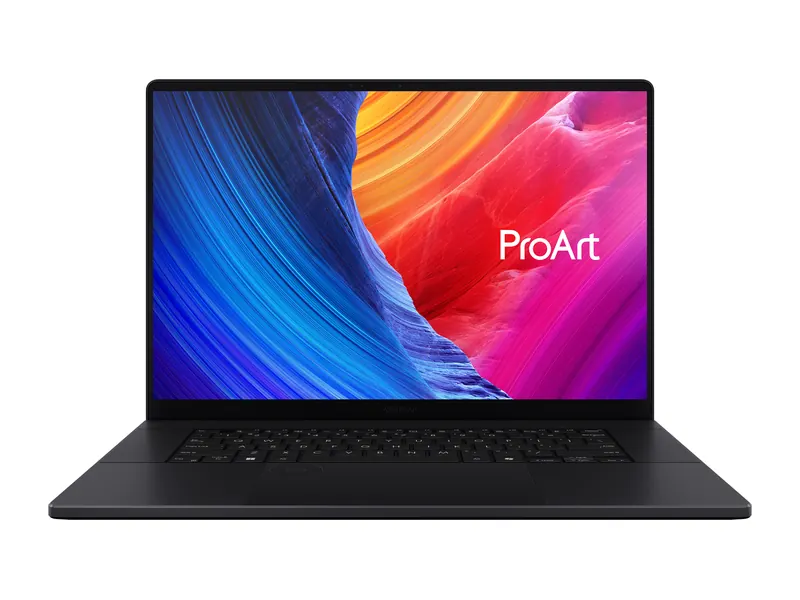
The RTX 5090 tops our laptop graphics card list with 24GB of VRAM, and ASUS builds a creator workstation around it: 64GB of memory, 2TB of storage and a colour-calibrated 4K OLED in a sub-2 kg body. It runs the GPU below the wattage of thick gaming laptops, so it trades some frame rate for portability and a superb screen. On our laptop graphics card list, its GPU sits in tier S.
- Graphics
- NVIDIA GeForce RTX 5090 24GB GDDR7
- Processor
- AMD Ryzen AI 9 HX 370 (12 cores)
- Memory
- 64GB LPDDR5X
- Storage
- 2TB PCIe 4.0 SSD
- Display
- 16-inch 4K OLED touch, 120Hz, 100% DCI-P3
- Weight
- 1.95 kg
Best laptop graphics card for gaming

For gaming, match the GPU to your screen and the games you play:
- 1080p esports and older titles: the ASUS TUF A15 with a 75W RTX 3050 is the cheapest way to reliable 144Hz in Valorant or CS2.
- 1080p AAA on high settings: the Lenovo LOQ 15 with RTX 4060 or the LOQ 15 with RTX 5060 if you want GDDR7 and more years of driver features.
- 1440p or 240Hz: the ROG Strix G16 with RTX 5070 Ti is where VRAM stops being a worry.
Full gaming reviews sit in our best gaming laptops under ₹1 lakh and under ₹2 lakh guides. Gamers should read the laptop graphics card list from the top down and stop at the first tier that fits the budget.
Best laptop graphics card for video editing
Video editors in Premiere Pro, DaVinci Resolve or CapCut benefit from NVENC encoders, plenty of VRAM and an accurate screen more than from raw frame rates. Our three picks:
- ASUS ProArt P16 OLED with RTX 5090: three NVENC encoders on the RTX 5090, 24GB of VRAM and a calibrated 4K OLED for professional work.
- HP Omen 16 with RTX 5050: 24GB of memory, 1TB SSD and a 100% sRGB screen for YouTube and reels editing at a mid-range price.
- ASUS TUF A14 with RTX 5060: a portable 2.5K editing laptop for creators who shoot on location.
For 4K timelines, aim for at least 8GB of VRAM and 32GB of system memory. For editors, the laptop graphics card list matters less than VRAM and the video engines on the chip.
Best laptop graphics card for AI, machine learning and local LLMs
For deep learning, Stable Diffusion and running large language models locally, VRAM decides what fits. A 7B to 8B parameter model in 4-bit form needs roughly 6GB, a 13B to 14B model about 10GB, and larger models want 16GB to 24GB. NVIDIA GPUs are the default because most tools are built on CUDA.
- ProArt P16 with RTX 5090 (24GB): the largest models and fastest fine-tuning a laptop can offer.
- ROG Strix G16 with RTX 5080 (16GB): comfortable for 13B models and image generation at a lower price.
- ROG Strix G16 with RTX 5070 Ti (12GB): the entry point for serious local AI work.
Students learning machine learning basics can start on an 8GB RTX 5060 or 4060 and move heavier training to cloud GPUs. For AI work, rank the laptop graphics card list by VRAM first and speed second.
Best laptop graphics card for CAD, 3D modelling and engineering
AutoCAD, SolidWorks, Revit, Blender and Fusion run well on GeForce GPUs for students and freelancers; certified RTX workstation cards are needed only where a client or employer insists on ISV certification. Pair the GPU with a strong processor and at least 16GB of RAM. For CAD buyers, the middle of the laptop graphics card list is usually enough.
- HP Omen 16 with RTX 5050: 24GB of memory and a 16-core i7 for large assemblies.
- Lenovo LOQ 15 with RTX 5060: strong Blender viewport and render performance per rupee.
- ROG Strix G16 with RTX 5070 Ti: 12GB of VRAM for heavy scenes and GPU rendering.
Do you need a graphics card for coding?
For web, app and backend development, no. A dedicated GPU only helps if you build games, work with CUDA or train models. Our three coding picks cover each case:
- ASUS Vivobook 16 with Radeon 780M: a fast 8-core processor and a big 16-inch screen without paying for a graphics card.
- Lenovo LOQ Essential with RTX 3050 6GB: the cheapest sensible way to learn CUDA and run small AI models.
- ASUS TUF A14 with RTX 5060: light enough to carry daily, strong enough for game development.
Budget coders should read our gaming laptops under ₹40,000 for coding guide. Coders can skip most of this laptop graphics card list unless they also game or train models.
Laptops with a 4GB graphics card
Laptops with a 4GB graphics card today mean the RTX 3050 4GB (the RTX 2050 is effectively gone from stock). They are fine for esports and older games but hit their limit in new AAA titles at high textures. Our two 4GB picks are the Acer ALG with RTX 3050 4GB and the ASUS TUF A15 at 75W, both with 16GB of RAM. If you can stretch a little, the Lenovo LOQ Essential doubles down with a 6GB RTX 3050. Searching for a 4GB graphics card laptop under ₹40,000 or ₹50,000? We did not find one in stock; at those prices, integrated graphics are the honest option.
Laptops with an 8GB graphics card and 16GB or 32GB RAM
An 8GB graphics card is the sensible target for a laptop you want to keep for four or five years. Every RTX 4060, 5050, 5060 and most RTX 5070 laptops have 8GB of VRAM. With 16GB of RAM, the Lenovo LOQ 15 with RTX 4060 is the cheapest. With 24GB, look at the LOQ 15 with RTX 5060 or HP Omen 16 with RTX 5070. None of our 8GB picks ships with 32GB, but the LOQ 15 takes up to 32GB and HP's Omen models are listed as upgradeable, so adding memory later is straightforward. On the laptop graphics card list, 8GB covers tiers B and C.
Laptops with a 12GB or 16GB graphics card
12GB of VRAM begins with the RTX 5070 Ti in the ROG Strix G16, and 16GB arrives with the RTX 5080 in the Strix G16 2026. A handful of RTX 5070 laptops ship with 12GB, but we found none in stock in India while compiling this laptop graphics card list. Only the RTX 5090 goes beyond, with 24GB.
Laptops with a graphics card and an Intel Core i7
An i7 pays off when the laptop also compiles code, renders or streams. The HP Omen 16 RTX 5050 pick above uses the 16-core Core i7-14650HX. Two more i7 options at lower prices: Both picks sit in the lower half of the laptop graphics card list, so they suit 1080p gaming rather than 1440p.
Acer ALG (Core i7-13620H, RTX 3050 6GB, 16GB/512GB)
The i7-13620H brings ten cores for builds and exports, and the 6GB RTX 3050 handles 1080p gaming on medium. Stock was limited when we checked, so the price may change. The screen is basic, which is typical at this budget. On our laptop graphics card list, its GPU sits in tier E.
- Graphics
- NVIDIA GeForce RTX 3050 6GB
- Processor
- Intel Core i7-13620H (10 cores)
- Memory
- 16GB DDR4
- Storage
- 512GB NVMe SSD
- Display
- 15.6-inch FHD, 144Hz
- Weight
- 1.99 kg
HP Victus 15 (Core i7-13620H, RTX 4050, 16GB/512GB)
The same i7 with a faster RTX 4050 and DLSS 3 support. Memory ships as a single stick, so add a second module for dual-channel speed. For gaming alone, the i5 HX Victus above is better value; choose this one if your work leans on the processor. On our laptop graphics card list, its GPU sits in tier D.
- Graphics
- NVIDIA GeForce RTX 4050 6GB GDDR6
- Processor
- Intel Core i7-13620H (10 cores)
- Memory
- 16GB DDR4-3200 (upgradeable)
- Storage
- 512GB PCIe Gen4 SSD
- Display
- 15.6-inch FHD IPS, 144Hz, 300 nits
- Weight
- 2.29 kg
Laptops with a graphics card under ₹50,000, ₹60,000 and ₹80,000
We checked every price band from ₹40,000 to ₹80,000 for laptops with a dedicated graphics card while building this laptop graphics card list, and found none in stock that we could recommend. The first RTX laptop we found was the Acer ALG with RTX 3050 4GB, in the ₹80k class. Below that, the best you can do is strong integrated graphics such as the Radeon 780M or Intel Arc, and our budget gaming guides cover exactly those: We will add the first sub-₹80,000 RTX laptop to this laptop graphics card list as soon as one is back in stock.
Can you upgrade or buy a laptop graphics card separately?
No. Laptop graphics chips are soldered to the motherboard, so there is no such thing as buying a laptop graphics card for ₹5,000 or ₹10,000 and fitting it later. The price of a laptop GPU is built into the price of the whole laptop, which is why our laptop graphics card list shows laptop price bands rather than card prices.
The only add-on route is an external GPU (eGPU): a desktop graphics card in an enclosure connected over Thunderbolt 4, Thunderbolt 5 or USB4. It works, but the enclosure and card cost more than most upgrades are worth and the link limits performance. For most buyers, choosing the right tier from this laptop graphics card list on day one is cheaper. That is why choosing the right tier from a laptop graphics card list before you buy matters so much.
Laptop GPU vs desktop GPU: why the same name is slower
A laptop RTX 5070 is not the same as a desktop RTX 5070. Desktop cards draw 200W or more and have room for huge coolers; laptop versions are cut to 50 to 150W and often use fewer cores or less VRAM. As a rough rule, a laptop GPU performs like the desktop card one or two tiers below it. Keep that in mind when you compare benchmark charts or ranking lists online. Keep this gap in mind when you compare a laptop graphics card list with desktop GPU charts.
NVIDIA vs AMD vs Intel laptop graphics in India
Almost every dedicated laptop GPU sold in India today is an NVIDIA GeForce RTX, which is why this laptop graphics card list is built around RTX tiers. AMD's Radeon RX laptop chips are rare in Indian stock, but AMD leads integrated graphics with the Radeon 780M and 880M/890M inside Ryzen processors. Intel's Arc integrated graphics in Core Ultra chips are close behind. AMD's laptop graphics page lists its current chips if you want to compare.
To check which GPU your current laptop has on Windows, open Task Manager > Performance and scroll to GPU, or run dxdiag and open the Display tab. Expect more AMD and Intel entries on the laptop graphics card list as new chips reach India.
Frequently asked questions
Which is the best laptop graphics card for the money in India?
On our laptop graphics card list, the RTX 4060 at 115W offers the best balance of price and performance today, with 8GB of VRAM and full DLSS 3 support. The RTX 5060 is slightly faster and newer; buy it when the price gap is small.
Is RTX 3050 good enough for gaming in 2026?
For esports and older games at 1080p, yes. For new AAA titles, an RTX 3050 needs low to medium settings and DLSS. Prefer the 6GB version and a higher TGP (65W or more).
Is RTX 4050 or RTX 3050 better?
The RTX 4050 is clearly faster, has 6GB of VRAM and supports DLSS 3 frame generation. It usually sits one or two price bands higher on laptops we tracked.
How much VRAM do I need in a laptop?
Going by our laptop graphics card list, 6GB is the minimum for new games at 1080p, 8GB is the comfortable target, and 12GB to 24GB suits 1440p gaming, 4K video editing and local AI models.
Can I upgrade my laptop graphics card?
No. Laptop GPUs are soldered to the motherboard. The only option is an external GPU enclosure over Thunderbolt or USB4, which is costly and loses some performance.
Is a higher TGP always better?
Generally yes for performance, because the GPU can run faster for longer. It also means more heat, fan noise and weight, so slim laptops use lower TGPs on purpose.
Which laptop has the most powerful graphics card?
At the top of the laptop graphics card list, laptops with the RTX 5090 (24GB) at 150W plus Dynamic Boost are the fastest. On our list, the ASUS ProArt P16 OLED carries an RTX 5090 in a creator-focused body.
The final word
To sum up this laptop graphics card list: an RTX 3050 6GB is the sensible floor for gaming, the RTX 4060 or RTX 5060 with 8GB is the sweet spot for most buyers, and the RTX 5070 Ti and above make sense only when you need 12GB or more of VRAM for 1440p, video or AI. Whatever tier you choose, compare the TGP and cooling, not just the name.
Once you know the tier, open the price band that fits you from our gaming laptop guides, or start with the laptop buying guide if you are still weighing other specs.
Last updated on . Specifications, stock and prices change frequently. Always check the live listing before you buy.
More buying guides

Best gaming laptops under ₹1 lakh
Best gaming laptop under 1 lakh in India: 7 RTX picks from Lenovo LOQ, Acer, ASUS TUF, MSI and Dell, with verified GPU wattage, specs and honest advice.
Read guide →
Best gaming laptops under ₹1.5 lakh
Best gaming laptop under 1.5 lakh in India: 7 RTX 5050, RTX 4060 and RTX 4050 picks compared on verified specs, GPU wattage, battery and honest trade-offs.
Read guide →
Best gaming laptops under ₹2 lakh
Best gaming laptop under 2 lakh in India: 7 RTX 5060, 5050 and 4070 picks from HP Omen, Lenovo LOQ, ASUS TUF, MSI and Acer, compared on verified specs.
Read guide →
Best gaming laptops under ₹4 lakh
Best gaming laptop under 4 lakh in India: 6 in-stock picks from ASUS, HP and Acer with RTX 5080 and RTX 5070 Ti graphics, 240Hz screens and verified specs.
Read guide →