Laptops by Storage: 10 Picks Across 256GB, 512GB and 1TB SSD for India (October 2026)


This laptop storage guide starts from a simple question: how much space will your files, apps and games need two or three years from now? Laptop storage is where Windows, your software, photos, projects and downloads live, and it also decides how quickly the laptop boots and opens apps. In India the same model is often sold as 512GB and 1TB versions at different prices, so the choice is worth a few minutes.
Below we explain how much laptop storage each kind of buyer needs, how SSD, NVMe, UFS and eMMC drives differ, how to check whether you can add a second drive later, and ten laptops grouped by storage size that we verified in stock in India on 30 October 2026. Each pick links to its full review in one of our budget guides, and you can browse every price band from our laptop buying guides.
On this page
- How much laptop storage do you need?
- Best laptops with 128GB to 256GB storage
- Best 512GB SSD laptops in India
- Best 1TB SSD laptops in India
- Laptop storage types: NVMe SSD, SATA, UFS, eMMC and HDD
- Can you upgrade laptop storage later?
- Common laptop storage mistakes to avoid
- Laptop storage by budget in India
- FAQs
- Final word
- More buying guides
How much laptop storage do you need?

Windows 11 and its updates take roughly 30 to 40GB on their own, Office and a browser add a few more, and a laptop slows down when its drive is nearly full. So the usable laptop storage on a "512GB" model is closer to 450GB once the system is installed. With that in mind:
- 64GB to 128GB (eMMC or UFS): only sensible on Chromebooks and PrimeOS laptops, where most files live online. See the best laptops under ₹25,000.
- 256GB SSD: enough for a Windows or Mac laptop used for study, browsing and documents if you keep photos and videos in the cloud. It fills up quickly once games or video enter the picture.
- 512GB SSD: the laptop storage size we recommend for most buyers. It holds Windows, Office, coding tools, a photo library and one or two games with room to spare.
- 1TB SSD: the right amount for gamers, video editors and anyone who keeps years of RAW photos or large project folders on the laptop itself.
- 2TB and beyond: rarely sold as standard at sensible prices. Buy a laptop with a free M.2 slot and add a second SSD, or use a fast external drive.
A quick self-check: open the storage settings on your current laptop or phone, note how much you use today, and double it. That figure, rounded up to the next size, is usually the right laptop storage capacity for your next machine.
Best laptops with 128GB to 256GB storage
Small drives make sense when the operating system is light or when nearly everything you do happens in a browser. These three show the honest options at the low end of laptop storage: expandable flash storage on PrimeOS, a 256GB NVMe SSD on Windows, and a 256GB Mac.
Primebook 2 Max (Helio G99, 8GB/256GB)
PrimeOS needs far less space than Windows, so 256GB of UFS flash goes a long way here, and the microSD slot adds up to 1TB for videos, PDFs and offline lectures at very little cost. UFS 2.2 is quicker than the eMMC chips found in most cheap Chromebooks, which helps apps open promptly.
- Processor
- MediaTek Helio G99
- Memory
- 8GB LPDDR4X
- Storage
- 256GB UFS 2.2 + microSD up to 1TB
- Display
- 15.6-inch Full HD IPS
- Weight
- 1.61 kg
- Software
- PrimeOS 3.0 (Android 15-based)
Acer One 15 Smart AO15-41M (Ryzen 3 7320U, 8GB/256GB)
A full Windows laptop with a proper NVMe SSD rather than eMMC, so it boots and updates quickly. 256GB is tight on Windows: after the system and Office you have roughly 180GB for your own files, so plan to keep photos and videos in cloud storage or on an external drive.
- Processor
- AMD Ryzen 3 7320U
- Memory
- 8GB LPDDR5
- Storage
- 256GB NVMe SSD
- Display
- 15.6-inch Full HD
- Weight
- 1.8 kg
- Software
- Windows 11 Home
Apple MacBook Neo 13 (A18 Pro, 8GB/256GB)
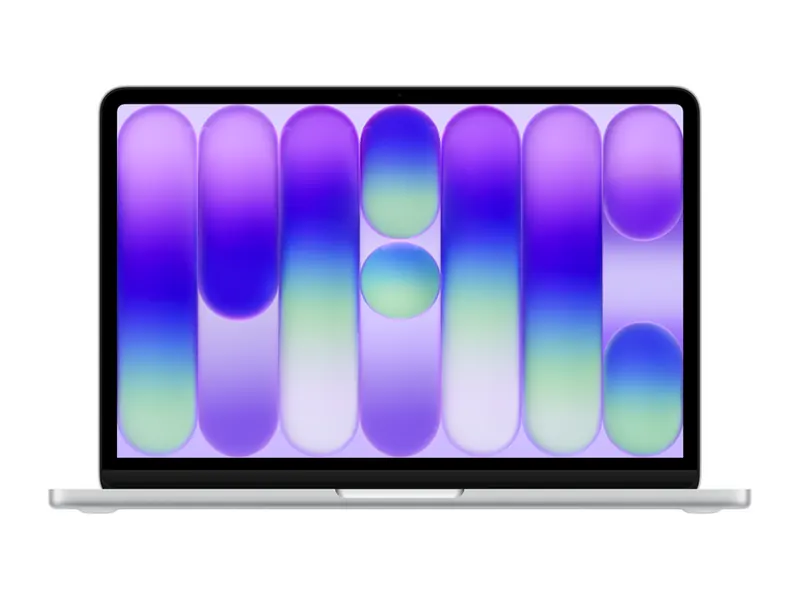
Apple storage is soldered and cannot be upgraded, so this 256GB MacBook suits students and writers who already live in iCloud or Google Drive. If you shoot a lot of video or plan to keep the Mac for many years, a larger configuration is the safer buy.
- Processor
- Apple A18 Pro
- Memory
- 8GB unified memory
- Storage
- 256GB SSD
- Display
- 13-inch Liquid Retina (2408×1506)
- Weight
- 1.23 kg
- Software
- macOS
Best 512GB SSD laptops in India
512GB is the sweet spot of laptop storage in 2026 and the most common size between ₹40,000 and ₹1 lakh. What separates good 512GB laptops is the drive type (PCIe 4.0 vs 3.0) and whether there is room to add more later. Not sure 512GB will be enough for you? Our explainer is 512GB SSD enough breaks it down for students, coders, gamers and editors.
HP 15 (2026, Ryzen 3 7335U, 8GB/512GB)
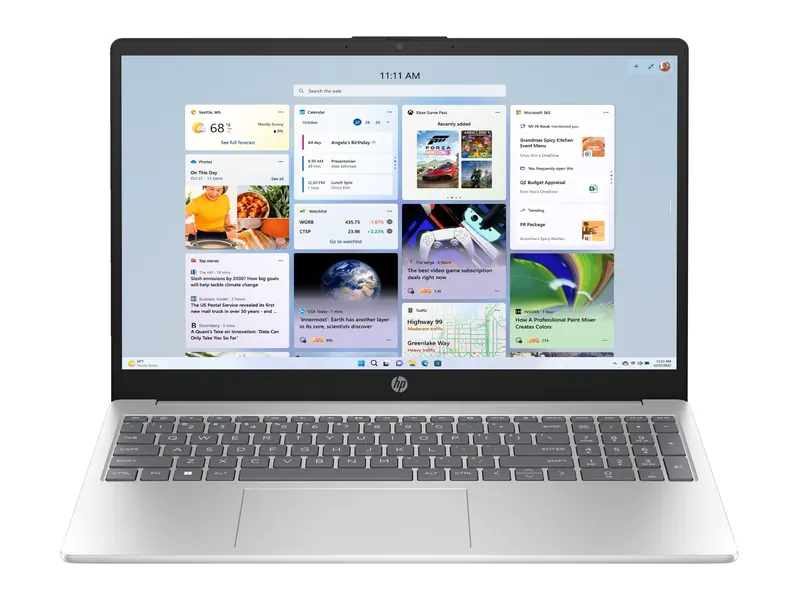
The most affordable way into 512GB of NVMe laptop storage from a big brand in our tests, with DDR5 memory that can grow to 32GB. HP lists the SSD as expandable to 1TB, so you can swap in a bigger drive later. A sensible choice for students and home offices that want room for files without a premium price.
- Processor
- AMD Ryzen 3 7335U (4 cores/8 threads)
- Memory
- 8GB DDR5-5600, up to 32GB
- Storage
- 512GB PCIe NVMe SSD
- Display
- 15.6-inch Full HD, anti-glare
- Weight
- 1.5 kg
- Software
- Windows 11 Pro + Office 2024
ASUS Vivobook S14 OLED (Ryzen AI 5 330, 16GB/512GB)
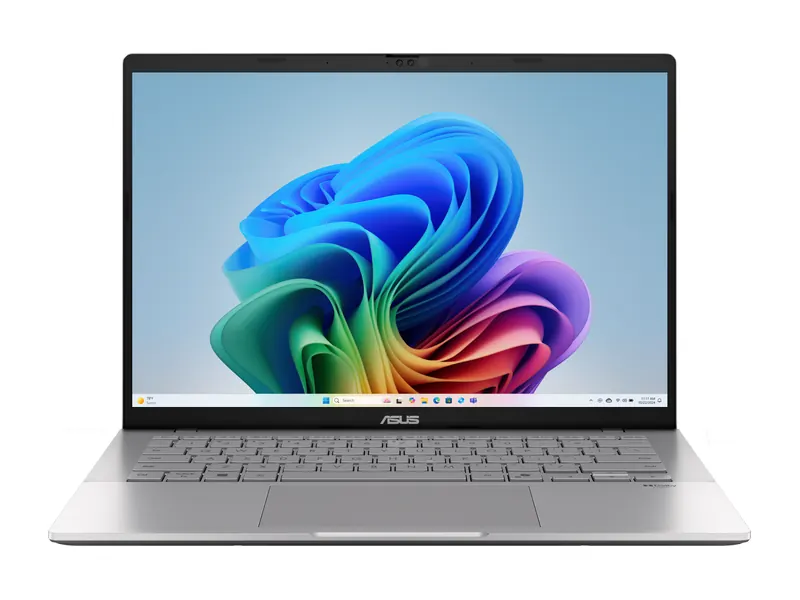
A PCIe 4.0 drive in a thin OLED laptop, with ASUS listing the SSD as upgradeable, which is uncommon at this weight. The faster drive shortens app launches and large file copies, and the big 70Wh battery makes this an easy everyday carry for students and professionals.
- Processor
- AMD Ryzen AI 5 330 (50 TOPS NPU)
- Memory
- 16GB DDR5
- Storage
- 512GB M.2 NVMe PCIe 4.0 SSD (upgradeable)
- Display
- 14-inch FHD+ OLED, 95% DCI-P3
- Weight
- 1.4 kg
- Battery
- 70 Wh
Lenovo LOQ Essential (Ryzen 5 7535HS, RTX 3050 6GB, 16GB/512GB)
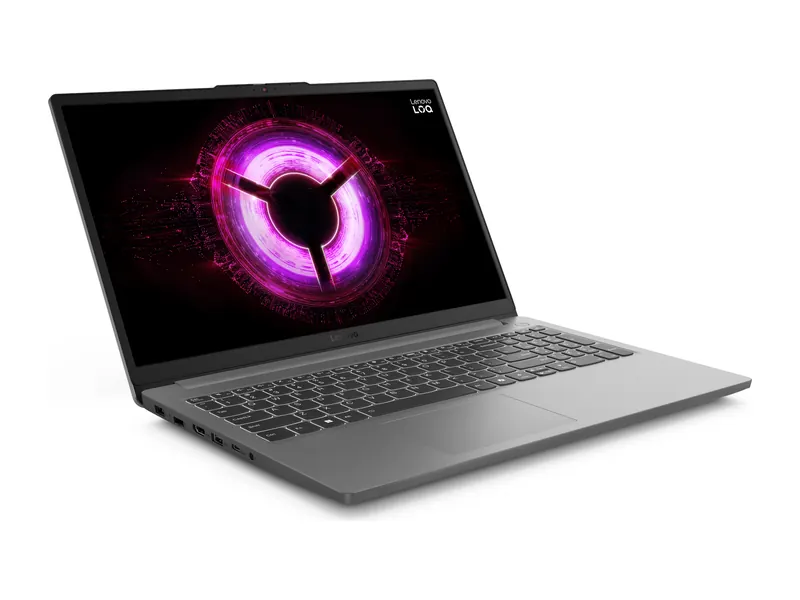
Modern games often take 60 to 150GB each, so 512GB alone fills up fast on a gaming laptop. This LOQ solves that with a second M.2 slot: start with the included drive and add another SSD (Lenovo lists up to 1TB per slot) when your game library grows. Note that it uses the shorter M.2 2242 size.
- Processor
- AMD Ryzen 5 7535HS (6 cores/12 threads)
- Graphics
- NVIDIA GeForce RTX 3050 6GB
- Memory
- 16GB DDR5-4800
- Storage
- 512GB M.2 2242 PCIe 4.0 NVMe SSD, two M.2 slots
- Display
- 15.6-inch Full HD IPS, 144Hz
- Weight
- 1.8 kg
Best 1TB SSD laptops in India
A 1TB SSD used to be a premium extra, but it now appears in mid-range laptops too. These four cover the main reasons to buy that much laptop storage: everyday value, a creator-friendly OLED screen, heavy multitasking and gaming.
Dell 15 (Core i5-1334U, 16GB/1TB)
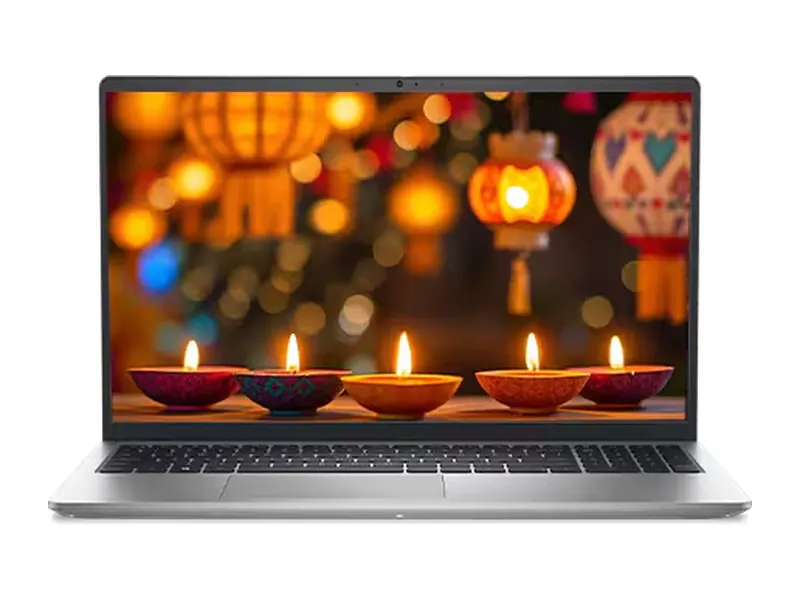
One of the most affordable ways to get a full terabyte of laptop storage with a reliable brand behind it. It suits families and office users who keep years of photos, scanned documents and downloads on the laptop rather than in the cloud. The 120Hz screen and backlit keyboard with numpad are welcome extras.
- Processor
- Intel Core i5-1334U (13th Gen)
- Memory
- 16GB DDR4
- Storage
- 1TB M.2 PCIe NVMe SSD
- Display
- 15.6-inch Full HD, 120Hz
- Weight
- 1.62 kg
- Software
- Windows 11 Home + Office 2024
HP OmniBook 5 16 OLED (Snapdragon X, 16GB/1TB)
A large OLED screen, very long battery life from the Arm-based Snapdragon chip and 1TB of storage, which suits photographers and students who keep a big media library. Check that the specialist software you rely on runs on Windows on Arm before you buy.
- Processor
- Qualcomm Snapdragon X X1-26-100 (45 TOPS NPU)
- Memory
- 16GB LPDDR5x
- Storage
- 1TB PCIe NVMe M.2 SSD
- Display
- 16-inch WUXGA OLED, 95% DCI-P3
- Weight
- 1.59 kg
- Battery
- 59 Wh
Lenovo IdeaPad Slim 3 15 (Core i5-13420H, 24GB/1TB)
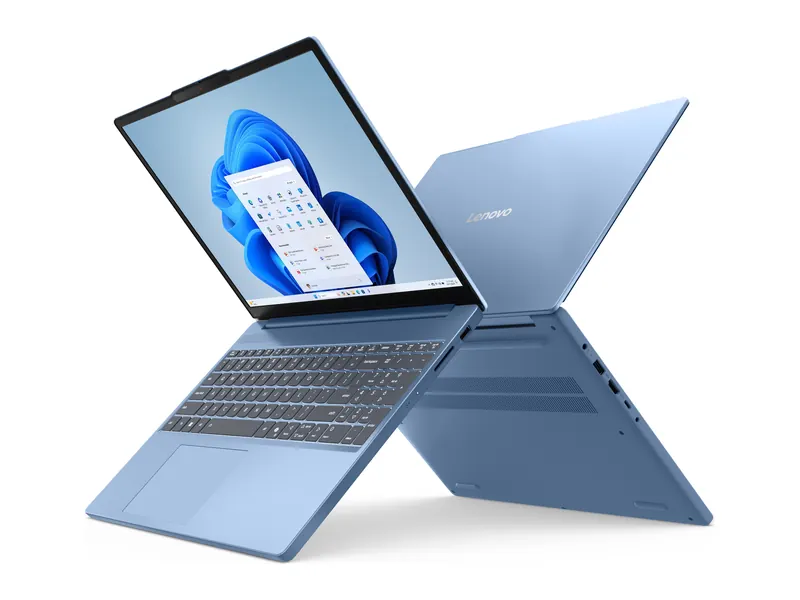
The most expandable everyday laptop in this hub: a fast 1TB PCIe 4.0 drive plus a second M.2 slot, so it can reach 2TB or more later without giving up the original drive. With 24GB of memory and an H-series processor, it suits coders and heavy multitaskers.
- Processor
- Intel Core i5-13420H (8 cores/12 threads)
- Memory
- 24GB DDR5-4800
- Storage
- 1TB M.2 2242 PCIe 4.0 NVMe SSD, two M.2 slots
- Display
- 15.3-inch WUXGA IPS
- Weight
- 1.59 kg
- Battery
- 50 Wh
Lenovo LOQ 15 (Ryzen 7 250, RTX 5060, 24GB/1TB)
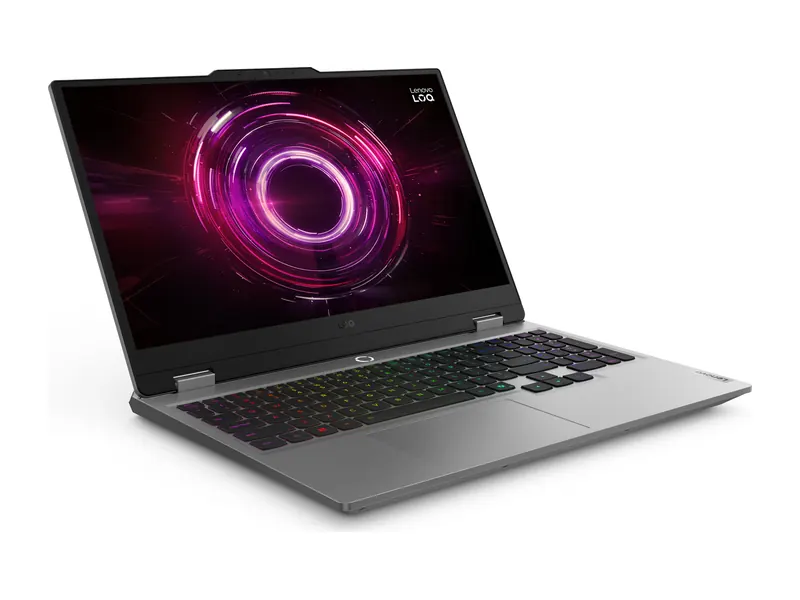
A gaming laptop with the laptop storage gamers actually need: 1TB on day one, enough for several large titles, plus a second M.2 slot for more. The RTX 5060 handles current games at high settings in Full HD, so the extra space will not go to waste.
- Processor
- AMD Ryzen 7 250 (8 cores/16 threads)
- Graphics
- NVIDIA GeForce RTX 5060 8GB
- Memory
- 24GB DDR5-5600
- Storage
- 1TB M.2 2242 PCIe 4.0 NVMe SSD, two M.2 slots
- Display
- 15.6-inch Full HD IPS, 144Hz
- Weight
- 2.4 kg
Laptop storage types: NVMe SSD, SATA, UFS, eMMC and HDD

Capacity is only half of the laptop storage story. The type of drive decides how quickly the laptop boots, installs updates and opens big files. A solid-state drive (SSD) has no moving parts and is many times faster than a hard disk.
NVMe PCIe SSDs
Almost every Windows laptop worth buying in 2026 uses an M.2 SSD that talks over NVMe and PCIe. PCIe 3.0 drives read at roughly 2,000 to 3,500 MB/s, PCIe 4.0 drives at 5,000 to 7,000 MB/s, and the first PCIe 5.0 drives in flagship laptops go higher still. In daily use, all three feel quick; PCIe 4.0 helps most with large video files and game loading.
SATA SSDs
SATA SSDs top out at about 550 MB/s. They are still far faster than a hard disk, but are now found mostly in older or very cheap models. If a listing says just "SSD", check the specification sheet for "NVMe" or "PCIe".
UFS and eMMC flash
Chromebooks, PrimeOS laptops and some low-cost Windows machines use flash chips soldered to the board. UFS (as in phones) is reasonably quick; eMMC is noticeably slower and usually comes in 64GB or 128GB sizes. Both are fine for light operating systems and poor for Windows.
Hard disks (HDD)
A spinning hard disk as the only drive makes a new laptop feel slow from the first boot. Avoid it as primary laptop storage in 2026; HDDs only make sense as cheap external drives for backups.
Can you upgrade laptop storage later?

Unlike memory, laptop storage is upgradable on most Windows laptops, but how easy it is varies a lot. Look for these details in the listing or on the maker's specification page:
- A spare M.2 slot. The best case: you add a second SSD and keep the original drive. Several Lenovo LOQ and IdeaPad models in this hub have one.
- One M.2 slot. You can still swap in a larger SSD, but you will need to clone the old drive or reinstall Windows.
- Drive length. M.2 SSDs come in lengths such as 2230, 2242 and 2280. Many thin laptops only fit the shorter 2242 size, which has fewer choices and costs a little more.
- Soldered storage. MacBooks, most Chromebooks and some Arm laptops have storage fixed to the board. Buy the size you need on day one.
- microSD slot. On PrimeOS and Chromebook laptops, a microSD card is the cheapest way to add space for media and documents.
If you cannot open the laptop or do not want to, a USB-C external SSD is the simplest way to add laptop storage. On a 10Gbps port it is fast enough to edit video or run a game library from.
Common laptop storage mistakes to avoid
- Treating RAM and storage as the same thing. In a listing such as "16GB/512GB", the first number is memory and the second is laptop storage. Our laptops by RAM hub explains the memory side.
- Buying 256GB on Windows for gaming or video. One or two modern games can fill it. Choose 512GB at minimum, and 1TB if gaming is the main use.
- Ignoring the drive type. A 1TB hard disk or a 128GB eMMC chip will feel slower than a 512GB NVMe SSD every single day.
- Filling the drive to the brim. SSDs slow down when nearly full. Keep 15 to 20% free so updates and temporary files have room.
- Paying a big premium for 1TB you may not use. If a 1TB version costs much more than the 512GB model, a 512GB laptop with a spare slot plus a later SSD upgrade is often cheaper.
Laptop storage by budget in India
Here is the laptop storage you can realistically expect in each price band in 2026:
- Under ₹30,000: 64GB to 256GB of eMMC or UFS on Chromebooks and PrimeOS laptops. See the best laptops under ₹20,000 and under ₹30,000.
- ₹35,000 to ₹45,000: 256GB to 512GB NVMe SSDs on budget Windows laptops. See the best laptops under ₹40,000 and under ₹45,000.
- ₹50,000 to ₹80,000: 512GB is standard, with a few 1TB models. See the best laptops under ₹50,000, under ₹60,000 and under ₹70,000.
- ₹80,000 and above: 512GB to 1TB PCIe 4.0 SSDs, often with a spare slot. See the best laptops under ₹1 lakh and under ₹1.5 lakh.
- Gaming laptops: 512GB at entry level and 1TB from mid-range up. See our gaming laptop guides.
Students should also read our guide to the best laptops for students in India, and first-time buyers our laptop buying guide for India, which covers storage alongside the processor, screen and battery. To compare chips, see our laptops by processor hub.
Frequently asked questions
Is 512GB of laptop storage enough?
For most people, yes. 512GB holds Windows, Office, coding tools, a large photo library and a couple of games. Gamers, video editors and anyone who keeps large media files on the laptop should choose 1TB or a model with a spare M.2 slot See our full is 512GB SSD enough explainer.
Is 256GB SSD enough for a laptop?
On a Chromebook, PrimeOS laptop or a Mac used mainly for study and browsing, it can be. On Windows, 256GB leaves under 200GB for your own files once the system is installed, so it suits only light users who keep photos and videos in the cloud.
Should I buy 512GB or 1TB?
Choose 1TB if you game, edit video or store years of photos locally. Choose 512GB if most of your work lives in the cloud. When the 1TB version costs a lot more, a 512GB laptop with a spare M.2 slot can be upgraded later for less.
Is NVMe better than a regular SSD?
Yes. NVMe SSDs connect over PCIe and are several times faster than SATA SSDs. Both are far quicker than a hard disk, but NVMe is now the standard in good laptops, so check that the listing says NVMe or PCIe.
Is eMMC storage good for a laptop?
Only for Chromebooks and very light use. eMMC is slower than an SSD and usually small (64GB or 128GB). It is acceptable on ChromeOS, but Windows laptops with eMMC feel sluggish and quickly run out of space for updates.
How do I check my laptop storage?
On Windows, open Settings > System > Storage to see used and free space, and Device Manager > Disk drives to see the SSD model. On a Mac, open the Apple menu > System Settings > General > Storage.
Can I add a second SSD to my laptop?
Only if it has a spare M.2 slot. Many gaming laptops and some mid-range models such as the Lenovo IdeaPad Slim 3 15 and LOQ series have one. Check the length the slot supports (2242 or 2280) before buying a drive.
The final word
For most buyers, the right laptop storage is a 512GB NVMe SSD; step up to 1TB for gaming, video and large photo libraries; and accept 256GB or less only on Chromebooks, PrimeOS laptops or a cloud-first Mac. Whatever the size, prefer an NVMe SSD over eMMC or a hard disk, and look for a spare M.2 slot if you may need more space later.
Once you know how much space you need, open the budget guide that matches your price from our laptop buying guides for full reviews, pros and cons.
Last updated on . Specifications, stock and prices change frequently. Always check the live listing before you buy.
More buying guides

Best laptops under ₹45,000
Best laptop under 45000 in India: 7 in-stock Windows picks with 512GB SSDs, Ryzen 3, Core i3 and a 16-inch HP, compared on verified specs and real trade-offs.
Read guide →
Best laptops under ₹80,000
Best laptop under 80000 in India: 8 picks with OLED screens, MacBook Neo, Snapdragon X and Core Ultra, compared on verified specs with honest trade-offs.
Read guide →
Best laptops under ₹1 lakh
Best laptop under 1 lakh in India: 8 Core Ultra, Ryzen AI, OLED and MacBook Neo picks compared on verified specs, with honest pros, cons and buying tips.
Read guide →
Best gaming laptops under ₹1 lakh
Best gaming laptop under 1 lakh in India: 7 RTX picks from Lenovo LOQ, Acer, ASUS TUF, MSI and Dell, with verified GPU wattage, specs and honest advice.
Read guide →