Is 512GB SSD Enough? SSD vs HDD vs NVMe for Laptops Explained


Is 512GB SSD enough for a laptop? For most people in India, yes: it holds Windows, Office, a browser full of tabs, coding tools, years of phone photos and two or three large games, with room to spare. It stops being enough when you keep big game libraries, raw video footage or virtual machines on the laptop itself.
This explainer shows how much of a 512GB drive you can actually use, which kinds of buyers will outgrow it, and what SSD, HDD and NVMe really mean on a spec sheet. Each use case comes with laptops we checked in stock today. For picks at every capacity from 256GB to 1TB, see our main guide to laptops by storage.
On this page
- Is 512GB SSD enough? The short answer
- Is 512GB SSD enough for students?
- Is 512GB SSD enough for programming and coding?
- Is 512GB SSD enough for a gaming laptop?
- Is 512GB SSD enough for video editing?
- Is 512GB enough for a work laptop?
- Is 512GB enough for a MacBook Air?
- Is 8GB RAM and 512GB SSD enough?
- Is 16GB RAM and 512GB SSD enough?
- Is 512GB SSD enough for Windows 11?
- 512GB vs 1TB SSD: which should you buy?
- SSD vs HDD: which is better for a laptop?
- SSD vs NVMe: what is the difference?
- Is 256GB enough, or should you insist on 512GB?
- How to make a 512GB SSD last longer
- FAQs
- Final word
- More buying guides
Is 512GB SSD enough? The short answer

Here is the quick verdict by type of user, before the detail:
- Students, office work, browsing and streaming: 512GB is plenty. Most people in this group use less than half of it after two years.
- Programming: enough for web, Python, Java and app development, including Android Studio. Tight if you run several virtual machines or large Docker images.
- Gaming: enough for two to four big titles at a time. Keep a spare M.2 slot or plan for 1TB if you like a large library.
- Video editing: fine for 1080p hobby projects; for regular 4K work choose 1TB or add a fast external SSD.
How much of a 512GB SSD can you actually use?
Drive makers count 1GB as 1,000,000,000 bytes, while Windows counts in binary units, so a 512GB SSD shows up as about 476GB in File Explorer. Windows 11 and its recovery partition take roughly 30 to 40GB, and preinstalled apps, updates and the page file add another 15 to 25GB. On a new laptop you usually start with around 410 to 430GB free.
That free space is a lot. A full Microsoft 365 install is about 4GB, a browser with a busy profile under 2GB, and 10,000 phone photos around 30 to 40GB. The things that eat space quickly are games, video files and development images, which is why the answer to "is 512GB SSD enough" depends more on those three than on anything else.
Is 512GB SSD enough for students?
Is 512GB SSD enough for a student laptop? Yes, for school, college and engineering students alike. Lecture notes, assignments, PDFs and Office files are tiny, and most coursework now lives in Google Drive, OneDrive or the college portal. Engineering students who install MATLAB, AutoCAD or SolidWorks need 20 to 40GB per suite, which still leaves a 512GB laptop well over half empty.
The bigger risk for students is buying 8GB of RAM to save money, not too little storage. Each pick below pairs 512GB with 16GB of memory. For more options, see our full guide to the best laptop for students in India.
Acer Aspire Lite (Ryzen 5 5625U, 16GB/512GB)
The six-core Ryzen 5 5625U and 16GB of memory make this the cheapest way into a 512GB laptop that will not feel slow by final year. Its TN screen has weak viewing angles, so it suits a desk more than a lecture hall. The memory can be raised to 32GB later. Is 512GB SSD enough on this model? Yes for coursework, notes and media; the Gen3 NVMe drive is quick for its price.
- Processor
- AMD Ryzen 5 5625U (6 cores, up to 4.3 GHz, 16MB L3)
- Graphics
- AMD Radeon Graphics (integrated)
- Memory
- 16GB DDR4-3200 (upgradable to 32GB)
- Storage
- 512GB PCIe Gen3 NVMe SSD
- Display
- 15.6" FHD (TN panel)
- Weight
- 1.59 kg
Lenovo IdeaPad Slim 3 (Ryzen 5 7520U, 16GB/512GB)
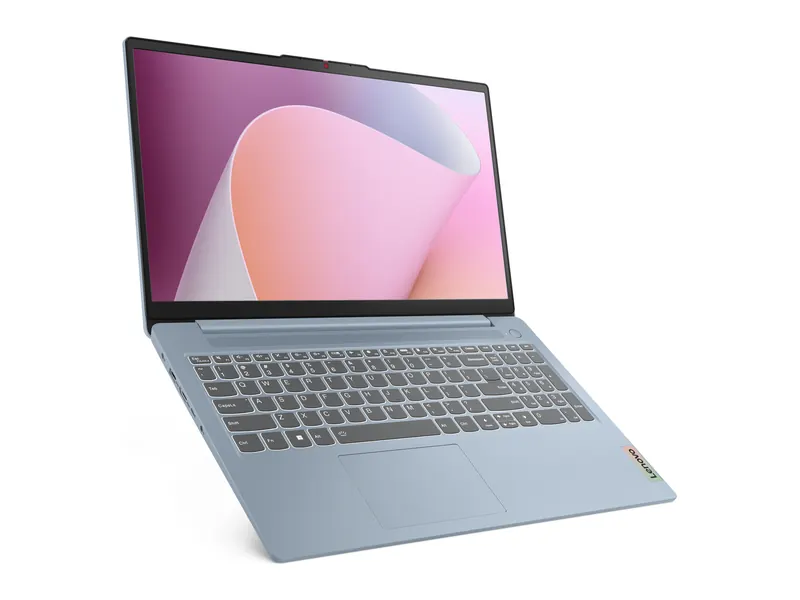
A familiar, sturdy IdeaPad with an anti-glare screen and low-blue-light certification that is easier on the eyes in long study sessions. The quad-core Ryzen 5 7520U is modest, and the memory is soldered, so treat the 16GB as final. Its SSD is the short M.2 2242 size. Is 512GB SSD enough on this model? Yes, though the short 2242 drive limits replacement options, so keep large media in the cloud.
- Processor
- AMD Ryzen 5 7520U (4 cores, 8 threads, up to 4.3 GHz)
- Graphics
- AMD Radeon 610M (integrated)
- Memory
- 16GB LPDDR5-5500 (soldered)
- Storage
- 512GB M.2 2242 PCIe SSD
- Display
- 15.6" FHD, 250 nits, anti-glare, TÜV low blue light
- Weight
- 1.62 kg
Acer Aspire 3 (Ryzen 5 7430U, 16GB/512GB)
The six-core Ryzen 5 7430U handles CAD coursework and simulations better than four-core rivals, and the IPS screen is a clear step up from TN panels. Memory is upgradable to 32GB, which helps if your syllabus moves into heavier software. Is 512GB SSD enough on this model? Yes, even with two or three engineering suites installed side by side.
- Processor
- AMD Ryzen 5 7430U (6 cores, up to 4.5 GHz, 16MB L3)
- Graphics
- AMD Radeon Graphics (integrated)
- Memory
- 16GB DDR4 (upgradable to 32GB)
- Storage
- 512GB PCIe Gen3 NVMe SSD
- Display
- 15.6" FHD IPS
- Weight
- 1.79 kg
Is 512GB SSD enough for programming and coding?
Is 512GB SSD enough for coding? For most developers, yes. A typical setup of VS Code, Git, Node.js, Python, a JDK and a few databases uses about 20 to 30GB. Android Studio with one SDK and an emulator image adds roughly 15 to 25GB, and full Visual Studio with C++ and .NET workloads can take 30 to 50GB.
Where 512GB gets tight is container and VM work. Docker images and volumes grow silently, and each virtual machine can claim 30 to 60GB. If that is your daily routine, prune images regularly or pick a laptop with a free M.2 slot. Our Ryzen 5 vs i5 laptop comparison explains which processors compile faster.
Lenovo ThinkPad E14 Gen 5 (Ryzen 5 7530U, 16GB/512GB)
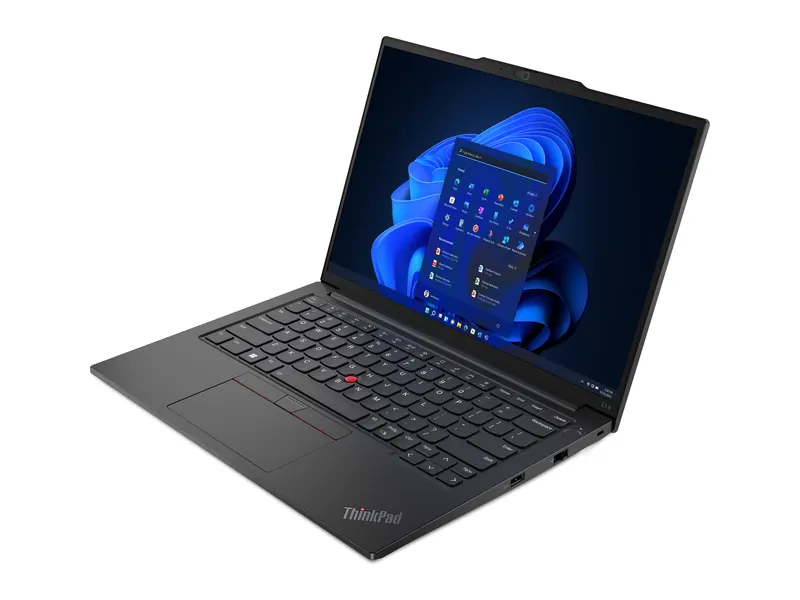
ThinkPad keyboards are still the benchmark for long typing sessions, and the taller 1920×1200 screen shows more lines of code. Memory can go up to 40GB, a rare headroom at this price for anyone who runs containers or local databases. Is 512GB SSD enough on this model? Yes for web and app development; add an external SSD if you build many VM images.
- Processor
- AMD Ryzen 5 7530U (6 cores/12 threads, up to 4.5GHz)
- Graphics
- AMD Radeon graphics (integrated)
- Memory
- 16GB DDR4-3200 (upgradeable to 40GB)
- Storage
- 512GB M.2 SSD
- Display
- 14-inch WUXGA (1920×1200) IPS, 300 nits, anti-glare
- Weight
- 1.41 kg
Acer Aspire Go 14 (Core Ultra 5 125H, 16GB/512GB)
Fourteen cores in the Core Ultra 5 125H make quick work of compiles, test suites and Docker builds. Two SO-DIMM slots allow memory upgrades, and the 14-inch body is easy to carry. The screen covers a narrow colour range, which matters little for code. Is 512GB SSD enough on this model? Yes for most stacks; prune Docker images every few weeks and it will stay comfortable.
- Processor
- Intel Core Ultra 5 125H (14 cores, up to 4.5GHz, 18MB cache)
- Graphics
- Intel graphics (integrated)
- Memory
- 16GB DDR5, two SO-DIMM slots, upgradeable to 32GB
- Storage
- 512GB PCIe Gen3 NVMe SSD
- Display
- 14-inch WUXGA (1920×1200) IPS, 45% NTSC
- Weight
- 1.5 kg
Lenovo ThinkBook 16 (Ryzen 5 7535HS, 16GB/512GB)
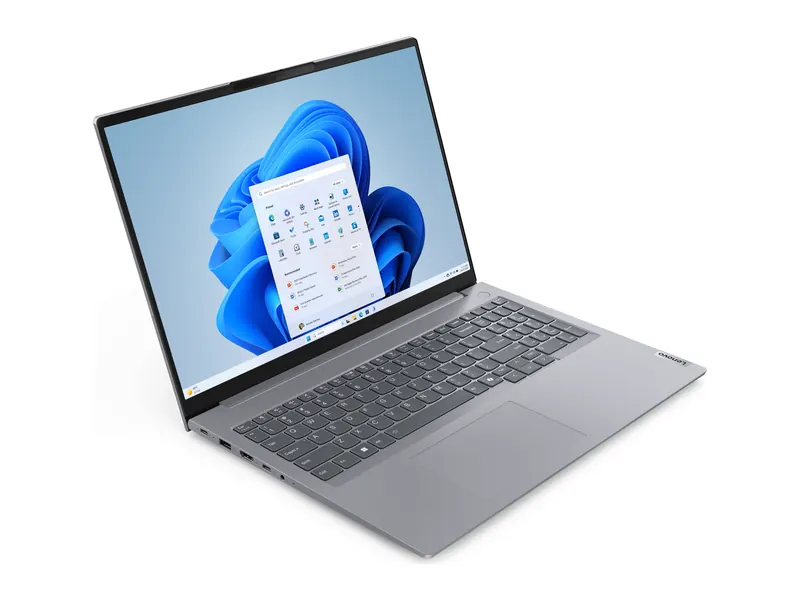
A 16-inch 16:10 display lets you keep an editor and a browser side by side without squinting. The Ryzen 5 7535HS is an HS-series chip with steady performance under long workloads, and the ThinkBook build is plain but practical. Is 512GB SSD enough on this model? Yes for coding work, with space left for a game or two after hours.
- Processor
- AMD Ryzen 5 7535HS
- Graphics
- AMD Radeon graphics (integrated)
- Memory
- 16GB
- Storage
- 512GB SSD
- Display
- 16-inch WUXGA (1920×1200) IPS, 60Hz
- Weight
- 1.7 kg
Is 512GB SSD enough for a gaming laptop?
Is 512GB SSD enough for gaming? Only just. Big modern games are large: many AAA titles need 70 to 150GB each, and Call of Duty can pass 200GB with all its modes installed. Competitive favourites such as Valorant and Counter-Strike 2 are lighter at 30 to 60GB. After Windows and launchers, a 512GB gaming laptop holds three or four large titles at once.
That is workable if you uninstall games you have finished, because Steam and other launchers re-download quickly on a good connection. If you would rather keep a library, look for a second M.2 slot: adding a 1TB NVMe drive later costs far less than paying extra for a bigger drive at purchase. Browse our best gaming laptops under 1 lakh for more choices.
Lenovo LOQ Essential (Ryzen 5 7535HS, RTX 3050 6GB)
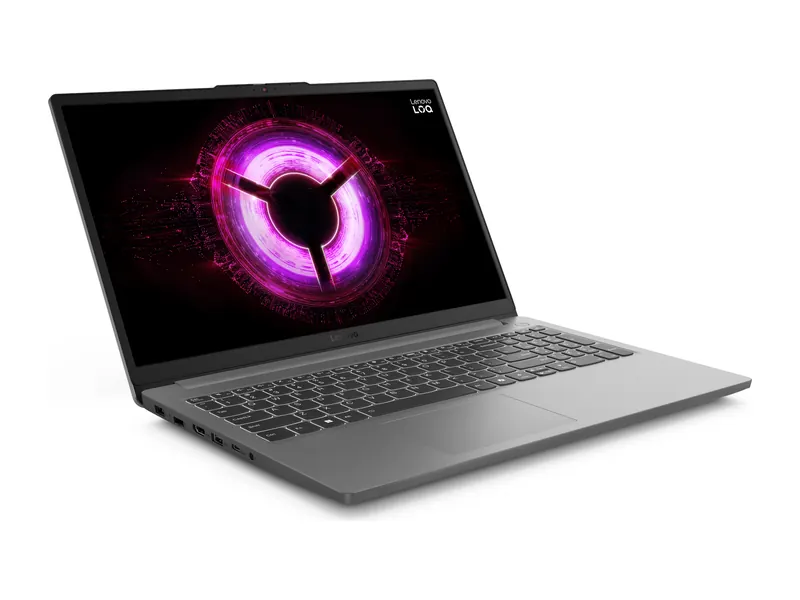
The RTX 3050 plays esports titles at high frame rates and handles most AAA games on medium settings at 1080p. Its free second M.2 slot is the key feature here: start on 512GB and add a 1TB drive when the library grows. A MUX switch helps frame rates further. Is 512GB SSD enough on this model? Not for a big library, but the spare slot fixes that cheaply later.
- Processor
- AMD Ryzen 5 7535HS (6 cores, 12 threads, up to 4.55 GHz)
- Graphics
- NVIDIA GeForce RTX 3050 6GB GDDR6, 65W TGP
- Memory
- 16GB DDR5-4800 (1x16GB)
- Storage
- 512GB PCIe 4.0 NVMe SSD (second M.2 slot)
- Display
- 15.6" FHD IPS, 144Hz, 300 nits, 100% sRGB
- Weight
- 1.8 kg
HP Victus 15 (Ryzen 7 7445HS, RTX 4050, 16GB/512GB)
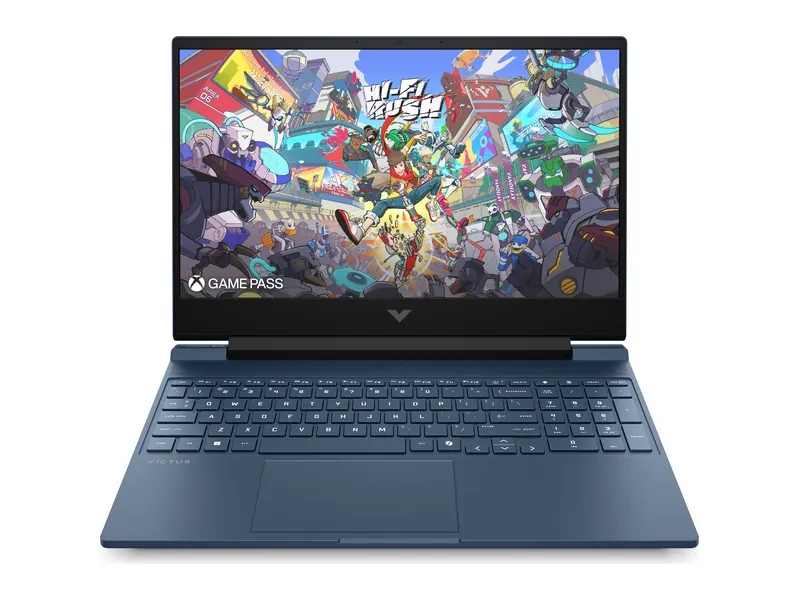
The RTX 4050 brings DLSS 3 frame generation, a real lift in newer games. HP fits a 512GB NVMe drive, so plan to rotate your installed games or add storage. It is heavier than rivals at 2.29kg, which matters if you carry it daily. Is 512GB SSD enough on this model? Only if you rotate games; budget for an extra NVMe drive if you keep many installed.
- Processor
- AMD Ryzen 7 7445HS (6 cores/12 threads, up to 4.7GHz)
- Graphics
- NVIDIA GeForce RTX 4050 6GB GDDR6
- Memory
- 16GB DDR5-5600 (1x 16GB)
- Storage
- 512GB PCIe NVMe SSD
- Display
- 15.6-inch FHD (1920×1080) IPS, 144Hz, 300 nits, 62.5% sRGB
- Weight
- 2.29 kg
Lenovo LOQ 15 (Ryzen 7 250, RTX 5060, 24GB/1TB)
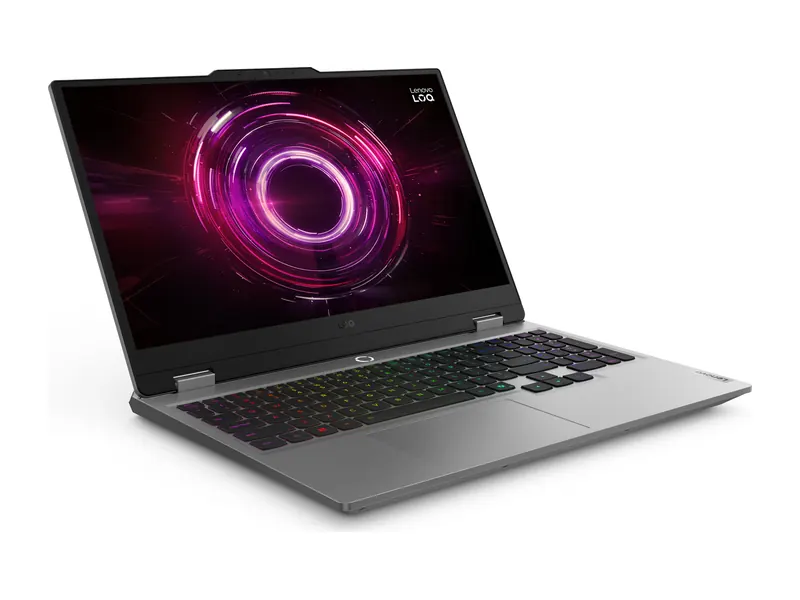
For buyers who already know 512GB will not be enough, this LOQ ships with 1TB, 24GB of memory and an RTX 5060 at 100W. It still has a spare M.2 slot, so it can reach 2TB or more without opening up the original drive. Is 512GB SSD enough on this model? Not for heavy gamers, which is why this pick ships with 1TB instead.
- Processor
- AMD Ryzen 7 250 (8 cores/16 threads, up to 5.1GHz)
- Graphics
- NVIDIA GeForce RTX 5060 8GB GDDR7, 100W TGP
- Memory
- 24GB DDR5-5600 (1x SO-DIMM, two slots, up to 32GB)
- Storage
- 1TB PCIe 4.0 NVMe SSD (second M.2 slot)
- Display
- 15.6-inch FHD (1920×1080) IPS, 144Hz, 300 nits, 100% sRGB, G-Sync
- Weight
- 2.4 kg
Is 512GB SSD enough for video editing?
Is 512GB SSD enough to edit video? For occasional 1080p editing, yes. For regular 4K work, no. As a rough guide, phone footage at 1080p uses about 8 to 10GB per hour, while 4K at 60 frames per second can use 40GB or more per hour. Editing apps also create cache and proxy files that can match the size of the footage.
The practical answer for editors on a budget is a laptop with 1TB inside plus a fast external SSD for archived projects. All three picks below ship with 1TB inside.
Lenovo IdeaPad Slim 3 15 (Core i5-13420H, 24GB/1TB)
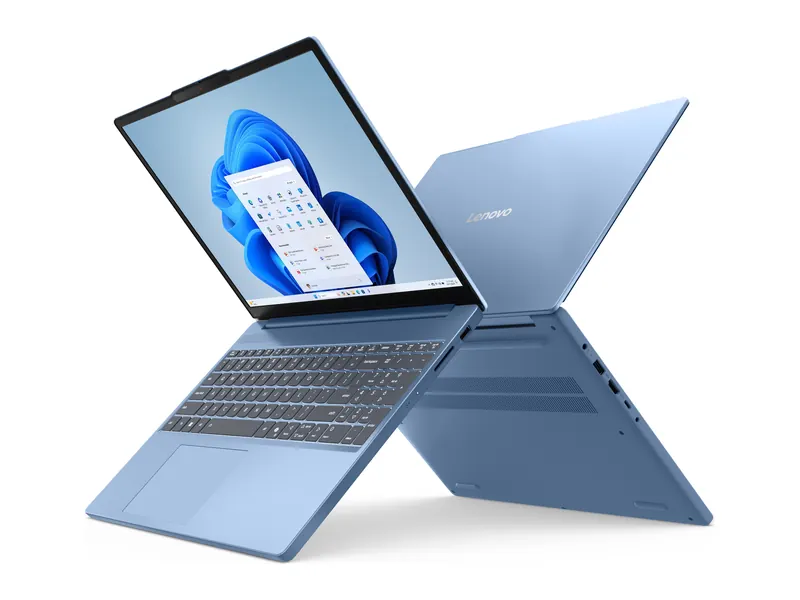
An eight-core i5-13420H, 24GB of memory and 1TB of PCIe 4.0 storage give hobby editors plenty of headroom for 1080p and light 4K timelines. There are two M.2 slots, so storage can grow further. Integrated graphics limit heavy effects work. Is 512GB SSD enough on this model? Not for regular editing, so this model's 1TB and second slot are the point.
- Processor
- Intel Core i5-13420H (8 cores/12 threads, up to 4.6GHz)
- Graphics
- Intel UHD graphics (integrated)
- Memory
- 24GB DDR5-4800 (8GB soldered + 16GB SO-DIMM)
- Storage
- 1TB PCIe 4.0 NVMe SSD (two M.2 slots)
- Display
- 15.3-inch WUXGA (1920×1200) IPS, 300 nits, anti-glare
- Weight
- 1.59 kg
ASUS Vivobook S16 OLED (Ryzen AI 7 445, 16GB/1TB)
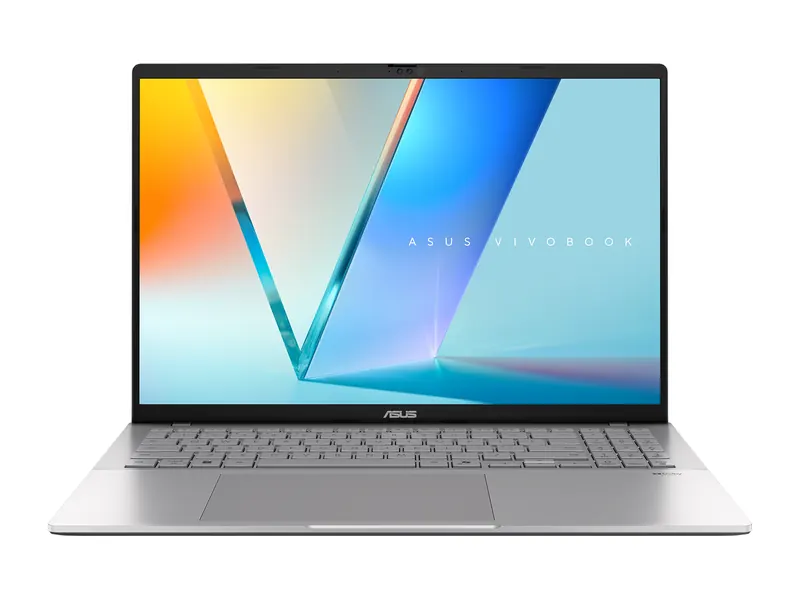
A 16-inch OLED panel with deep blacks and HDR highlights makes colour work far more pleasant than a basic IPS screen, and 1TB of fast storage holds active projects comfortably. The glossy finish reflects light, so mind your room setup. Is 512GB SSD enough on this model? Not for 4K projects; the 1TB drive here gives active timelines room to breathe.
- Processor
- AMD Ryzen AI 7 445 (6 cores/12 threads, up to 4.6GHz, 50 TOPS NPU)
- Graphics
- AMD Radeon graphics (integrated)
- Memory
- 16GB DDR5
- Storage
- 1TB PCIe 4.0 NVMe SSD
- Display
- 16-inch WUXGA (1920×1200) OLED, 60Hz, 500 nits HDR peak, glossy
- Weight
- 1.7 kg
ASUS Vivobook S16 OLED (Core Ultra 7 355, 16GB/1TB)
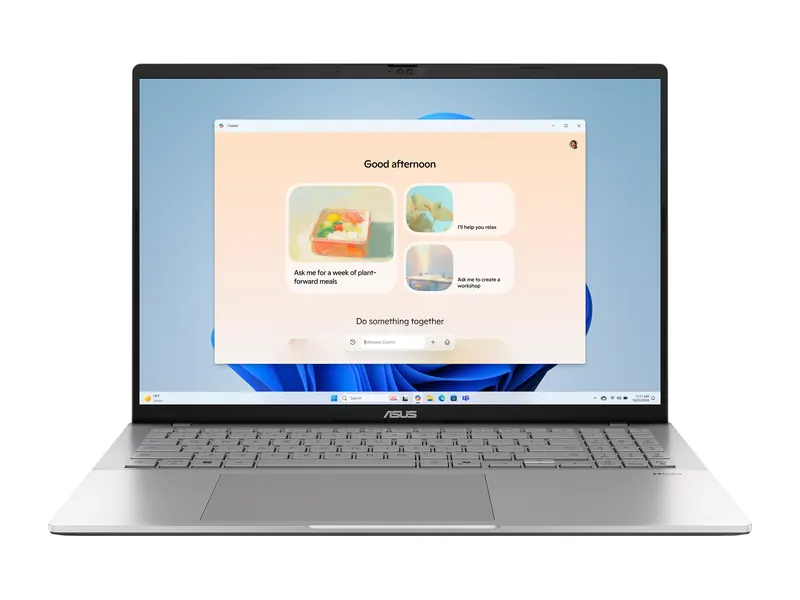
This Vivobook S16 pairs an eight-core Core Ultra 7 355 with 1TB of PCIe 4.0 storage and an anti-glare OLED panel covering 95% of DCI-P3, so colours stay accurate without the mirror-like reflections of glossy screens. Mac users should see the MacBook section below and plan on an external SSD for footage. Is 512GB SSD enough on this model? Not for editors who shoot 4K weekly; this 1TB model avoids the squeeze.
- Processor
- Intel Core Ultra 7 355 (8 cores, up to 4.7GHz, 49 TOPS NPU)
- Graphics
- Intel graphics (integrated)
- Memory
- 16GB DDR5
- Storage
- 1TB PCIe 4.0 NVMe SSD
- Display
- 16-inch WUXGA (1920×1200) OLED, 60Hz, 300 nits, 95% DCI-P3, anti-glare
- Weight
- 1.7 kg
Is 512GB enough for a work laptop?
Is 512GB SSD enough for office work? Yes, comfortably. Office documents, spreadsheets, Teams or Zoom, a couple of browsers and an email archive rarely pass 100GB, and most company files sit on OneDrive, SharePoint or Google Drive. A 512GB business or work laptop has years of space for a typical professional, even with a large Outlook mailbox stored offline.
Dell 15 (Core i5-1334U, 16GB/512GB)
A ten-core i5-1334U, 16GB of memory and a 120Hz anti-glare screen make this Dell a smooth daily work machine for documents, calls and spreadsheets. The screen is dim at 250 nits, so it suits indoor offices best. Is 512GB SSD enough on this model? Yes, with years of headroom for documents, mail and meeting recordings.
- Processor
- Intel Core i5-1334U (10 cores, up to 4.6 GHz, 12MB cache)
- Graphics
- Intel UHD Graphics
- Memory
- 16GB DDR4-2666 (1x16GB)
- Storage
- 512GB SSD
- Display
- 15.6" FHD, 120Hz, WVA IPS, 250 nits, anti-glare
- Weight
- 1.69 kg
ASUS Vivobook S14 OLED (Ryzen AI 5 330, 16GB/512GB)
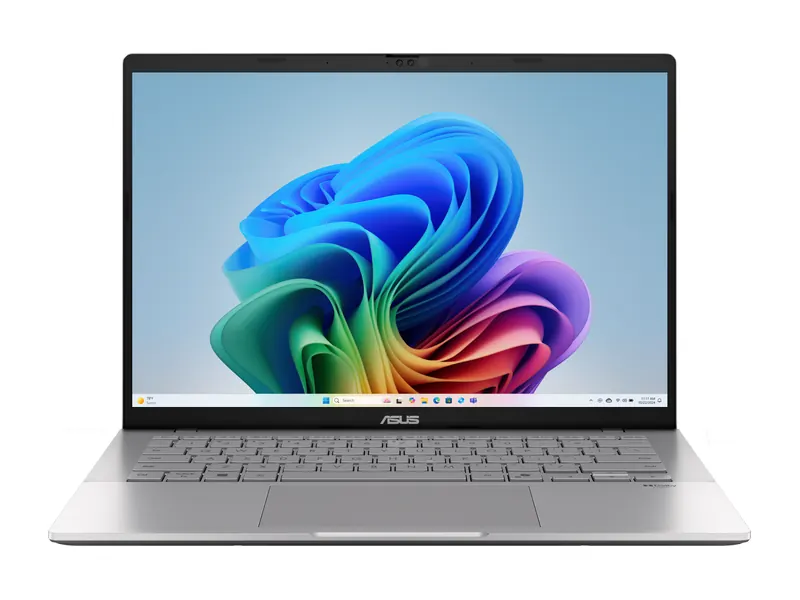
At 1.4kg with a vivid 14-inch OLED screen, this Vivobook is easy to carry between home and office. The PCIe 4.0 SSD is upgradeable, and the 50 TOPS NPU supports Copilot+ PC features in Windows 11. Is 512GB SSD enough on this model? Yes, and the drive can be swapped for a larger one if your needs change.
- Processor
- AMD Ryzen AI 5 330 (4 cores/8 threads, up to 4.5GHz, 50 TOPS NPU)
- Graphics
- AMD Radeon graphics (integrated)
- Memory
- 16GB DDR5
- Storage
- 512GB PCIe 4.0 NVMe SSD (upgradeable)
- Display
- 14-inch FHD+ (1920×1200) OLED, 60Hz, 300 nits, 95% DCI-P3
- Weight
- 1.4 kg
Is 512GB enough for a MacBook Air?
Is 512GB SSD enough on a Mac? For most MacBook buyers, yes, and it is a far safer choice than 256GB. macOS and its built-in apps take about 25 to 35GB, and Apple's apps are compact. The catch is that Mac storage is soldered to the board, so you cannot upgrade it later; whatever you buy is what you keep. If you shoot a lot of video on your iPhone and sync it to Photos, consider iCloud's "Optimise Mac Storage" setting or a larger model.
Apple MacBook Air 15 (M5, 16GB/512GB)
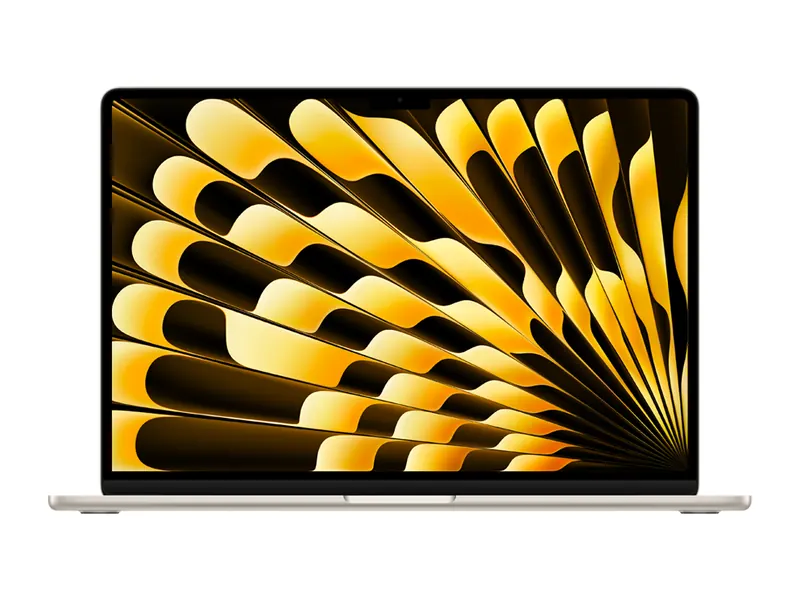
The 15-inch Air pairs 512GB with 16GB of unified memory, the balance we suggest for most Mac buyers. It is silent with no fan, light at 1.51kg, and the large screen helps with split-screen work. Is 512GB SSD enough on this model? Yes for most Mac users, but buy it knowing the storage can never be upgraded.
- Processor
- Apple M5 (10-core CPU)
- Graphics
- Apple M5 GPU (integrated)
- Memory
- 16GB unified memory
- Storage
- 512GB SSD
- Display
- 15.3-inch Liquid Retina (2880×1864) IPS, 60Hz, P3 wide colour
- Weight
- 1.51 kg
Apple MacBook Neo 13 (A18 Pro, 8GB/512GB)
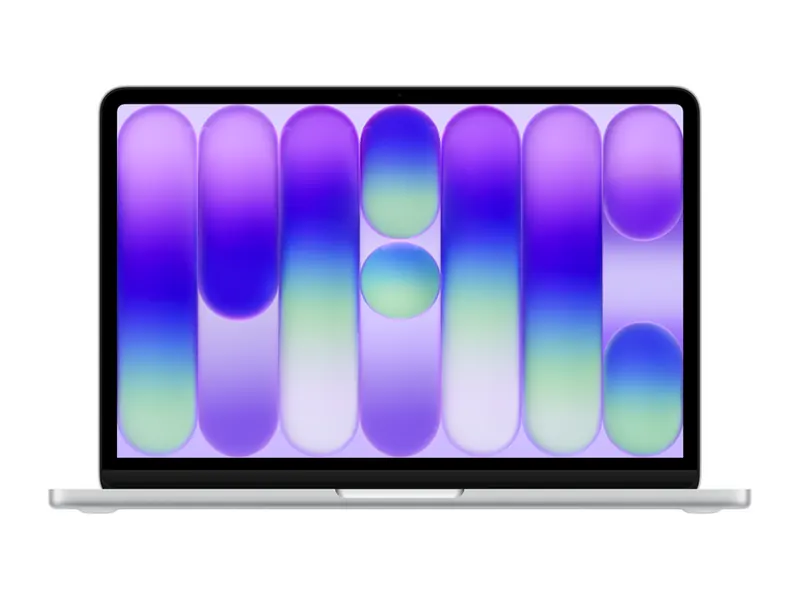
Apple's more affordable 13-inch Mac uses the A18 Pro chip and comes with 512GB, enough for students and home users. Its 8GB of memory suits light work, so pick the Air if you edit photos or video. Stock may ship in one to two days. Is 512GB SSD enough on this model? Yes for study and home use; its 8GB of memory is the tighter limit.
- Processor
- Apple A18 Pro
- Graphics
- Apple A18 Pro GPU (integrated)
- Memory
- 8GB unified memory
- Storage
- 512GB SSD
- Display
- 13-inch Liquid Retina (2408×1506), up to 500 nits
- Weight
- 1.23 kg
Is 8GB RAM and 512GB SSD enough?
Is 512GB SSD enough with only 8GB of memory? For basic use, yes: browsing, online classes, Office and streaming run fine on 8GB of memory with a 512GB SSD. The storage is not the weak link here; the memory is. With many browser tabs, Teams and Office open together, 8GB starts swapping to the SSD and the laptop slows down. Our 8GB vs 16GB RAM explainer covers this in detail.
If your budget only stretches to 8GB, buy a laptop whose memory can be upgraded, like both picks below, and add a second stick later.
HP 15 (2026) (Ryzen 3 7335U, 8GB/512GB)
DDR5 memory in two slots means you can add 8GB later and get dual-channel speed, a cheap upgrade that changes how the laptop feels. Radeon 660M graphics are among the best in this class. The 45% NTSC screen looks dull for photo work. Is 512GB SSD enough on this model? Yes; at this price the 512GB drive is generous, and memory is the upgrade to plan for.
- Processor
- AMD Ryzen 3 7335U, 4 cores/8 threads (up to 4.3GHz)
- Graphics
- AMD Radeon 660M (integrated)
- Memory
- 8GB DDR5-5600, 2 slots, up to 32GB
- Storage
- 512GB PCIe NVMe SSD
- Display
- 15.6-inch FHD (1920×1080), anti-glare, 250 nits, 45% NTSC
- Weight
- 1.5 kg
Acer Aspire Lite Metal AL15-42 (Ryzen 3 7330U, 8GB/512GB)
A metal lid and an IPS screen at a budget price make this Acer feel more expensive than it is. Memory upgrades to 32GB, so the 8GB starting point is not a dead end. Is 512GB SSD enough on this model? Yes for everyday use, and far better than the 256GB drives common at this price.
- Processor
- AMD Ryzen 3 7330U (4 cores, 8 threads, up to 4.3GHz, 8MB L3 cache)
- Graphics
- AMD Radeon graphics (integrated)
- Memory
- 8GB DDR4, upgradeable to 32GB
- Storage
- 512GB PCIe Gen3 SSD
- Display
- 15.6-inch FHD (1920×1080) IPS, Acer ComfyView
- Weight
- 1.65 kg
Is 16GB RAM and 512GB SSD enough?
Is 512GB SSD enough alongside 16GB of memory? Yes, and it is the sweet spot for 2026. 16GB of memory with a 512GB SSD handles multitasking, programming, light gaming and photo editing without strain, and it is the configuration most mid-range laptops in India now ship with. Most picks in this guide use exactly this pairing: see the student picks above, the coding picks, and the Dell 15 and Vivobook S14 OLED for work.
The only buyers who should step past 16GB and 512GB are heavy video editors, people who run virtual machines, and gamers who want a large library installed at once.
Is 512GB SSD enough for Windows 11?
Is 512GB SSD enough for Windows 11 itself? Easily. Microsoft's Windows 11 specifications ask for just 64GB of storage. In practice a clean install with updates uses 30 to 40GB, and feature updates temporarily need another 10 to 20GB while they install. A 512GB drive leaves you with more than 400GB for your own apps and files.
Two settings help keep Windows lean over time: turn on Storage Sense to clear temporary files automatically, and run Disk Cleanup's "Clean up system files" after a major update to remove the old Windows copy.
512GB vs 1TB SSD: which should you buy?

Is 512GB SSD enough, or is 1TB worth the extra money? Choose 512GB if your files mostly live in the cloud, you play one or two big games at a time, and you want the money to go into a better processor, more memory or a nicer screen. Choose 1TB if you edit video, keep a large game library, or work offline with big datasets.
On the same laptop model, the 1TB version usually costs several thousand rupees more. Where the laptop has a free M.2 slot, buying the 512GB model and adding a 1TB drive later is often cheaper and gives you more total space. Where storage is soldered, as on MacBooks and some thin Windows laptops, decide on day one.
A 512GB SSD is also far better than a 1TB hard disk for everyday speed. Capacity cannot make up for a slow drive, as the next section shows.
SSD vs HDD: which is better for a laptop?
An SSD, without question. A hard disk drive stores data on spinning platters read by a moving head, while a solid-state drive uses flash memory chips with no moving parts. The differences you will notice:
- Speed: a laptop HDD reads at about 100 to 150 MB/s; even a basic SATA SSD manages about 550 MB/s, and NVMe drives several thousand. Boot time drops from a minute or more to under 15 seconds.
- Responsiveness: SSDs find small files almost instantly, which is why apps open and Windows updates install much faster.
- Durability: with no moving parts, an SSD copes far better with bumps and drops in a bag.
- Lifespan: modern SSDs are rated for hundreds of terabytes written. A typical user writes 10 to 30GB a day, so the drive outlasts the laptop. HDDs wear mechanically and are more likely to fail suddenly after a fall.
- Cost per GB: HDDs are still cheaper for bulk storage, which is why they remain useful as external backup drives.
In 2026 almost no new laptop in India ships with a hard disk as its main drive, and you should avoid one that does. Is 512GB SSD enough to replace a 1TB hard disk? For speed, it wins every time.
SSD vs NVMe: what is the difference?

This one confuses many buyers because it is not an either-or choice. NVMe is a type of SSD. "SSD" describes the flash storage; NVMe and SATA describe how the drive talks to the rest of the laptop.
- SATA SSD: uses an older interface designed for hard disks and tops out around 550 MB/s. Found in older or very cheap laptops.
- NVMe SSD: connects over PCIe lanes. PCIe 3.0 drives reach about 2,000 to 3,500 MB/s, PCIe 4.0 about 5,000 to 7,000 MB/s, and PCIe 5.0 more still.
- M.2: this is a physical shape, not a speed. An M.2 slot can hold either a SATA or an NVMe drive, so "M.2 SSD" on a listing does not guarantee NVMe speeds. Lengths vary too: 2280 is standard, while many thin laptops use the shorter 2242.
For everyday use, the jump from HDD to any SSD is huge, the jump from SATA to NVMe is clearly noticeable, and the jump from PCIe 3.0 to PCIe 4.0 NVMe is small outside large file copies and game loading. Do not pay a big premium for drive speed alone.
Is 256GB enough, or should you insist on 512GB?
Is 512GB SSD enough to justify paying more than for 256GB? Usually, yes. 256GB works only if almost everything lives in the cloud. After Windows, updates and a few apps, you are left with about 170 to 190GB, and a single big game or a year of 4K phone video can fill that. Low space also slows Windows updates and can make them fail.
For a Windows laptop you plan to keep for four years or more, treat 512GB as the minimum. The price gap between 256GB and 512GB versions is usually small, and it is one of the best-value upgrades you can choose. Chromebooks are the exception, as they are built around cloud storage.
How to make a 512GB SSD last longer

Is 512GB SSD enough for four or five years of use? It can be, with a few simple habits:
- Use cloud sync with online-only files: OneDrive "Files On-Demand" and Google Drive streaming keep files visible without storing them all locally.
- Turn on Storage Sense: it empties the recycle bin and temporary folders on a schedule.
- Move games, not just files: Steam, Epic and the Xbox app can move installed games to an external SSD and back.
- Prune developer caches: old Docker images, node_modules folders and Android emulator images are common hidden space hogs.
- Add an external SSD: a USB-C drive on a 10Gbps port is fast enough for photo libraries, video archives and even games.
- Upgrade if you can: check the spec sheet for a spare M.2 slot before you buy. Our laptop storage guide lists which models have one.
Frequently asked questions
Is 512GB SSD enough for a laptop in 2026?
Yes, for most buyers. After Windows 11 you get about 410 to 430GB of free space, which holds Office, coding tools, photos and a few games. Choose 1TB if you edit 4K video or keep many large games installed.
Is 512GB SSD enough for gaming?
It holds three or four large modern games at once. It is workable if you uninstall finished games; otherwise pick a gaming laptop with a spare M.2 slot or 1TB from the start.
Is 512GB SSD enough for engineering students?
Yes. Even with MATLAB, AutoCAD or SolidWorks installed, most engineering students use under half of a 512GB drive. Spend any extra budget on 16GB of memory instead.
Is 512GB SSD better than a 1TB HDD?
For everyday use, yes. A 512GB SSD boots and opens apps several times faster than a 1TB hard disk, is more durable, and is quieter. Use an external HDD for cheap bulk backups instead.
Is 512GB SSD enough for a work laptop?
Yes. Office apps, email, meeting tools and documents rarely use more than 100GB, and most company files sync from the cloud, so 512GB leaves years of headroom.
Is NVMe better than SSD?
NVMe is a kind of SSD. An NVMe SSD connects over PCIe and is several times faster than a SATA SSD, so if a listing gives you the choice, NVMe is the better pick.
Why does my 512GB SSD show only 476GB?
Manufacturers count a gigabyte as 1,000,000,000 bytes, while Windows uses binary units, so 512GB appears as about 476GB. Recovery partitions and Windows itself then take a further share.
Can I upgrade a 512GB SSD later?
On many Windows laptops, yes: you can replace the drive or add a second one if there is a spare M.2 slot. MacBooks and some thin laptops have soldered storage that cannot be upgraded.
The final word
So, is 512GB SSD enough? For students, office users, programmers and casual gamers, it is the right size and the best value in 2026, especially paired with 16GB of memory. Heavy gamers and video editors should choose 1TB, or a laptop with a spare M.2 slot so storage can grow later.
Is 512GB SSD enough if you also own an external drive? Even more so, because archives and backups can live outside the laptop. Whatever the capacity, make sure it is an SSD, ideally NVMe, never a hard disk. Then spend the rest of your budget on the processor, memory and screen.
Last updated on . Specifications, stock and prices change frequently. Always check the live listing before you buy.
More buying guides

Best laptops for students
Need the best laptop for students in India? 8 verified picks for CSE, engineering, commerce, design and school, matched to your course and your budget.
Read guide →
Best laptops under ₹60,000
Best laptop under 60000 in India: 8 picks with 16GB RAM and Ryzen 5/7 or Intel Core chips, compared on verified specs with honest pros, cons and advice.
Read guide →
Best laptops under ₹1 lakh
Best laptop under 1 lakh in India: 8 Core Ultra, Ryzen AI, OLED and MacBook Neo picks compared on verified specs, with honest pros, cons and buying tips.
Read guide →
Best gaming laptops under ₹1 lakh
Best gaming laptop under 1 lakh in India: 7 RTX picks from Lenovo LOQ, Acer, ASUS TUF, MSI and Dell, with verified GPU wattage, specs and honest advice.
Read guide →