10 Best Mouse for Laptop in India (November 2026): Wired, Wireless and Gaming


The best mouse for laptop use is the one you stop noticing: it fits your hand, connects without fuss and does not eat your only USB port. A touchpad is fine for a quick scroll, but for spreadsheets, editing, coding or a few rounds of a game, a mouse is faster and kinder to your wrist.
We grouped ten mice by what they do best, from a dependable wired budget mouse to a vertical ergonomic design and a wireless gaming mouse. Every one was verified in stock in India on 29 October 2026. This page belongs to our wider guide to laptop accessories, where you can find the other upgrades worth buying alongside a mouse.
On this page
- How to choose the best mouse for laptop use
- Hand size and grip: finding the best mouse for laptop comfort
- Best budget mouse for laptop users
- Best wireless mouse for laptop users
- Best Bluetooth mouse for laptop users
- Best ergonomic mouse for laptop users
- Best gaming mouse for laptop players
- Best mouse for laptop picks compared
- DPI, sensors and surfaces explained
- Setting up your mouse with a laptop
- Office mouse or gaming mouse?
- Battery life, care and software
- Does wireless lag matter on a laptop?
- Taking your mouse on the move
- More mouse guides
- FAQs
- Final word
- More buying guides
How to choose the best mouse for laptop use

Four questions narrow the best mouse for laptop owners down quickly.
1. How will it connect?
- Wired USB: cheapest and never needs charging, but uses a USB-A port and adds a cable to your bag.
- 2.4GHz wireless: a tiny USB receiver gives a stable, low-lag connection. It still occupies a USB-A port.
- Bluetooth: no receiver at all, so it leaves every port free. Ideal for thin laptops and MacBooks with only USB-C.
- Dual-mode: both receiver and Bluetooth, handy if you switch between a laptop and a tablet.
2. What size and shape suits your hand?
Small, light mice travel well but can cramp larger hands during long sessions. Full-size and right-handed sculpted mice are more comfortable at a desk. Left-handed users should pick an ambidextrous design.
3. Do you need quiet clicks?
Silent switches make a real difference in libraries, shared rooms and late-night work. Several picks below have them.
4. Battery or rechargeable?
A single AA battery often lasts many months and is easy to replace anywhere. Rechargeable mice avoid batteries but need a charge now and then.
Hand size and grip: finding the best mouse for laptop comfort

Comfort decides whether you keep using a mouse, so it is worth checking your grip before you choose the best mouse for laptop work.
- Palm grip: your whole hand rests on the mouse. Choose a full-size, contoured mouse such as the Logitech M331 Silent Plus, MX Master 3S or Razer DeathAdder Essential.
- Claw grip: your palm touches only the back, with fingers arched. Medium mice like the Logitech G102 and G304 work well.
- Fingertip grip: only your fingertips touch the mouse. Small, light mice such as the ASUS MD100 or Logitech M196 suit this style and travel easily.
A quick test: measure from your wrist crease to the tip of your middle finger. Under about 17 cm usually suits small or travel mice; over about 19 cm usually suits full-size mice. If you work at a laptop for many hours, try a vertical design like the Logitech Lift to reduce forearm twist.
Best budget mouse for laptop users
If you just need something better than the touchpad, these two cover the basics well. Either is the best mouse for laptop users who want to spend as little as possible.
Dell MS116 Wired Optical Mouse
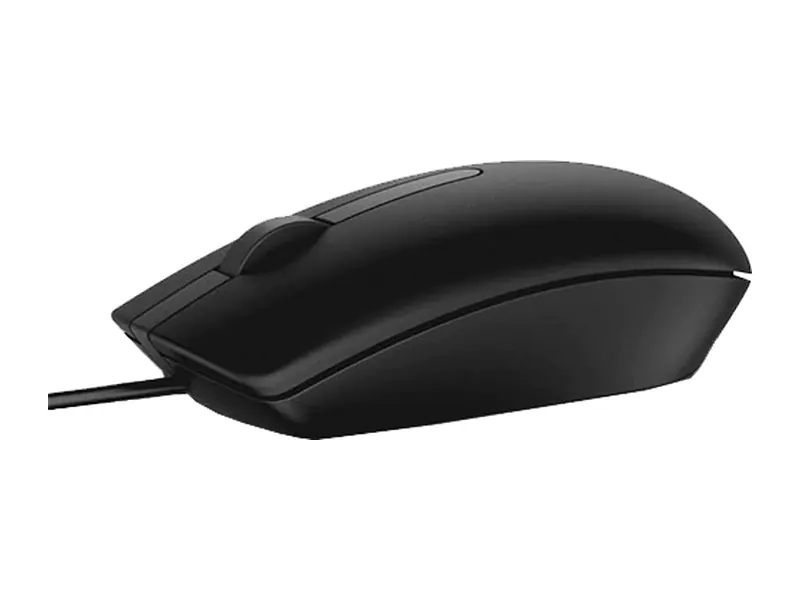
A plain, sturdy wired mouse with tens of thousands of buyer reviews. Plug it in and it works, with no battery or pairing. For a desk setup with spare USB ports, it is the simplest best mouse for laptop users on a tight budget.
- Connection
- Wired USB
- Sensor
- Optical, 1000 DPI
- Shape
- Ambidextrous, 3 buttons
- Power
- None needed
- Works with
- Windows, macOS, ChromeOS, Linux
Portronics Toad 23 Wireless Mouse
A light, low-cost wireless mouse that removes the cable from your bag. It is basic in build, but for students and casual users it does the job and slips easily into a laptop sleeve.
- Connection
- 2.4GHz wireless, USB receiver
- Sensor
- Optical, adjustable DPI
- Shape
- Ambidextrous
- Weight
- 75 g
- Rated for
- 3 million clicks
Best wireless mouse for laptop users
Step up from the budget picks for quieter clicks, a better grip and a more reliable connection. For most people, the best mouse for laptop work sits in this group. For seven wireless picks matched to gaming, MacBooks, office work and every budget, see our best wireless mouse guide.
Logitech M331 Silent Plus Wireless Mouse
The best mouse for laptop users who work around other people. Clicks are barely audible, the rubber grips sit comfortably in a right hand, and one AA cell lasts a long time. Left-handers should look at the ASUS below instead.
- Connection
- 2.4GHz wireless, USB receiver
- Clicks
- SilentTouch, about 90% quieter (as claimed)
- Shape
- Right-handed, contoured
- Battery
- 1 x AA
- Range
- Up to 10 m
ASUS Marshmallow MD100 Mouse
Slim, very light and able to switch between Bluetooth and its receiver, so it pairs with a laptop and a tablet. The quiet clicks and antibacterial coating suit shared desks. Its flat shape travels well but may feel small in large hands.
- Connection
- Bluetooth 5.0 + 2.4GHz receiver
- Clicks
- Silent, under 20 dB (as claimed)
- Sensor
- 800 / 1000 / 1600 DPI
- Shape
- Ambidextrous, slim
- Weight
- 56 g
Best Bluetooth mouse for laptop users
Bluetooth mice leave every port free, which matters on thin laptops and MacBooks with only USB-C. If ports are scarce, this group holds the best mouse for laptop setups.
Logitech M196 Bluetooth Mouse
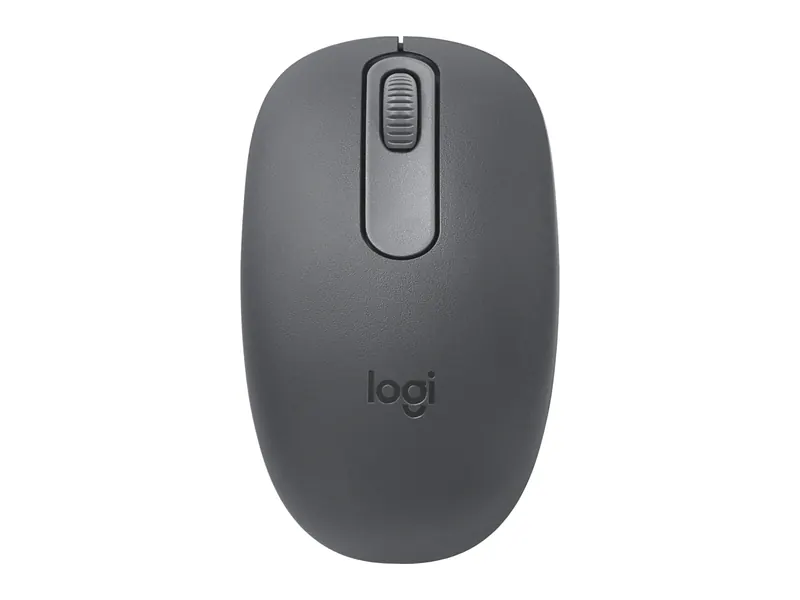
An affordable way to go receiver-free. It pairs with almost any laptop or tablet, the symmetrical shape suits either hand, and battery life is measured in months. For many students it is the best mouse for laptop bags because there is no dongle to lose.
- Connection
- Bluetooth (no receiver)
- Shape
- Ambidextrous
- Weight
- 76 g
- Battery
- 1 x AA, up to 12 months (as claimed)
- Works with
- Windows, macOS, ChromeOS, iPadOS, Android
Logitech MX Master 3S Bluetooth Edition
The productivity favourite: a sculpted right-hand shape, a scroll wheel that spins through long documents in a flick, a thumb wheel for horizontal scrolling and customisable buttons. It is heavy for travel, so it suits a home or office desk best.
- Connection
- Bluetooth only (no receiver)
- Sensor
- 8000 DPI, tracks on glass
- Scrolling
- MagSpeed electromagnetic wheel
- Buttons
- 7, with quiet clicks
- Weight
- 141 g
Best ergonomic mouse for laptop users
If your wrist aches after long days, a vertical mouse keeps your hand in a more natural handshake position. For many desk workers, that makes it the best mouse for laptop comfort over a full day.
Logitech Lift Vertical Ergonomic Mouse
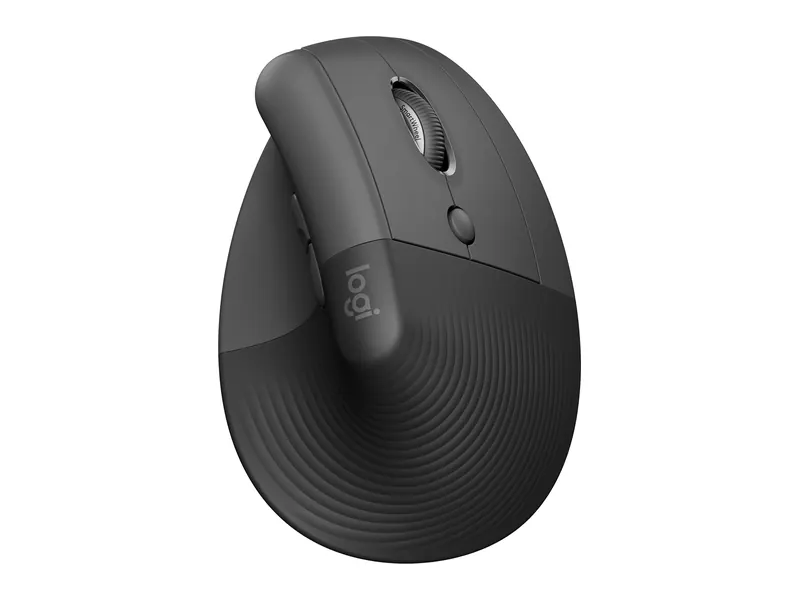
The 57-degree angle reduces forearm twisting compared with a flat mouse. It takes a few days to get used to, and it is sized for small and medium hands. If you spend hours a day at a laptop, few mice here are kinder to your wrist.
- Angle
- 57° vertical
- Fits
- Small to medium right hands
- Connection
- Bluetooth or Logi Bolt receiver
- Buttons
- 4
- Battery
- 1 x AA
Best gaming mouse for laptop players
Gaming mice add a precise sensor, extra buttons and low-latency connections. These three suit laptop gamers at different budgets, and each is a strong best mouse for laptop gaming candidate.
Logitech G102 Light Sync Gaming Mouse
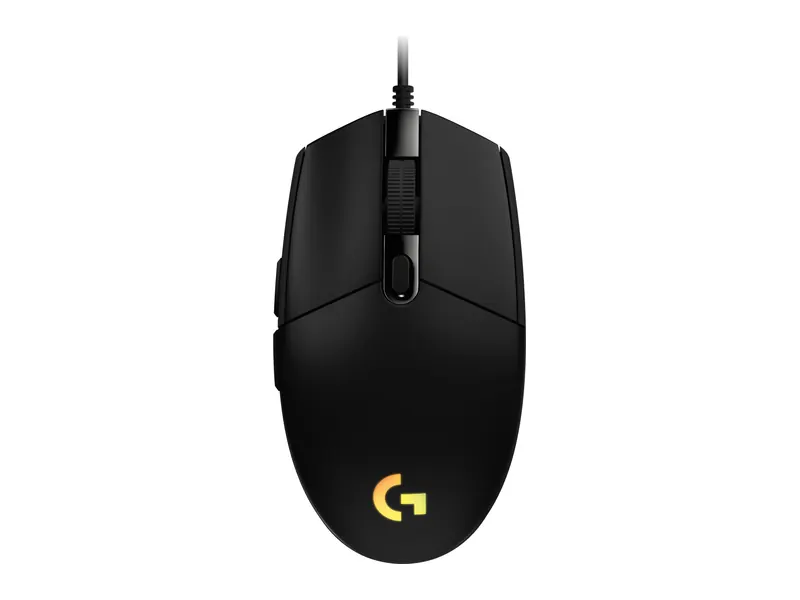
An accurate sensor, six programmable buttons and RGB lighting in a light, simple shape. It is a big step up from an office mouse in eSports games and costs little more.
- Connection
- Wired USB
- Sensor
- Up to 8000 DPI
- Buttons
- 6, programmable
- Lighting
- RGB
- Weight
- 89 g
Logitech G304 Lightspeed Wireless Gaming Mouse
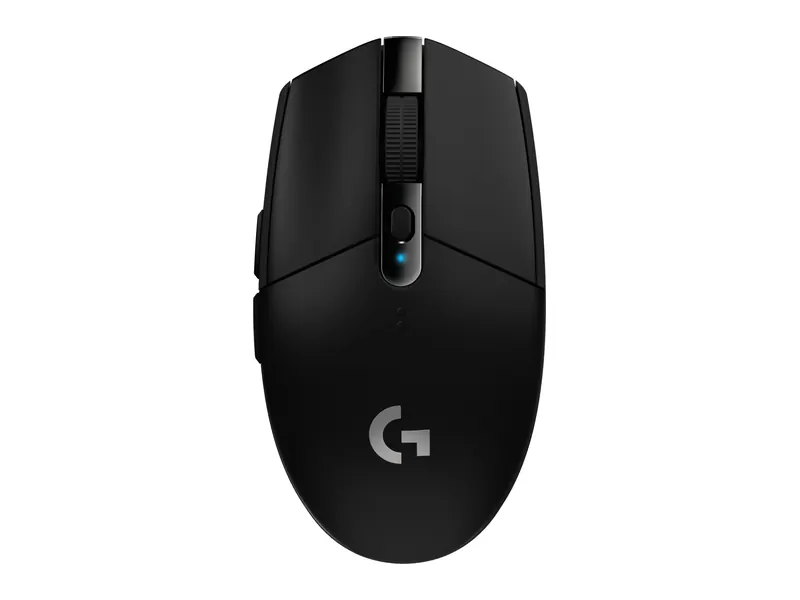
A wireless gaming mouse with a fast, low-lag connection and long battery life on a single AA cell. It doubles as an everyday mouse, so it is the best mouse for laptop gamers who want one mouse for everything.
- Connection
- Lightspeed 2.4GHz wireless
- Sensor
- HERO, up to 12,000 DPI
- Battery
- Up to 250 hours on 1 x AA (as claimed)
- Shape
- Ambidextrous, 6 buttons
- Weight
- 99 g
Razer DeathAdder Essential Gaming Mouse
A large right-handed shape that suits palm grip and bigger hands better than the smaller Logitech G102. It is a dependable choice for longer gaming sessions on a laptop.
- Connection
- Wired USB
- Sensor
- 6400 DPI optical
- Shape
- Ergonomic, right-handed
- Buttons
- 5
- Rated for
- 10 million clicks
Best mouse for laptop picks compared

The chart above summarises the ten picks, so you can match the best mouse for laptop use to your own needs. In short:
- Cheapest reliable choice: Dell MS116 (wired) or Portronics Toad 23 (wireless).
- Quiet everyday wireless: Logitech M331 Silent Plus or ASUS MD100.
- No receiver needed: Logitech M196 or MX Master 3S Bluetooth Edition.
- Wrist comfort: Logitech Lift.
- Gaming: Logitech G102, G304 or Razer DeathAdder Essential.
DPI, sensors and surfaces explained
DPI (dots per inch) is how far the pointer moves for each inch of hand movement. Higher DPI is not automatically better: 1000 to 1600 DPI is comfortable on a Full HD laptop screen, and gamers often play at 800 to 1600 DPI with a higher number available for menus. What matters more is a consistent sensor and the ability to change DPI in software or with a button.
Most optical mice need a non-reflective surface. A cheap cloth mouse pad improves tracking on glossy desks. The MX Master 3S tracks even on glass, which is useful in cafes and co-working spaces.
Setting up your mouse with a laptop
Pair Bluetooth mice from your laptop's Bluetooth settings: hold the mouse's pairing button until the light blinks, then select it. For receiver mice, plug the receiver into a USB-A port; on USB-C-only laptops, use a small USB-C to USB-A adapter or a USB-C hub.
Even the best mouse for laptop use needs a minute of tuning. In Windows Settings, adjust pointer speed and scroll lines to taste. Logitech and Razer apps let you remap buttons, which is worth ten minutes for any productivity or gaming mouse. Pair the mouse with a raised screen to protect your neck, as explained in our wider accessories guide.
Office mouse or gaming mouse?
A gaming mouse is not only for games. Models like the Logitech G102 have accurate sensors, sturdy switches and programmable buttons that also help with spreadsheets and editing. On the other hand, office mice are usually quieter, lighter on battery and easier to carry.
Choose an office-style mouse if you work in shared spaces, travel daily or want the longest battery life. Choose a gaming mouse if you play regularly, want extra buttons for shortcuts, or prefer a heavier, more planted feel on the desk. For laptop gamers, a wireless gaming mouse like the Logitech G304 is the most flexible best mouse for laptop setups because it does both jobs well.
Battery life, care and software
Most AA-powered mice in this list last months on one cell, and some claim a year or more. Keep a spare battery in your bag, and switch the mouse off when you pack it to stop it waking in transit. For receiver mice, store the receiver in its slot under the mouse so it is not lost.
Clean the sensor window and feet occasionally with a dry cloth, and wipe the buttons with a slightly damp cloth. Software adds a lot to premium mice: Logitech's Logi Options+ app customises buttons and scrolling on the MX Master 3S and Lift, while Logitech G HUB handles the gaming models.
Does wireless lag matter on a laptop?
For office work, browsing and study, no. Modern 2.4GHz receivers and Bluetooth mice feel instant in everyday use. Bluetooth can add a little delay and occasionally takes a moment to wake, which competitive gamers may notice. That is why the best mouse for laptop gaming is either wired or uses a dedicated low-lag receiver, such as Logitech's Lightspeed on the G304.
Interference is a more common problem than lag. If the pointer stutters, move the receiver to a port on the side facing the mouse, or use a short USB extension. Metal desks and crowded USB 3.0 ports near the receiver can also cause drop-outs.
Taking your mouse on the move
For a laptop bag, smaller is better, and the best mouse for laptop commuters is usually the lightest one you find comfortable. The ASUS MD100, Logitech M196 and Portronics Toad 23 are light enough to forget about. Bluetooth models also mean nothing sticks out of the laptop's side, which protects the port. The best mouse for laptop travel is one that pairs quickly, sleeps automatically and survives being tossed into a sleeve; pair it with a padded case from our accessories guide.
More mouse guides
We are expanding this section with focused guides for each type of mouse:
- Best wireless mouse: 7 verified picks by budget and use
- Best mouse under ₹500 (coming soon)
- Best gaming mouse under ₹1,000 (coming soon)
- Best ergonomic mouse (coming soon)
- Best Bluetooth mouse (coming soon)
- Wired vs wireless mouse (coming soon)
- Best keyboard and mouse combo (coming soon)
- Best keyboard for laptop: 10 verified picks to pair with your mouse
Still choosing the laptop itself? Our laptop buying guide for India explains what to check, and the laptop guides by budget list verified picks at every price.
Frequently asked questions
What is the best mouse for laptop use overall?
For most people, the Logitech M331 Silent Plus: comfortable, quiet and reliable. If your laptop has few USB ports, choose the Logitech M196 Bluetooth mouse instead.
Wired or wireless: which is the best mouse for laptop users?
Wireless suits most laptop users because it keeps the bag and desk tidy. Wired is cheapest and needs no battery, which makes it a good choice for a fixed desk.
Is Bluetooth or a USB receiver better?
Bluetooth frees a port and pairs with tablets too. A 2.4GHz receiver connects instantly and usually has lower lag, which gamers prefer.
Do these mice work with a MacBook?
Yes. Bluetooth mice connect directly. Receiver and wired mice need a USB-C to USB-A adapter on MacBooks with only USB-C ports.
What is the best mouse for laptop gaming on a budget?
The Logitech G102 Light Sync is a strong wired choice. If you want wireless, the Logitech G304 uses a low-lag Lightspeed receiver and runs for a long time on one AA battery.
What DPI do I need?
Around 1000 to 1600 DPI is comfortable for office work on a Full HD screen. Gaming mice offer higher settings, but most players use 800 to 1600 DPI.
The final word
The best mouse for laptop users depends on how you work: the Logitech M331 Silent Plus for quiet everyday use, the Logitech M196 if you need Bluetooth, the Logitech Lift for wrist comfort and the Logitech G304 for gaming. On a tight budget, the Dell MS116 is hard to beat. See the rest of our laptop accessories for the next upgrade.
Last updated on . Specifications, stock and prices change frequently. Always check the live listing before you buy.
More buying guides

Best laptops for students
Need the best laptop for students in India? 8 verified picks for CSE, engineering, commerce, design and school, matched to your course and your budget.
Read guide →
Best laptops under ₹50,000
Looking for the best laptop under 50000 in India? 7 picks for students, home and office, compared on verified specs with honest pros, cons and buying tips.
Read guide →
Best laptops under ₹60,000
Best laptop under 60000 in India: 8 picks with 16GB RAM and Ryzen 5/7 or Intel Core chips, compared on verified specs with honest pros, cons and advice.
Read guide →
Best gaming laptops under ₹60,000
Best gaming laptop under 60000 in India? 4 honest picks for eSports and light gaming, the truth about dedicated GPUs at this budget, and verified specs.
Read guide →