Intel Core i5 vs i7 Laptop: Do You Need the i7?


The i5 vs i7 laptop question usually arrives at the same moment: two listings look alike, one says Core i5 and the other Core i7, and the price gap is a few thousand rupees, or sometimes much more. The badge is not enough. A Core i5 H-series chip can beat a Core i7 U-series chip, and on a gaming laptop the graphics card often matters more than either processor.
We checked live listings in India on 11 November 2026, kept six in-stock laptops that show the real i5 vs i7 laptop choice, and wrote the answer around the suffix, the generation and the rest of the machine. This page sits under our laptops by processor guide. For the letter after the name, read U vs H series laptop processors first.
On this page
- i5 vs i7 laptop: the short answer
- i5 vs i7 laptop: the suffix matters more than the number
- 13th Gen and 14th Gen: which Core i5 matches which Core i7?
- i5 vs i7 laptop for students
- i5 vs i7 laptop for programming and coding
- i5 vs i7 laptop for gaming
- i5 vs i7 laptop for video editing
- The 6 laptops we verified, three Core i5 and three Core i7
- i5 vs i7 laptop price in India: when the extra money is worth it
- Mistakes to avoid when choosing an i5 vs i7 laptop
- How we compared them
- FAQs
- Final word
- More buying guides
i5 vs i7 laptop: the short answer
The short answer to the i5 vs i7 laptop question is that you often do not need the i7, and sometimes the i7 is not even the faster or cheaper listing on the day you buy.
- Buy the i5 if it is an H or HX chip with 16GB of memory, and the rest of the laptop (screen, graphics, weight) matches what you need. For study, office work and most coding, a current Core i5 is enough.
- Buy the i7 if you export video, run virtual machines, compile large projects or stream while you play, and the price gap is modest. The i7 helps most when the other parts of the laptop, especially the graphics card, are already strong.
- Ignore the badge and read the suffix. An i5-13420H or i5-13500H will feel quicker in long tasks than an i7-1355U. U is for battery life, H and HX are for power.
On 11 November 2026 the gap between the MSI Thin 15 (Core i5-13420H, RTX 3050) and the MSI Thin 15 (Core i7-13620H, RTX 3050) was about ₹4,760, with the same RTX 3050 4GB in both. That is a fair, small premium for more cores, not a transformation. The same day, an Acer Nitro 5 with an i5-14450HX and RTX 4050 was listed above the Acer Nitro 5 (Core i7-14650HX, RTX 4050) with the same GPU, which is why you should never pay more for a lower tier just because the listing is in stock.
i5 vs i7 laptop: the suffix matters more than the number
Most confusion in the i5 vs i7 laptop debate comes from treating every i5 as equal and every i7 as faster. The letter at the end of the name tells you the power class.
- U-series (i5-1335U, i5-1334U, i7-1355U): low power, better battery life, typical in thin office laptops such as the MSI Modern 15 (Core i5-1335U). Fine for Office, browsing and classes.
- H-series (i5-13420H, i5-13500H, i7-13620H): higher power, typical in mainstream and entry gaming laptops. The Acer Aspire Lite (Core i7-13620H) and the Acer Aspire 14 (Core i5-13500H) sit here.
- HX-series (i5-14450HX, i7-14650HX, i9-14900HX): the highest power in this guide, used in thicker gaming laptops such as the Acer Nitro 5 (Core i7-14650HX, RTX 4050).
A practical rule for the i5 vs i7 laptop choice: compare suffix first, then generation, then the i5 or i7 badge. An i5 H will usually beat an i7 U in long tasks, and an i7 HX will beat an i5 HX in the same chassis if the prices are close. Our U vs H series guide walks through that letter in more detail, and Core Ultra 5 vs Core i5 covers Intel's newer name.
13th Gen and 14th Gen: which Core i5 matches which Core i7?
These are the Core i5 and Core i7 chips you will meet most often in Indian laptops in 2026.
13th Gen U-series
The Core i5-1335U and i5-1334U have 10 cores (2 performance plus 8 efficient) and 12 threads. The Core i7-1355U uses the same 10-core, 12-thread layout with a higher boost clock. In everyday work the gap is small. Memory and storage decide more of the experience than the badge.
13th Gen H-series
The Core i5-13420H has 8 cores (4 performance plus 4 efficient) and 12 threads. The Core i5-13500H is a stronger 12-core H chip. The Core i7-13620H has 10 cores and a higher boost, and it is the i7 you will see most often in mid-range laptops. This is the fairest i5 vs i7 laptop pairing for people who work on the machine as well as play.
14th Gen HX-series
The Core i5-14450HX and Core i7-14650HX are the chips in current Nitro, Katana and similar gaming laptops. The i7 has more cores and a higher boost, which helps if you stream or export while a game is running. If the graphics card is the same, the i7 is an upgrade to the processor only.
You can confirm any chip on Intel ARK.
i5 vs i7 laptop for students
For most students, the i5 vs i7 laptop answer is the i5, as long as it has 16GB of memory. Notes, research tabs, online classes and Office do not need an i7. The MSI Modern 15 (Core i5-1335U) is the kind of laptop we would buy for that work.
Engineering and computer-science students who compile code or run virtual machines will notice an H-series chip more than they will notice the i7 badge. The Acer Aspire 14 (Core i5-13500H) is a 14-inch i5 H-series machine; the Acer Aspire Lite (Core i7-13620H) is the i7 H-series option if the budget stretches and you want more cores for builds. See our best laptops for students guide for the wider field.
i5 vs i7 laptop for programming and coding
Coding is where the i5 vs i7 laptop gap can show up, but only in long jobs. Editing Python or JavaScript, and running a browser and a terminal, is fine on a current i5 with 16GB. Large compiles, Android emulators and several Docker containers benefit from more performance cores, which is where an i7 H or HX helps.
- Web development and college assignments: a 16GB i5 U or H, such as the MSI Modern 15 (Core i5-1335U) or the Acer Aspire 14 (Core i5-13500H).
- Frequent builds and virtual machines: the Acer Aspire Lite (Core i7-13620H) or another i7 H, and a machine with memory slots if you can move to 32GB later.
If the laptop also has a dedicated GPU for machine learning, spend on the GPU and memory first, then the processor. Our MSI laptops guide and Acer laptops guide list those configurations.
i5 vs i7 laptop for gaming
In games, the i5 vs i7 laptop question is usually the wrong question. The graphics card and its power limit decide the frame rate. The processor matters in open-world and strategy games, and when you stream at the same time.
The cleanest comparison we found is the two Thin 15 laptops: the MSI Thin 15 (Core i5-13420H, RTX 3050) and the MSI Thin 15 (Core i7-13620H, RTX 3050) share an RTX 3050 4GB and a 144Hz screen. The i7 will not turn that 4GB card into a different class of GPU. Buy the i5 unless the i7 is only a little more expensive, which it was on the day we checked.
Higher up, the Acer Nitro 5 (Core i7-14650HX, RTX 4050) pairs a 14th Gen i7 HX with an RTX 4050 6GB, which is a more sensible place to pay for the i7 because the GPU can keep up. Read RTX 3050 vs RTX 4050 and our gaming laptops hub before you choose a tier.
i5 vs i7 laptop for video editing
For video editing, an i7 is easier to justify, but only with a dedicated GPU and 16GB or more of memory. Exports and effects lean on both the processor and NVIDIA's encoder. An i7 U-series laptop with no GPU is the wrong way to spend the i5 vs i7 laptop premium.
The Acer Aspire Lite (Core i7-13620H) can handle light 1080p work, but it has no dedicated graphics. Serious 1080p and light 4K work wants a card such as the RTX 4050 in the Acer Nitro 5 (Core i7-14650HX, RTX 4050). Plan for 32GB of memory if you edit 4K. Our laptops by graphics card page lists the tiers.
The 6 laptops we verified, three Core i5 and three Core i7
Each card lists the price we saw in stock on 11 November 2026. The award line says where the model sits in the i5 vs i7 laptop question.
MSI Modern 15 (Core i5-1335U, 16GB/512GB)
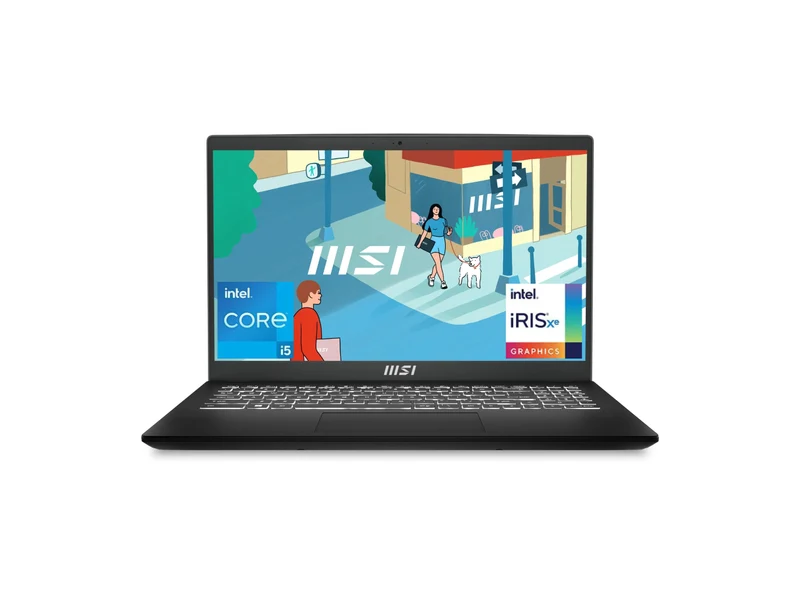
This is the i5 vs i7 laptop starting point for students and office work: a 10-core U-series i5 and 16GB of memory at the lowest price here. You do not need an i7 for notes, Excel and video calls. Memory is onboard and cannot grow, and there is no dedicated GPU.
- Processor
- Intel Core i5-1335U (10 cores / 12 threads, up to 4.6 GHz)
- Graphics
- Intel Iris Xe Graphics (integrated)
- Memory and storage
- 16GB DDR4 (onboard, 16GB maximum), 512GB SSD
- Display
- 15.6-inch FHD IPS-level, 60Hz
- Weight
- 1.7 kg
Acer Aspire 14 (Core i5-13500H, 16GB/512GB)
A 14-inch H-series i5 at 1.44 kg, with a taller WUXGA screen. This is the model to compare against an i7 U-series laptop: the suffix does more than the badge. Memory is LPDDR5, so it stays at 16GB. It has no dedicated GPU.
- Processor
- Intel Core i5-13500H (13th Gen, up to 4.7 GHz)
- Graphics
- Intel UHD Graphics (integrated)
- Memory and storage
- 16GB LPDDR5, 512GB SSD
- Display
- 14-inch WUXGA IPS
- Weight
- 1.44 kg
MSI Thin 15 (Core i5-13420H, RTX 3050 4GB, 16GB/512GB)
The honest entry gaming i5. The processor is plenty for this GPU, and the memory can be upgraded. The 4GB of video memory, not the i5 badge, is what will date it. Compare it with the i7 Thin 15 below before you pay the extra.
- Processor
- Intel Core i5-13420H (8 cores, up to 4.6 GHz)
- Graphics
- NVIDIA GeForce RTX 3050 4GB GDDR6
- Memory and storage
- 16GB DDR4 (upgradeable to 64GB), 512GB SSD
- Display
- 15.6-inch FHD IPS-level, 144Hz
- Weight
- 1.86 kg
Acer Aspire Lite (Core i7-13620H, 16GB/512GB)
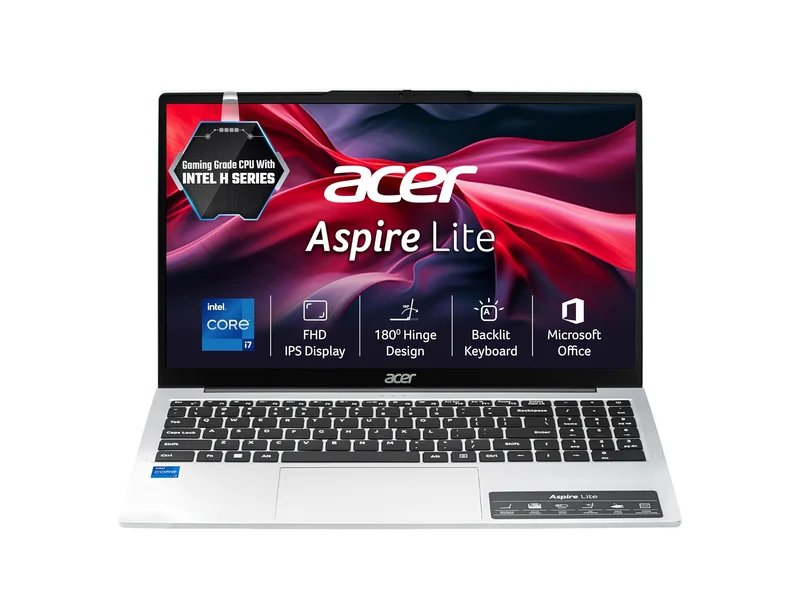
This is the i5 vs i7 laptop upgrade for people who want more cores for builds and large spreadsheets, without paying for a graphics card. It is faster than a U-series i7 in long tasks. Memory is soldered at 16GB, and there is no dedicated GPU, so it is not a gaming or 4K editing laptop.
- Processor
- Intel Core i7-13620H (10 cores, up to 4.9 GHz)
- Graphics
- Intel UHD Graphics (integrated)
- Memory and storage
- 16GB LPDDR5 (soldered), 512GB PCIe Gen4 SSD
- Display
- 15.6-inch FHD IPS, 60Hz
- Weight
- 1.7 kg
MSI Thin 15 (Core i7-13620H, RTX 3050 4GB, 16GB/512GB)
The cleanest i5 vs i7 laptop pair on this page. You pay about ₹4,760 more than the i5 Thin 15 for more cores and a higher boost, on the same RTX 3050 4GB and 144Hz screen. Worth it if the gap stays small and you also compile or stream; not worth it if you think the i7 will fix the 4GB card.
- Processor
- Intel Core i7-13620H (10 cores, up to 4.9 GHz)
- Graphics
- NVIDIA GeForce RTX 3050 4GB GDDR6
- Memory and storage
- 16GB, 512GB SSD
- Display
- 15.6-inch FHD, 144Hz
- Weight
- 1.86 kg
Acer Nitro 5 16 (Core i7-14650HX, RTX 4050 6GB, 16GB/1TB)
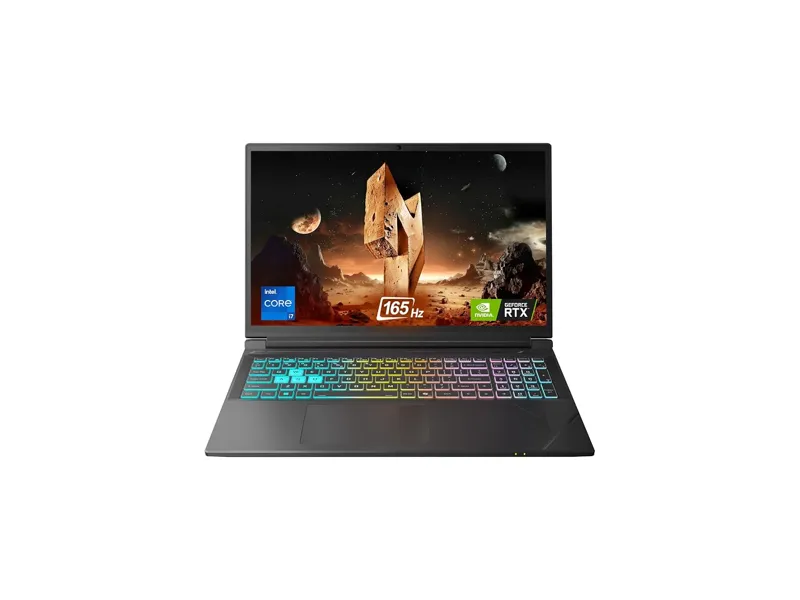
This is where an i7 starts to make sense in a gaming laptop: an HX chip, an RTX 4050 with 6GB, a 165Hz 16-inch screen and a 1TB SSD. The same day, the Core i5-14450HX Nitro 5 with the same RTX 4050 was listed at a higher price, so check both and buy the cheaper honest configuration. It is a 2.5 kg desk machine.
- Processor
- Intel Core i7-14650HX (14th Gen, up to 5.2 GHz)
- Graphics
- NVIDIA GeForce RTX 4050 6GB GDDR6
- Memory and storage
- 16GB DDR5 (up to 32GB), 1TB SSD
- Display
- 16-inch WUXGA (1920×1200) IPS, 165Hz
- Weight
- 2.5 kg
i5 vs i7 laptop price in India: when the extra money is worth it
Price decides most i5 vs i7 laptop purchases. Here is what the six laptops above cost on 11 November 2026, and how we would spend the difference.
- A few thousand rupees between two otherwise identical laptops, as with the two Thin 15 models, is a reasonable i7 premium if you do long CPU work.
- ₹20,000 or more is usually too much for the badge alone. Spend that on 16GB instead of 8GB, on a better screen, or on a better graphics card.
- Inverted prices happen. If the i5 listing is dearer than the i7 in the same series, buy the i7, or wait. Do not assume the more expensive badge is the more expensive laptop.
The MSI Modern 15 (Core i5-1335U) at ₹51,990 is the value end of this comparison. Jumping to an i7 office laptop such as the Acer Aspire Lite (Core i7-13620H) costs about ₹31,000 more, and most of that is the H-series chip, not magic in the i7 name.
Mistakes to avoid when choosing an i5 vs i7 laptop
- Buying an i7 U when an i5 H is cheaper and faster in long tasks. Read the suffix.
- Paying for an i7 on a 4GB GPU and expecting better games. The card is the limit.
- Choosing an i5 with 8GB of memory over an i7 or i5 with 16GB. In 2026, 16GB matters more than the badge for everyday use. The Aspire 3 with an i5-1334U and 8GB was in stock at about ₹55,700 when we checked; the 16GB Modern 15 is the better buy.
- Assuming the i5 is always cheaper. Check the live price on both.
- Ignoring soldered memory. Several thin i5 and i7 laptops are stuck at 16GB. If you will need 32GB, pick a model with slots.
How we compared them
On 11 November 2026 we opened live listings for current Core i5 and Core i7 laptops sold in India, recorded the price, stock status and specifications, and kept six that show a fair i5 vs i7 laptop choice: a U-series i5, an H-series i5, an H-series i7 without a GPU, a matched Thin 15 pair that shares the same graphics card, and a 14th Gen i7 HX gaming laptop. Listings that were out of stock or that contradicted their own spec sheet were dropped.
Chip figures follow Intel's published names. Prices and stock change daily, so check the live listing before you buy.
Frequently asked questions
i5 vs i7 laptop: which is better?
The i7 is the faster chip in the same series and suffix, but you often do not need it. For study and office work, a current Core i5 with 16GB of memory is enough. Buy the i7 if you export video, run virtual machines or compile large projects, and the price gap is modest.
Do I need an i7 laptop in 2026?
Most buyers do not. Need the i7 if your work is long CPU jobs or you already have a strong graphics card and the i7 costs only a little more. An i5 H-series chip is the better upgrade from an older U-series i5.
Is a Core i5 H faster than a Core i7 U?
In long, heavy tasks, yes, often. U-series chips are built for battery life and lower heat. H-series chips are built for power. Compare the suffix before you compare the badge.
Is the i7 worth it in a gaming laptop?
Only if the graphics card is already strong enough, such as an RTX 4050 or above, or if you stream while you play. On an RTX 3050 4GB laptop the GPU, not the i5 or i7, is the limit.
i5 vs i7 laptop for students: which should I buy?
Buy the i5 with 16GB of memory. Spend any extra on memory, storage or a lighter body, not on the i7 badge, unless you regularly compile large projects.
i5 vs i7 laptop for programming: is the i7 worth it?
For web development and college work, a 16GB i5 is enough. For frequent large compiles, virtual machines and emulators, an i7 H or HX is worth a small premium, and 32GB of memory is worth even more.
The final word
You often do not need the i7. The honest i5 vs i7 laptop answer is to read the suffix, insist on 16GB of memory, and pay for the i7 only when the gap is small or your work is long CPU jobs. The MSI Modern 15 (Core i5-1335U) is enough for most people. The Acer Aspire Lite (Core i7-13620H) is the i7 to buy if you want more cores without a graphics card.
If you want a gaming laptop, compare the two Thin 15 models first, then step up to the Acer Nitro 5 (Core i7-14650HX, RTX 4050) when you want an RTX 4050. For the full processor map, read our laptops by processor guide.
Last updated on . Specifications, stock and prices change frequently. Always check the live listing before you buy.
More buying guides

Best laptops for students
Need the best laptop for students in India? 8 verified picks for CSE, engineering, commerce, design and school, matched to your course and your budget.
Read guide →
Best gaming laptops under ₹1 lakh
Best gaming laptop under 1 lakh in India: 7 RTX picks from Lenovo LOQ, Acer, ASUS TUF, MSI and Dell, with verified GPU wattage, specs and honest advice.
Read guide →
Best laptops under ₹55,000
Searching for the best laptop under 55000 in India? 7 verified picks with Core i5, i7 and Ryzen 5 chips, 16GB RAM options and honest pros and cons.
Read guide →