10 Best Apple MacBook Laptops in India (November 2026): Every Budget Covered


The best MacBook for you depends on the line, not only the badge. Apple now sells a MacBook Neo for people who want macOS at a lower price, a MacBook Air for everyday work and travel, and a MacBook Pro for editors, developers and anyone who needs more than a day's heavy work. Two of them can share a screen size and differ by a whole class of chip, memory and storage. This guide maps every line to a budget and names the best MacBook in each one.
Apple sits in our best laptop brands in India list as the premium pick: higher resale, quieter machines and longer rated battery life, with fewer ports and no Windows-only software. We checked every configuration below on 11 November 2026, kept ten that were in stock, and wrote each note around the chip, memory, storage, screen and weight rather than the marketing name. Listings change quickly, so confirm the live price before you pay. If you are choosing between the two cheaper lines, start with our MacBook Neo vs MacBook Air comparison.
On this page
- Best MacBook picks at a glance
- MacBook Neo vs Air vs Pro: which line to buy
- The 10 best MacBook laptops in India, by budget
- Best MacBook for students
- Best MacBook under 1 lakh
- Best MacBook under 80000
- Best MacBook for coding
- Best MacBook for video editing
- Best MacBook for gaming
- Best MacBook to buy in 2026
- How to choose the best MacBook
- How we chose the best MacBook picks
- FAQs
- Final word
- More buying guides
Best MacBook picks at a glance

Here is the short list. Each row links to the full pick below. Read the memory and the storage column before the model name: the best MacBook for a student and the best MacBook for video editing are very different machines.
| Budget band | Best MacBook | Line | Best for |
|---|---|---|---|
| Under ₹80,000 | MacBook Neo 13 (8GB/256GB) | Neo | Entry macOS, students on a budget |
| Under ₹1 lakh | MacBook Neo 13 (8GB/512GB) | Neo | Best Mac under ₹1 lakh |
| Around ₹1.6 lakh | MacBook Air 15 (M5, 16GB/512GB) | Air | Cheapest 15-inch Air |
| Around ₹1.7 lakh | MacBook Air 13 (M5, 16GB/1TB) | Air | 13-inch Air with 1TB |
| Around ₹2.2 lakh | MacBook Air 15 (M5, 24GB/1TB) | Air | Best Air overall |
| Around ₹2.7 lakh | MacBook Pro 14 (M5 Pro, 24GB/1TB) | Pro | Starting Pro for creators and coding |
| Around ₹3.4 lakh | MacBook Pro 16 (M5 Pro, 24GB/1TB) | Pro | 16-inch Pro, more screen and battery |
| Around ₹4.1 lakh | MacBook Pro 16 (M5 Pro, 48GB/1TB) | Pro | Heavy memory work |
| Around ₹4.5 lakh | MacBook Pro 14 (M5 Max, 36GB/2TB) | Pro | Compact Max for video |
| Around ₹4.9 lakh | MacBook Pro 16 (M5 Max, 36GB/2TB) | Pro | Flagship MacBook |
If you want one answer, the best MacBook for most buyers who can stretch past a lakh is the MacBook Air 15 with 16GB and 512GB: a bigger canvas than the 13-inch Air, 16GB of unified memory and a 66.5Wh battery, at a lower price than the 13-inch Air with 1TB when we checked. Below a lakh, buy the 512GB MacBook Neo. Creators and developers should start at the 14-inch MacBook Pro with an M5 Pro chip.
MacBook Neo vs Air vs Pro: which line to buy

You cannot pick the best MacBook without knowing what each line is for, because Apple reuses a 13-inch and 14-inch size across very different hardware. If you are choosing between the two cheaper lines, start with our MacBook Neo vs MacBook Air comparison.
MacBook Neo: the entry line
The Neo is Apple's cheaper 13-inch macOS laptop, with an A18 Pro chip, 8GB of unified memory and either 256GB or 512GB of storage, neither of which can be upgraded later. It weighs 1.23 kg, the screen hits 500 nits and Apple rates the battery at up to 16 hours. It is the best MacBook under ₹80,000 and under ₹1 lakh. It is not an Air: memory is tighter, storage options are smaller and it will feel the limit sooner if you keep dozens of tabs and apps open. Our MacBook Neo vs MacBook Air guide goes into that choice in more detail.
MacBook Air: the everyday line
The Air is the default best MacBook for most people who can spend over a lakh. The current Indian listings we checked use the M5 chip, 16GB or 24GB of unified memory, and 13.6-inch or 15.3-inch Liquid Retina screens. There is still no fan, so the Air stays silent, and the 15-inch model adds a larger 66.5Wh battery. Memory and storage are still fixed at purchase, so choose 16GB at the minimum and 512GB or 1TB of storage if you can.
MacBook Pro: the professional line
The Pro adds a Liquid Retina XDR display with ProMotion, a much larger battery in the 16-inch model, HDMI, an SD card slot and a cooling system that holds speed under long exports. M5 Pro and M5 Max chips, 24GB to 48GB of unified memory and up to 2TB of storage are what you buy if video, code builds or large photo libraries are the job. It is heavier and costs several times a Neo.
The 10 best MacBook laptops in India, by budget
These are the ten configurations we would buy, from the cheapest Neo to the 16-inch M5 Max Pro. Each one was listed in stock when we checked on 11 November 2026. Each note names the weak spot as clearly as the strength.
Apple MacBook Neo 13 (A18 Pro, 8GB/256GB)
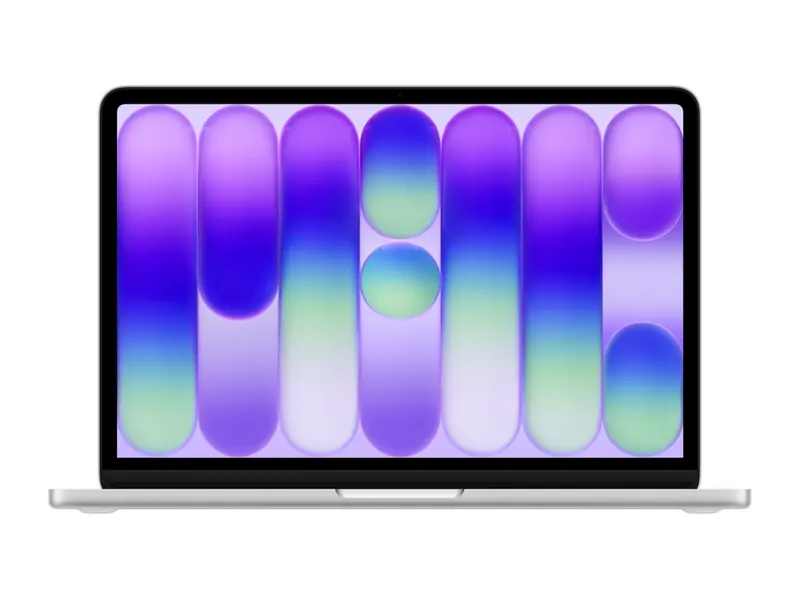
The cheapest way into a current MacBook in India. At 1.23 kg with a 500-nit screen and a 16-hour rated battery, it is a genuine all-day college or writing laptop. 8GB of memory and a 256GB SSD are the limits, and neither can be upgraded, so this is the best MacBook under ₹80,000 only if your files live in the cloud and your apps are light. If you can spend a little more, the 512GB Neo below is the wiser buy.
- Processor
- Apple A18 Pro
- Memory
- 8GB unified memory (fixed)
- Storage
- 256GB SSD (fixed)
- Display
- 13-inch Liquid Retina (2408×1506), up to 500 nits
- Weight
- 1.23 kg
- Battery
- 36.48 Wh, up to 16 hours rated
Apple MacBook Neo 13 (A18 Pro, 8GB/512GB)
Twice the storage of the entry Neo, in the same silent 1.23 kg body, still under ₹1 lakh when we checked. This is the best MacBook under 1 lakh and the one we would actually buy at the bottom of Apple's range. Memory stays at 8GB, so heavy Chrome use and large photo libraries will feel tight, and Windows-only software will not run. Two USB-C ports means a dongle goes in the bag.
- Processor
- Apple A18 Pro
- Memory
- 8GB unified memory (fixed)
- Storage
- 512GB SSD (fixed)
- Display
- 13-inch Liquid Retina (2408×1506), up to 500 nits
- Weight
- 1.23 kg
- Battery
- 36.5 Wh, up to 16 hours rated
Apple MacBook Air 15 (M5, 16GB/512GB)
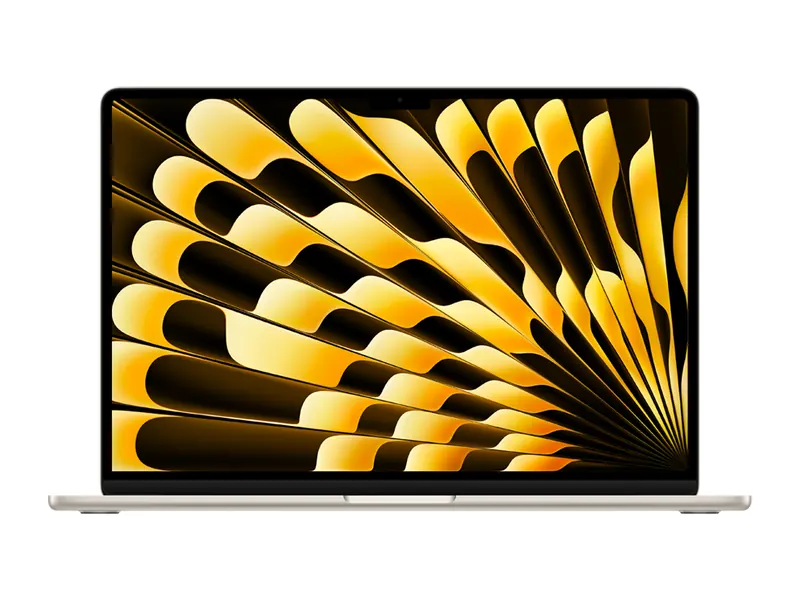
The cheapest M5 Air we found in stock, and cheaper than the 13-inch Air with 1TB on the day we checked. You get a 15.3-inch canvas, 16GB of memory and a 66.5Wh battery in a 1.51 kg body. This is the best MacBook for most people who want an Air rather than a Neo: enough memory for real work, a larger screen and all-day battery. 512GB will feel tight if you keep raw photos or videos on the machine.
- Processor
- Apple M5 (10-core CPU)
- Memory
- 16GB unified memory (fixed)
- Storage
- 512GB SSD (fixed)
- Display
- 15.3-inch Liquid Retina (2880×1864), P3
- Weight
- 1.51 kg
- Battery
- 66.5 Wh
Apple MacBook Air 13 (M5, 16GB/1TB)
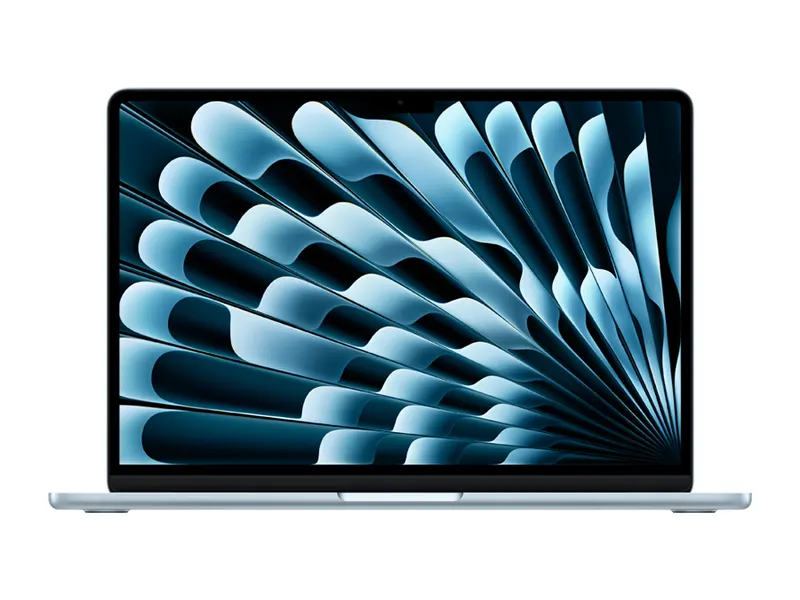
The 13-inch Air is the one to carry every day if you want a smaller footprint than the 15-inch model and 1TB of storage. At 1.24 kg it is almost as light as the Neo, with a better chip and 16GB of memory. The 53.8Wh battery is smaller than the 15-inch Air's pack. Choose this if you travel with a 13-inch laptop already and want the extra storage; choose the 15-inch Air if the screen size matters more.
- Processor
- Apple M5 (10-core CPU)
- Memory
- 16GB unified memory (fixed)
- Storage
- 1TB SSD (fixed)
- Display
- 13.6-inch Liquid Retina (2560×1664), P3
- Weight
- 1.24 kg
- Battery
- 53.8 Wh
Apple MacBook Air 15 (M5, 24GB/1TB)
24GB of unified memory and 1TB of storage turn the 15-inch Air into the best MacBook Air you can buy in this list. It still has no fan, so it stays silent, and the 66.5Wh battery is the largest in the Air line. This is the pick for people who edit photos, run a lot of apps at once, or want the Air to last five years. If you export 4K video or compile large projects all day, skip to the Pro; the Air will throttle sooner under that kind of load.
- Processor
- Apple M5 (10-core CPU)
- Memory
- 24GB unified memory (fixed)
- Storage
- 1TB SSD (fixed)
- Display
- 15.3-inch Liquid Retina (2880×1864), up to 500 nits, P3
- Weight
- 1.51 kg
- Battery
- 66.5 Wh
Apple MacBook Pro 14 (M5 Pro, 24GB/1TB)
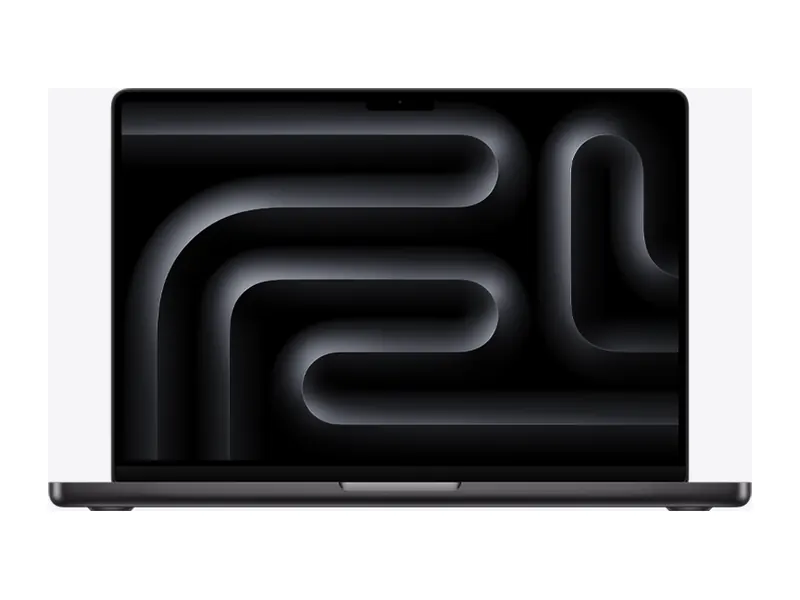
The 14-inch Pro is where the best MacBook for coding and for serious creative work begins: an M5 Pro chip, 24GB of memory, an XDR display with ProMotion, a 72.4Wh battery and a cooling system that holds speed under long jobs. At 1.60 kg it still travels. HDMI and an SD card slot mean fewer dongles than the Air. It costs a lot more than an Air, and it is the right jump only if you will use the extra performance.
- Processor
- Apple M5 Pro (15-core CPU)
- Memory
- 24GB unified memory (fixed)
- Storage
- 1TB SSD (fixed)
- Display
- 14.2-inch Liquid Retina XDR (3024×1964), ProMotion
- Weight
- 1.60 kg
- Battery
- 72.4 Wh
Apple MacBook Pro 16 (M5 Pro, 18-core CPU / 20-core GPU, 24GB/1TB)
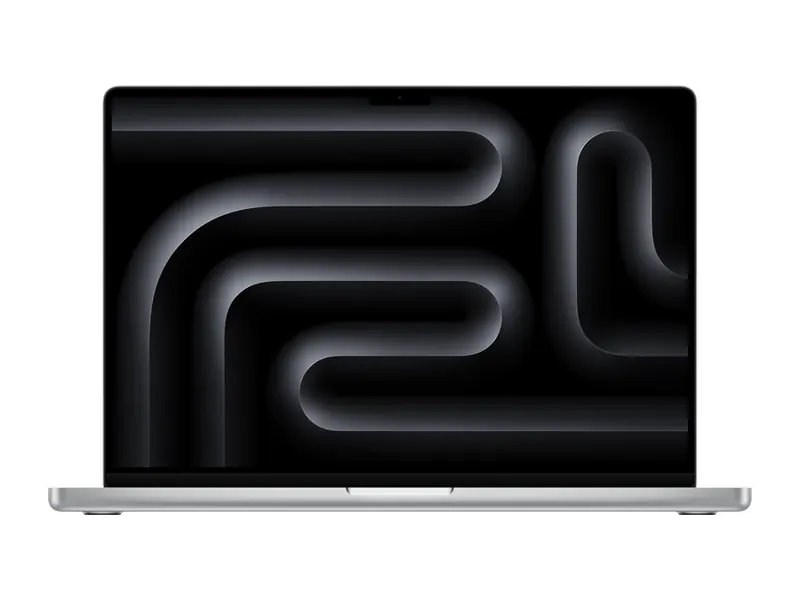
The 16-inch Pro adds a much larger XDR canvas and a 99.6Wh battery, the biggest pack in this guide, with a stronger M5 Pro configuration than the 14-inch pick. This is the best MacBook for video editing at this level if you want a bigger timeline and longer unplugged sessions. It is 2.14 kg, so it is a desk-and-bag machine rather than a daily commute one. 24GB is enough for most 4K work; jump to 48GB if you keep many streams or huge photo libraries open.
- Processor
- Apple M5 Pro, 18-core CPU / 20-core GPU
- Memory
- 24GB unified memory (fixed)
- Storage
- 1TB SSD (fixed)
- Display
- 16.2-inch Liquid Retina XDR (3456×2234), ProMotion
- Weight
- 2.14 kg
- Battery
- 99.6 Wh
Apple MacBook Pro 16 (M5 Pro, 18-core CPU / 20-core GPU, 48GB/1TB)
The same 16-inch M5 Pro machine as the pick above, with 48GB of unified memory. This is the best MacBook if you run virtual machines, large compiles, or very large photo and video libraries, and you do not need the M5 Max GPU. Storage stays at 1TB, so a fast external drive or cloud library is still part of the setup for big projects. Buy the Max below instead if the GPU is the bottleneck, not the memory.
- Processor
- Apple M5 Pro, 18-core CPU / 20-core GPU
- Memory
- 48GB unified memory (fixed)
- Storage
- 1TB SSD (fixed)
- Display
- 16.2-inch Liquid Retina XDR (3456×2234), ProMotion
- Weight
- 2.14 kg
- Battery
- 99.6 Wh
Apple MacBook Pro 14 (M5 Max, 18-core CPU / 32-core GPU, 36GB/2TB)
An M5 Max chip, 36GB of memory and 2TB of storage in a 14-inch, 1.62 kg body. This is the best MacBook for travelling editors who need Max-class graphics without the 16-inch weight. The 72.6Wh battery is smaller than the 16-inch pack, so long export days still want a charger nearby. It is one of the most expensive 14-inch laptops you can buy in India, and it only makes sense if the GPU will be busy.
- Processor
- Apple M5 Max, 18-core CPU / 32-core GPU
- Memory
- 36GB unified memory (fixed)
- Storage
- 2TB SSD (fixed)
- Display
- 14.2-inch Liquid Retina XDR (3024×1964), ProMotion
- Weight
- 1.62 kg
- Battery
- 72.6 Wh
Apple MacBook Pro 16 (M5 Max, 18-core CPU / 32-core GPU, 36GB/2TB)
The best MacBook money can buy in this list: an M5 Max chip, 36GB of memory, 2TB of storage, a 16.2-inch XDR display and a 99.6Wh battery. It handles 4K and heavier video work, large photo libraries and demanding development. It is 2.15 kg, loud under long load compared with an Air, and priced far above the rest, so buy it only if you will use the GPU and the screen.
- Processor
- Apple M5 Max, 18-core CPU / 32-core GPU
- Memory
- 36GB unified memory (fixed)
- Storage
- 2TB SSD (fixed)
- Display
- 16.2-inch Liquid Retina XDR (3456×2234), ProMotion
- Weight
- 2.15 kg
- Battery
- 99.6 Wh
Best MacBook for students
For students, the best MacBook is the one you can carry, that lasts a college day and that still has room for notes and a browser. Weight, battery and storage matter more than a Pro badge.
- MacBook Neo 13 (8GB/512GB): the default pick if the budget is under a lakh. Light, bright and long-lasting, with enough storage for a degree's worth of notes and photos. 8GB of memory is the compromise.
- MacBook Neo 13 (8GB/256GB): only if the budget really stops under ₹80,000. Plan on cloud storage from day one.
- MacBook Air 15 (M5, 16GB/512GB): the pick if parents or a loan can stretch to an Air. 16GB of memory and a 15-inch screen change how the laptop feels in a lecture and in a hostel.
Engineering courses that need Windows-only tools such as AutoCAD, MATLAB toolboxes or some lab software should look at a Windows laptop first. Our best laptops for students in India guide sorts picks by course, including non-Apple options.
Best MacBook under 1 lakh
The best MacBook under 1 lakh is the MacBook Neo 13 with 8GB and 512GB. It was in stock under that line when we checked on 11 November 2026, and it is the configuration we would actually buy at this budget. The 256GB Neo is the best MacBook under ₹80,000, and it leaves you short on storage sooner.
There is no MacBook Air under ₹1 lakh in the listings we checked. The cheapest Air started around ₹1.6 lakh. If you want 16GB of memory, you have to step up to the Air, or consider a Windows laptop in our best laptops under ₹1 lakh guide.
Best MacBook under 80000
The best MacBook under 80000 is the MacBook Neo 13 with 8GB and 256GB, which was listed at ₹71,890 on 11 November 2026. It is a real MacBook: silent, light and bright, with a 16-hour rated battery. The 256GB SSD and 8GB of memory are both fixed, so this is a cloud-first machine.
The 512GB Neo sat just above ₹80,000 when we checked. If you can cross that line, do. There is no Air or Pro under ₹80,000.
Best MacBook for coding
The best MacBook for coding wants enough unified memory, a screen tall enough for an editor and a terminal, and a chip that holds speed during a build. The Air is fine for web and app work; a Pro is the better buy for large compiles, iOS builds and virtual machines.
- MacBook Pro 14 (M5 Pro, 24GB/1TB): the starting point for serious development. 24GB of memory, an XDR display and a fan that holds clock speeds under load.
- MacBook Pro 16 (M5 Pro, 48GB/1TB): the pick if you run Docker, Android emulators or several VMs at once.
- MacBook Air 15 (M5, 24GB/1TB): enough for most app and web work if you want a silent, lighter machine and can live without the Pro display.
The Neo will run VS Code, Xcode for smaller projects and a browser, but 8GB of memory is a hard ceiling. Students on a tight budget can start there and plan to move up later.
Best MacBook for video editing
Editing leans on the GPU, unified memory, storage and a colour-accurate screen. The best MacBook for video editing in this list is a Pro, not an Air or a Neo.
- MacBook Pro 16 (M5 Pro, 24GB/1TB): the default 16-inch editing machine, with a large XDR canvas and a 99.6Wh battery.
- MacBook Pro 14 (M5 Max, 36GB/2TB) or MacBook Pro 16 (M5 Max, 36GB/2TB): the picks when the timeline is 4K or heavier and you want the Max GPU and 2TB of storage.
- MacBook Air 15 (M5, 24GB/1TB): acceptable for shorter 1080p or light 4K cuts, not for all-day exports.
Final Cut Pro and DaVinci Resolve run well on the Pro line. If your work is locked to Windows-only software, this is the wrong brand; start from the laptop graphics card list instead.
Best MacBook for gaming
A MacBook is a weak gaming laptop, and we would rather say that plainly than stretch a claim. macOS has a smaller game library than Windows, many titles never arrive, and even the M5 Max is not a substitute for a current RTX GPU in a Windows gaming laptop.
If you only want lighter and Apple Arcade-style games, any Air or Pro will do, and the Pro's better GPU helps in the titles that are actually available. If a real games library is the reason you are shopping, buy a Windows machine from our gaming laptops hub instead. The best MacBook for gaming is, honestly, not a MacBook.
Best MacBook to buy in 2026
If you are buying a MacBook in 2026 and want one recommendation, it is this:
- Under ₹1 lakh: the 512GB MacBook Neo.
- Most people above a lakh: the MacBook Air 15 with 16GB and 512GB, or the 24GB/1TB Air 15 if you can afford the headroom.
- Creators and developers: start at the 14-inch MacBook Pro with M5 Pro, 24GB and 1TB.
The M5 Air and M5 Pro and Max Pro models are the current Indian listings we could verify in stock. Older M3 or M4 configurations may still appear at a discount; check the chip name on the live listing before you pay, because a cheaper older chip is not always a better buy than a current Neo or Air.
How to choose the best MacBook

Use this short checklist to pick the best MacBook without overspending or getting stuck with too little memory.
- Confirm your software first. If you need Tally, many engineering tools or Windows-only games, a MacBook is the wrong machine.
- Pick the line. Neo for a budget macOS laptop, Air for everyday work and travel, Pro for long exports and heavy development.
- Buy enough memory at the start. 8GB is tight, 16GB is the sensible Air floor, 24GB is comfortable, and 48GB is for VMs and huge libraries. You cannot add more later.
- Buy enough storage at the start. 256GB fills up quickly, 512GB is workable, 1TB is comfortable, and 2TB suits video. You cannot add an internal drive later.
- Choose the screen size you will actually carry. 13-inch and 14-inch travel better; 15-inch and 16-inch are nicer on a desk and heavier in a bag.
Ports are sparse on the Neo and the Air (two USB-C on the Neo). Budget for a hub if you use a monitor, an Ethernet adapter or an SD card every day. The Pro adds HDMI and an SD slot, which is one reason it costs more.
How we chose the best MacBook picks
To find the best MacBook in India we started from what was actually in stock on 11 November 2026, across the Neo, Air and Pro lines, rather than from a list of configurations we wished were for sale. Every listing's title, feature bullets and specification table were read against Apple's published product pages, and we kept ten configurations that were in stock and that covered each budget band without repeating the same machine twice.
Chip, memory, storage, display, weight and battery figures come from the listings and from Apple's own specification pages. Hour-long battery claims are Apple's rated figures, not our test results. We don't accept payment for placement and we don't print prices, because they move with every sale. Each pick links to its live listing instead, and Check price shows the current figure. First-hand testing is not claimed anywhere on this page; this is a specification-led comparison, and we say so.
Frequently asked questions
What is the best MacBook to buy in India right now?
For most people who can spend over a lakh, the best MacBook is a 15-inch MacBook Air with an M5 chip, 16GB of memory and 512GB of storage. Under ₹1 lakh, buy the 512GB MacBook Neo. Creators and developers should start at the 14-inch MacBook Pro with an M5 Pro chip, 24GB and 1TB.
What is the best MacBook under 1 lakh?
The 512GB MacBook Neo, which was in stock under ₹1 lakh when we checked on 11 November 2026. The 256GB Neo is the best MacBook under ₹80,000. There is no MacBook Air under ₹1 lakh in the listings we checked.
Is the MacBook Neo or the MacBook Air the better buy?
The Neo is the better buy under ₹1 lakh. The Air is the better buy once you can afford 16GB of memory, because 8GB on the Neo is a hard ceiling. Our MacBook Neo vs MacBook Air comparison walks through that choice in more detail.
Which MacBook is best for students?
The 512GB MacBook Neo if the budget is under a lakh, or the 15-inch MacBook Air with 16GB if you can stretch. Check that your course software runs on macOS before you buy. Windows-only engineering tools need a different laptop.
Which MacBook is best for video editing and coding?
Start at the 14-inch MacBook Pro with an M5 Pro chip, 24GB and 1TB. Step up to a 16-inch Pro, more memory, or an M5 Max chip if your timelines, compiles or virtual machines need it. An Air is fine for lighter cuts and app development.
Can I use a MacBook for gaming?
Only for a small library of macOS games. If gaming is the main reason you are shopping, buy a Windows gaming laptop instead. A MacBook is a weak substitute for a machine with a current RTX GPU.
The final word
The best MacBook for most buyers above a lakh is the 15-inch MacBook Air with 16GB and 512GB, or the 24GB/1TB Air 15 if you want more headroom. Under ₹1 lakh, buy the 512GB MacBook Neo. Creators and developers should start at the 14-inch MacBook Pro with an M5 Pro, 24GB and 1TB, and step up to a 16-inch Pro or an M5 Max chip only if the work needs it.
Memory and storage are fixed at purchase, so choose enough at the start. If you are still deciding between the two cheaper lines, read our MacBook Neo vs MacBook Air comparison, and for the wider brand picture go back to our best laptop brands in India guide.
Last updated on . Specifications, stock and prices change frequently. Always check the live listing before you buy.
More buying guides

Best laptops for students
Need the best laptop for students in India? 8 verified picks for CSE, engineering, commerce, design and school, matched to your course and your budget.
Read guide →
Best laptops under ₹1 lakh
Best laptop under 1 lakh in India: 8 Core Ultra, Ryzen AI, OLED and MacBook Neo picks compared on verified specs, with honest pros, cons and buying tips.
Read guide →
Best laptops under ₹85,000
Best laptop under 85000 in India: 6 in-stock picks checked on 10 November 2026, from a 16-inch OLED HP and the MacBook Neo to a 10-core Acer i7.
Read guide →